Engulfing Bar
 By LuxAlgoApr 27, 2026
Engulfing Bar is an indicator on Vela, our next-generation charting platform, written in Pine Script®.
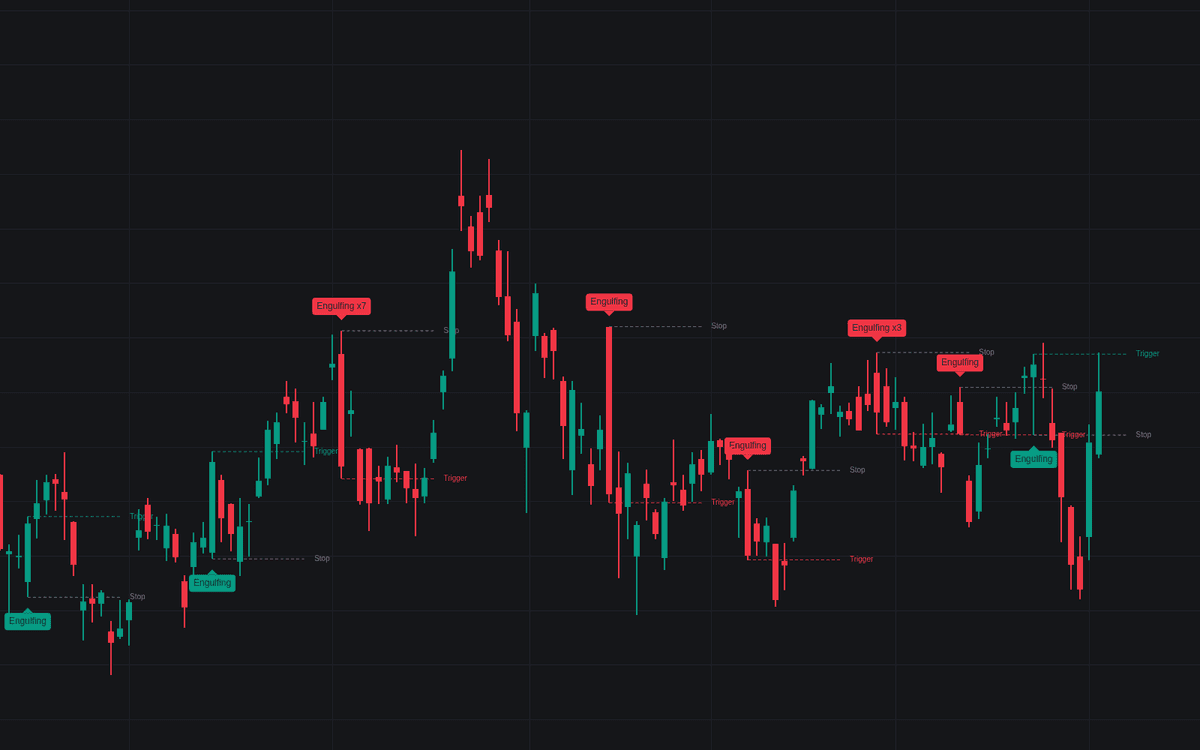

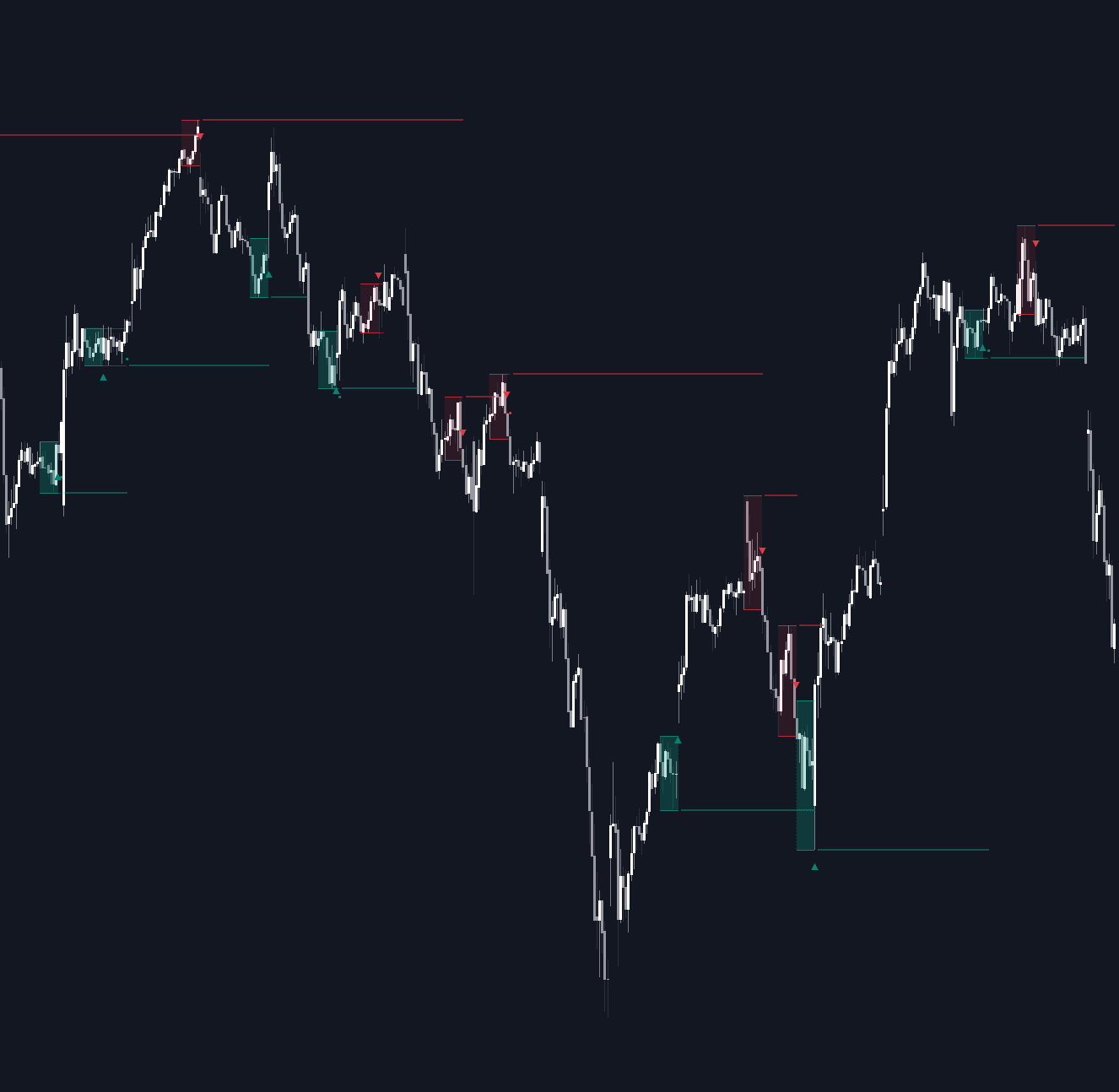
Engulfing Bar detects the full-range form of the pattern: a signal bar that overruns the previous high and low alike, then closes past whichever extreme lies in the new direction, a round trip that traps whoever positioned off the first break. Raw engulfing bar prints are frequent and mostly forgettable, so the build centers on its significance filters (range expansion, close location, trend context, swing location and participation), each optional.
How to Trade the Engulfing Bar?
- Bullish signal: the bar sweeps under the prior low, then finishes above the prior high, labeled and painted in the signal color, with the bearish print as its mirror.
- Trigger break: the dashed Trigger line marks the conventional entry (a break of the signal bar's extreme), and firing it raises an alert.
- Stop break: a return through the opposite extreme negates the pattern; the Stop line tracks it with invalidation alerts.
Engulfing Bar Settings
- Minimum Bars Engulfed (default 1): consecutive prior bars the signal bar must fully engulf; 1 is the classic two-bar form.
- Range Filter (default enabled; Multiple 1.0, Length 14): requires the span to beat the trailing average range by the set multiple.
- Close Location Filter (default disabled; Zone % 33): requires the close in the extreme zone of the span.
- Trend Context (default None; SMA Length 50): Reversal demands the pattern print against the prevailing move, Continuation with it.
- Swing Extreme Location (default disabled; Window 20): keeps only signals at the window's extreme.
- Volume Filter (default disabled; Multiple 1.0, Length 20): a participation preference, bypassed where no volume exists.
- Trigger & Stop Levels (default enabled; Trigger Level Bar Extreme, Levels Extension 10); Pattern Labels and Color Pattern Bars default on.
Frequently Asked Questions
Free to use
Run it on Vela. Go further with a paid plan.
- Up to 500 Custom Alerts, with webhook automation
- Up to 10× the chart history of Free
- Orderflow lookback up to full history
- More Quant usage to customize it, plus extra usage when you need it
- Futures data alongside crypto, stocks, forex and commodities

Related indicators
Run it on Vela. Make it yours with Quant.
Open this indicator free on Vela, our next-generation charting platform. Then ask Quant, our coding agent built into Vela, to retune it or turn it into a backtested strategy of your own.