EquiVolume
 By LuxAlgoMay 9, 2023
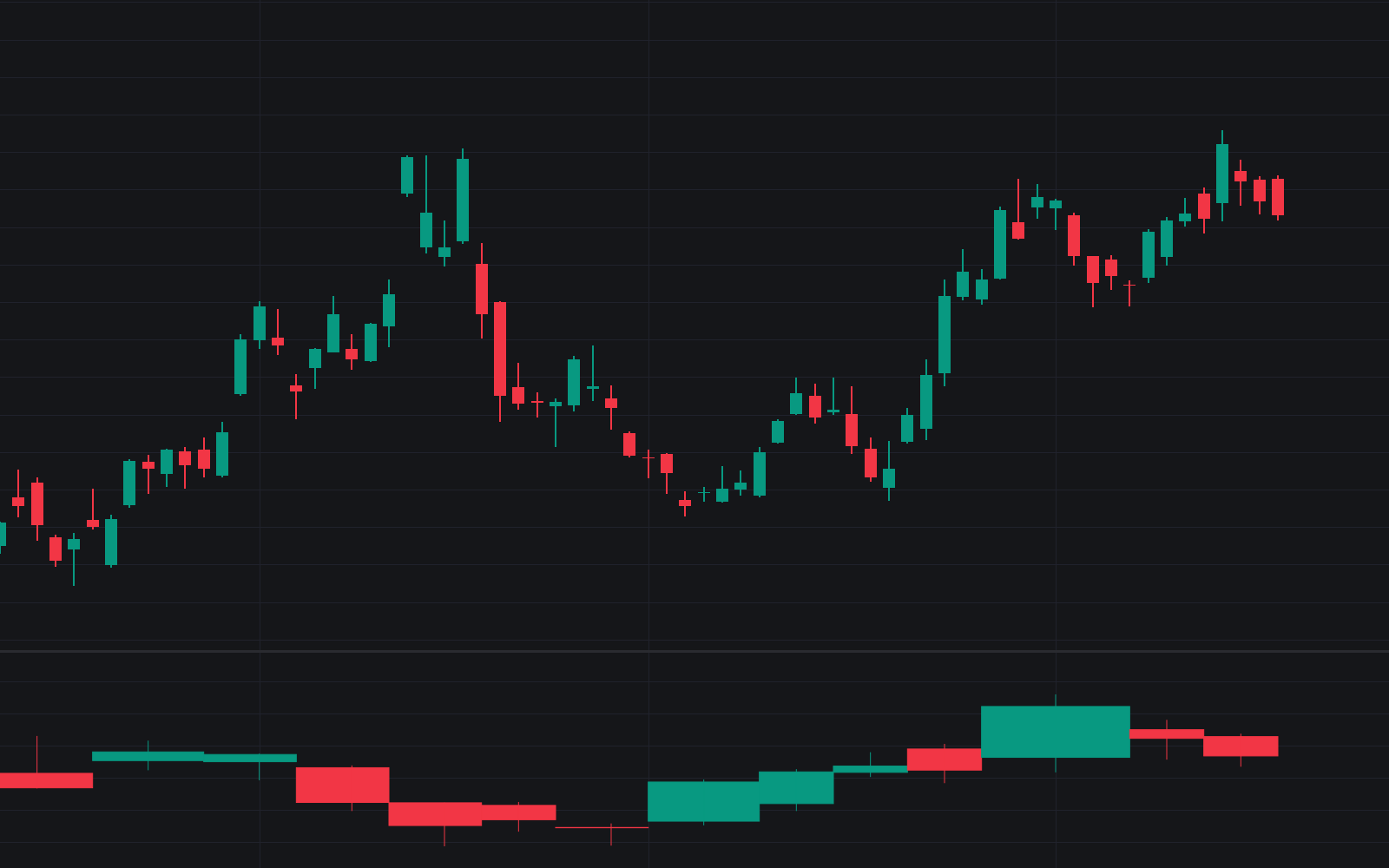

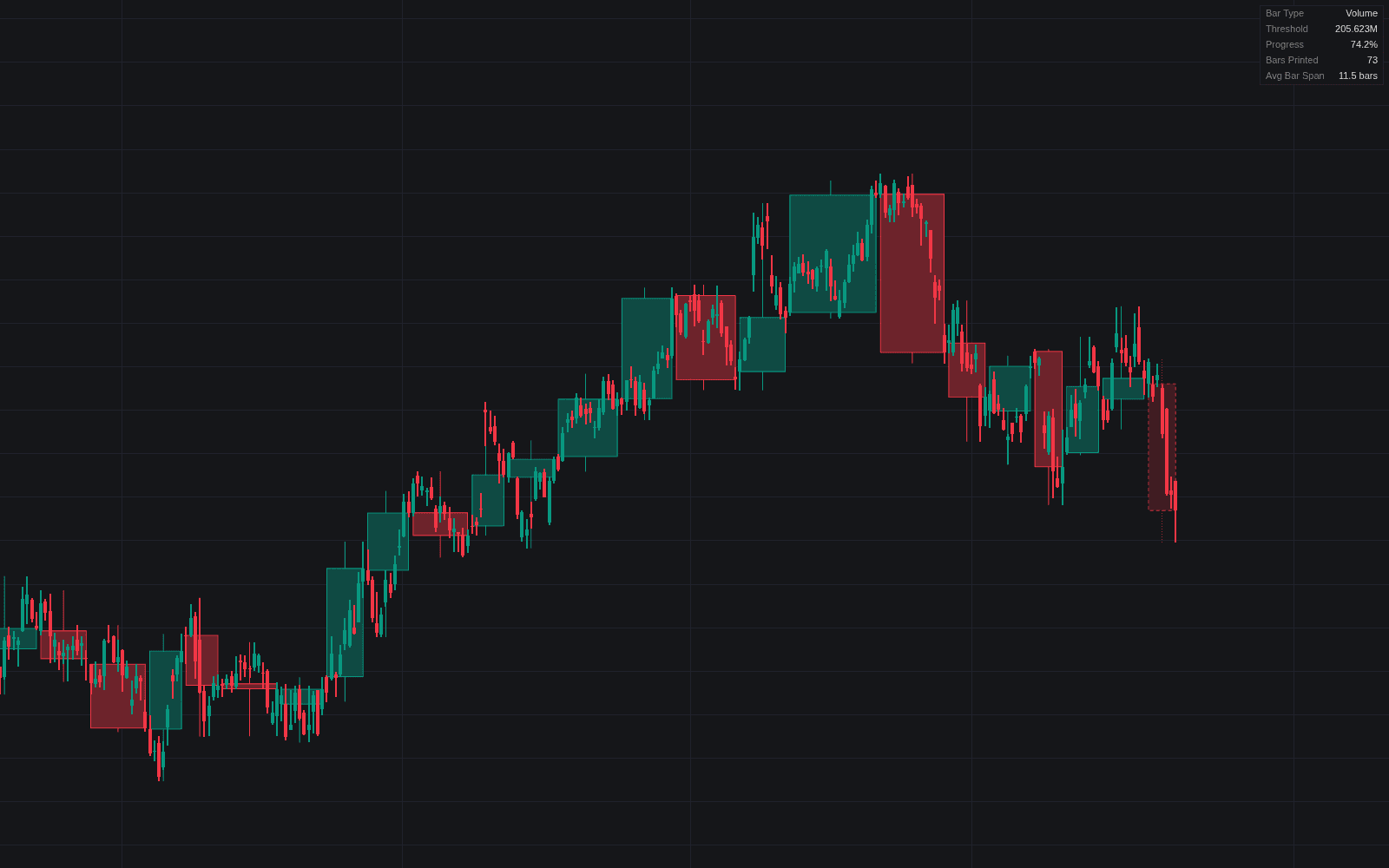
EquiVolume redraws the visible portion of the chart in the EquiVolume style: each candle's width is scaled to its traded volume, stretching busy bars wide and squeezing quiet ones thin. Price and volume merge into one plot (no separate pane, no cross-referencing), and a column mode can plot regular volume with the same width scaling instead.
How to Trade the EquiVolume?
- Wide candles: volume spikes stand out exactly where they happened in price, making it easy to line up heavy participation with the levels that produced it.
- Intrabar fill: with intrabar analysis enabled, each candle shows what share of lower-timeframe volume and candles moved with its direction. A green 15-minute bar containing ten green 1-minute bars fills 66.67% green.
- Narrow stretches: sequences of thin candles show moves made on little participation, useful context before trusting a breakout.
The script renders from the last visible bar leftward, so scrolling back reveals history segment by segment. If the chosen lower timeframe sits too far from the chart timeframe, the script raises it automatically and posts a small notification; on rare occasions a wick may not align perfectly in the center of its box.
EquiVolume Settings
- Intrabar analysis: enables the per-candle direction and volume breakdown.
- Lower Time Frame (LTF): 1 to 240 minutes; closer to the chart timeframe is safer, and the script self-adjusts when needed.
- Minimum Width: the floor for bar width, keeping low-volume bars legible.
- Maximum Width: the cap that stops high-volume bars from swamping the chart.
Frequently Asked Questions
Free on Vela
Run it on Vela. Go further with a paid plan.
- Up to 500 strategy alerts, with webhook automation
- Up to 10× the chart history of Free
- Orderflow lookback up to full history
- More Quant usage to customize it, plus extra usage when you need it
- Futures data alongside crypto, stocks, forex and commodities
Also works on

Related indicators
Run it on Vela. Make it yours with Quant.
Open this indicator free on Vela, our next-generation charting platform. Then ask Quant, our coding agent built into Vela, to retune it or turn it into a backtested strategy of your own.