Alternative Bar Types
 By LuxAlgoApr 15, 2026
Alternative Bar Types is an indicator on Vela, our next-generation charting platform, written in Pine Script®.
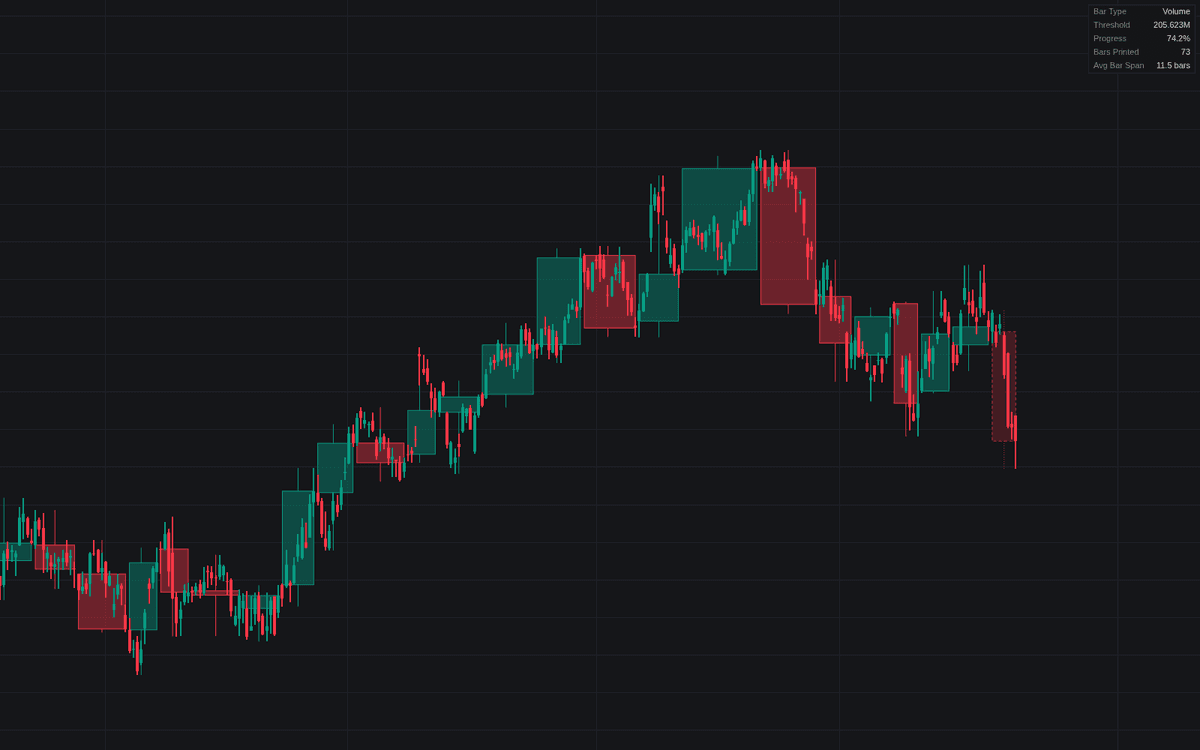

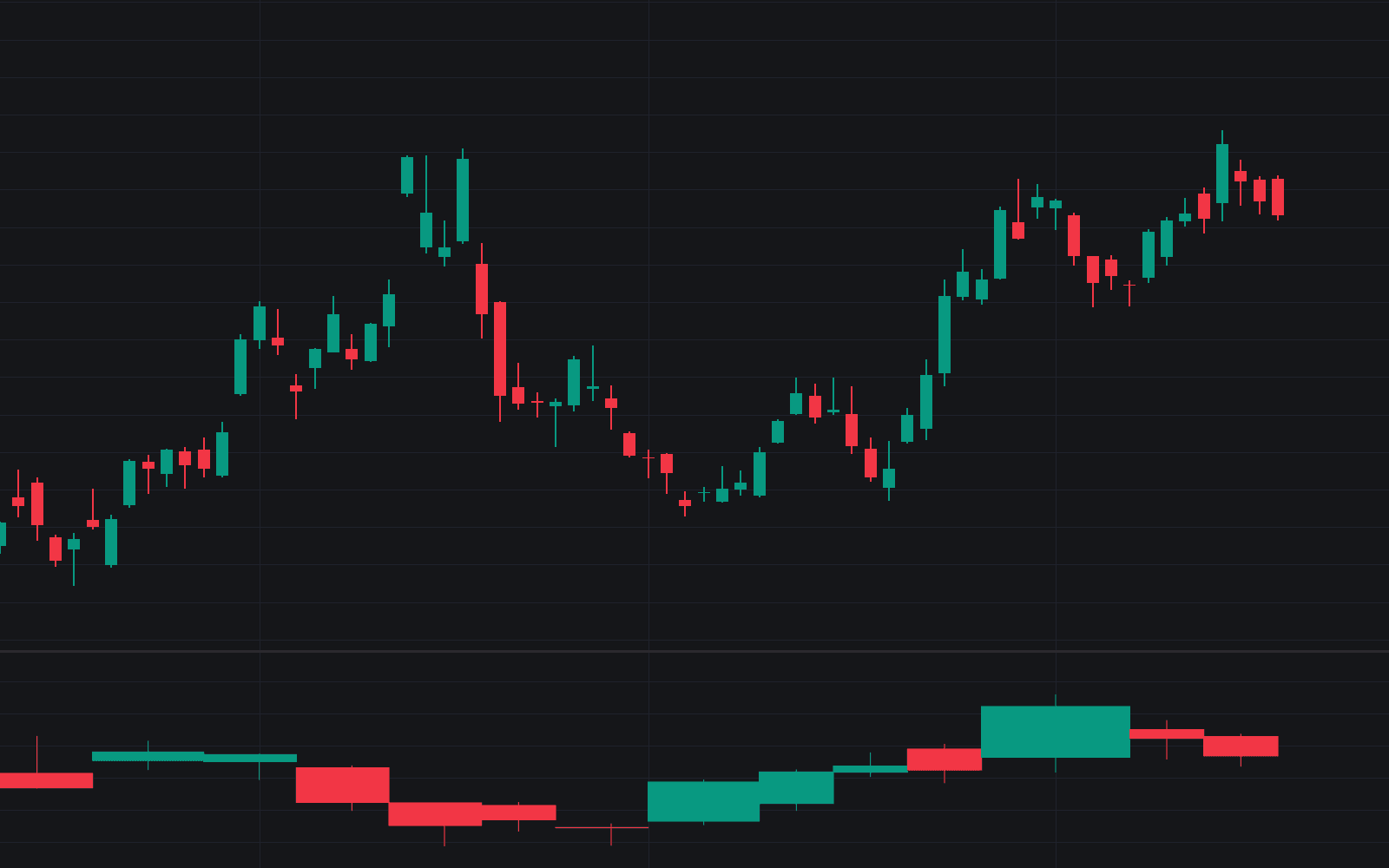
Alternative Bar Types draws a second chart over your chart: synthetic candles that close on traded activity instead of elapsed time. Choose the unit (tick, volume, dollar value, range or delta), and each candle prints once the underlying chart bars accumulate the threshold amount, the core idea behind alternative bar types. By default the threshold scales itself to recent average activity, and a dashboard reports the effective threshold, the forming bar's progress, bars printed and the average chart-bar span, so the threshold yields a workable bar count.
How to Trade the Alternative Bar Types?
- Volume and dollar bars: quiet sessions compress into few candles while busy ones expand, so each bar carries comparable participation.
- Range bars: close once a set high-low distance fills, collapsing congestion and printing directional legs as clean runs.
- Delta bars: close on the net difference between estimated buy-side and sell-side volume, putting one-sided pressure on the x-axis itself.
- Forming bar: the dashed candle updates live until the threshold is reached and the bar prints.
Alternative Bar Types Settings
- Bar Type (default Volume): the activity unit that closes a bar: Tick, Volume, Dollar Value, Range or Delta.
- Auto Threshold (default on) and its multiplier field (default 10): threshold = multiplier times average activity per chart bar; raise it for fewer, larger bars.
- Average Length (default 500): chart bars measuring that average.
- Manual Threshold (default 100000): fixed threshold in the selected unit when Auto Threshold is off.
- Show Dashboard (on) with Position (Top Right) and text size (Small).
- Style: Body Transparency (default 60), Show Forming Bar (on), Maximum Bars (default 200).
Frequently Asked Questions
Free to use
Run it on Vela. Go further with a paid plan.
- Up to 500 Custom Alerts, with webhook automation
- Up to 10× the chart history of Free
- Orderflow lookback up to full history
- More Quant usage to customize it, plus extra usage when you need it
- Futures data alongside crypto, stocks, forex and commodities

Related indicators
Run it on Vela. Make it yours with Quant.
Open this indicator free on Vela, our next-generation charting platform. Then ask Quant, our coding agent built into Vela, to retune it or turn it into a backtested strategy of your own.