Liquidity Levels/Voids (VP)
 By LuxAlgoAug 18, 2023
.png&w=1200&q=75)
Liquidity Levels/Voids (VP) measures the volume traded at every price between two swing points and sorts the result into the two features that matter: liquidity levels (the swing highs and lows created by an initial supply/demand imbalance) and liquidity voids, the stretches price rushed through on minimal participation. It is the logic of high- and low-volume nodes put to work as an imbalance detector.
How to Trade the Liquidity Levels/Voids (VP)?
- Liquidity levels: swing extremes attract stop orders as more traders key off them; a revisit tends to resolve either as a breakout through the level or a reversion back toward the mean.
- Liquidity voids: sharp moves on low volume leave a price imbalance, and markets frequently return to retest or fill those areas, a footprint of where significant orders once moved the market.
- Filled vs unfilled: unfilled levels and voids stay marked in their own color until price returns; filled ones can be shown in a separate color or hidden.
- Swing tooltips: optional swing high/low labels report price, price change, and the cumulative volume between the detected swings.
Liquidity Levels/Voids (VP) Settings
- Liquidity Levels/Voids: color of unfilled levels and voids.
- Detection Length: the lookback period used to find swing levels.
- Threshold %: the cutoff that decides what qualifies as a liquidity level or void.
- Sensitivity: how many levels are sliced between two swing points, setting each level's height for the threshold check.
- Filled Liquidity Levels/Voids: visibility and color of filled areas.
- Mode / # Bars: the lookback span for detection and display; # Bars applies when Mode is set to Present.
- Swing Highs/Lows: label visibility, colors, and sizes.
Frequently Asked Questions
Free on Vela
Run it on Vela. Go further with a paid plan.
- Up to 500 strategy alerts, with webhook automation
- Up to 10× the chart history of Free
- Orderflow lookback up to full history
- More Quant usage to customize it, plus extra usage when you need it
- Futures data alongside crypto, stocks, forex and commodities
Also works on
TradingView

Original indicatorBuilt in-house by LuxAlgo
Related indicators
All 11 High/low-volume Nodes indicators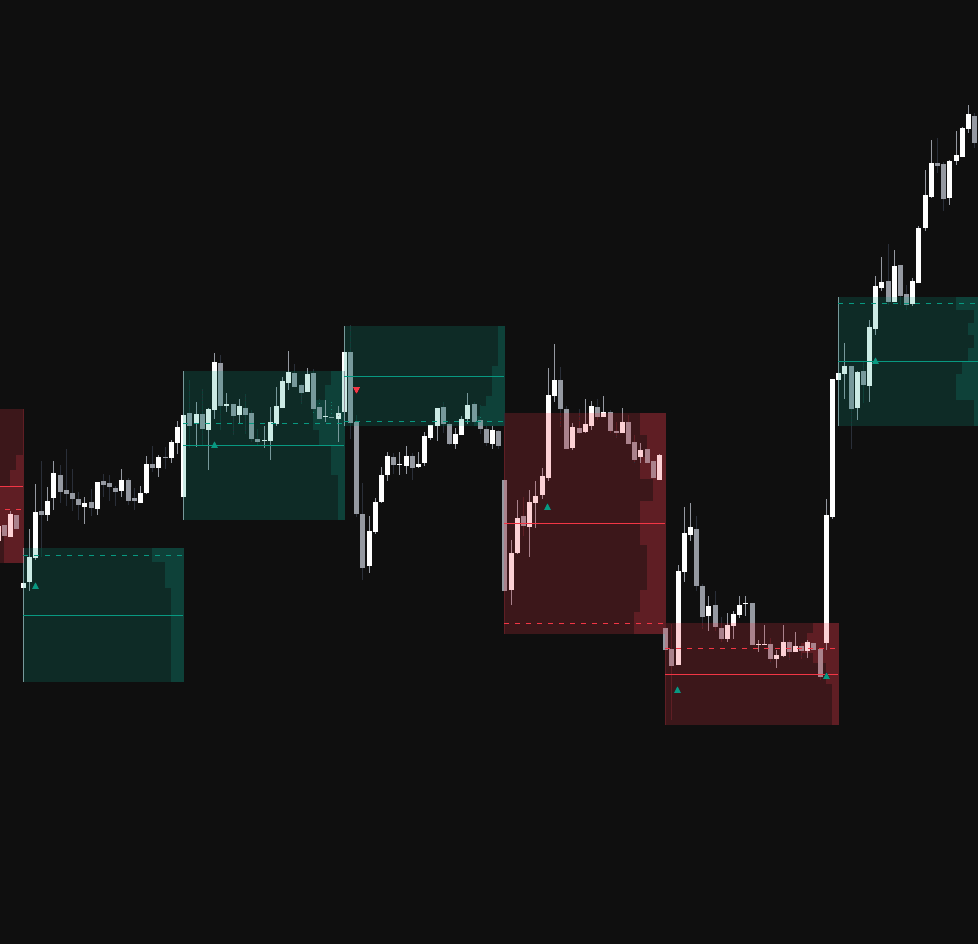
Run it on Vela. Make it yours with Quant.
Open this indicator free on Vela, our next-generation charting platform. Then ask Quant, our coding agent built into Vela, to retune it or turn it into a backtested strategy of your own.