Classic Bar Setups
 By LuxAlgoMay 24, 2026
Classic Bar Setups is an indicator on Vela, our next-generation charting platform, written in Pine Script®.
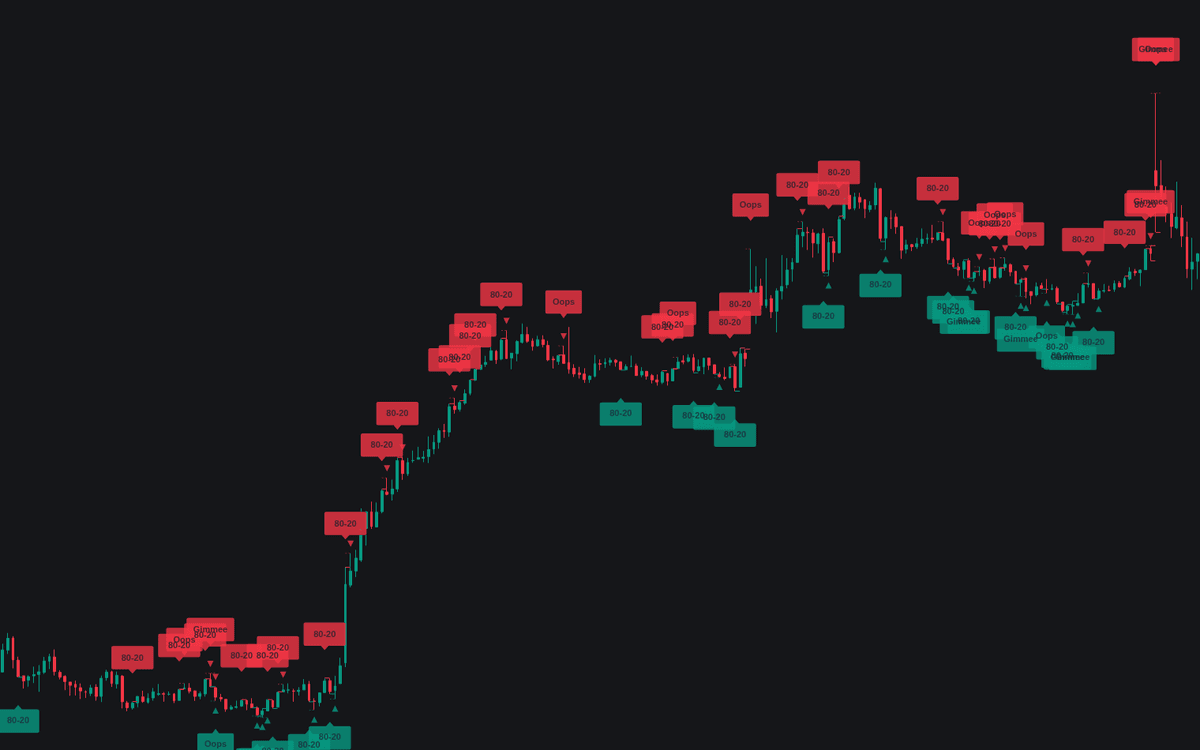

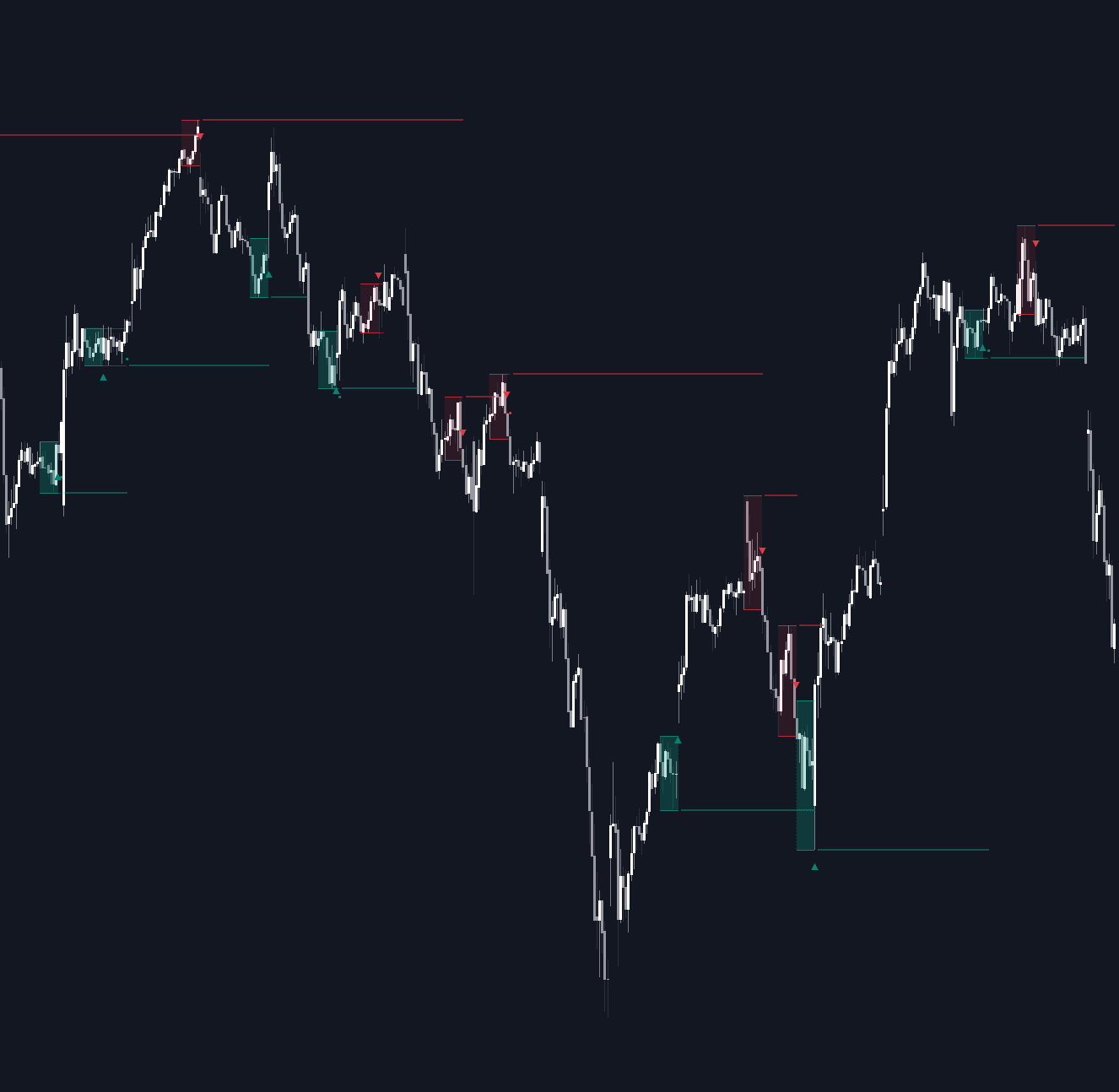
Classic Bar Setups trades three named patterns from the systems-trading canon as complete rules rather than shapes: Larry Williams' Oops, Joe Ross' gimmee bar, and the 80-20 session reversal. Each detection places a working entry stop, draws its protective stop, and cancels itself on a time-stop, making it the definitive clean build of the classic bar setups catalog: every label corresponds to a working order.
How to Trade the Classic Bar Setups?
- Oops: the session gaps open beyond the prior bar's extreme; the entry stop waits back at that extreme and fills only if price trades back through it, live during the gap session itself.
- Gimmee Bar: in a non-trending market, a bar pressing into a Bollinger band edge closes against its own direction; entry is a stop one tick beyond the bar's far side.
- 80-20: a full-range session opens near one extreme and closes near the other; the next session waits for a push back through the far extreme, arming on first touch beyond it.
- Lines and triangles: dashed entry and dotted stop levels draw for each order's life; a triangle marks the fill.
Classic Bar Setups Settings
- Oops (default on) with Minimum Gap % (default 0): the smallest qualifying gap; 0 accepts any open beyond the prior extreme.
- Gimmee Bar (default on) with Bollinger Length (default 20) and Mult (default 2): the range edges the bar must press into.
- Sideways Market Filter (default on) with ADX Length (default 14) and Threshold (default 20): gimmee bars only count while the market is range-bound.
- 80-20 (default on) with Open/Close Zone % (default 20): how near the extremes the open and close must sit; the classic rule uses 10-20%.
- Trigger Window (Bars) (default 1): bars an entry stop stays working before it cancels.
- Style: Show Entry Levels, Show Protective Stops, and Show Trigger Markers (default on), Show Bollinger Channel (default off).
Frequently Asked Questions
Free to use
Run it on Vela. Go further with a paid plan.
- Up to 500 Custom Alerts, with webhook automation
- Up to 10× the chart history of Free
- Orderflow lookback up to full history
- More Quant usage to customize it, plus extra usage when you need it
- Futures data alongside crypto, stocks, forex and commodities

Related indicators
Run it on Vela. Make it yours with Quant.
Open this indicator free on Vela, our next-generation charting platform. Then ask Quant, our coding agent built into Vela, to retune it or turn it into a backtested strategy of your own.