Halftrend
 By LuxAlgoMay 8, 2026
Halftrend is an indicator on Vela, our next-generation charting platform, written in Pine Script®.
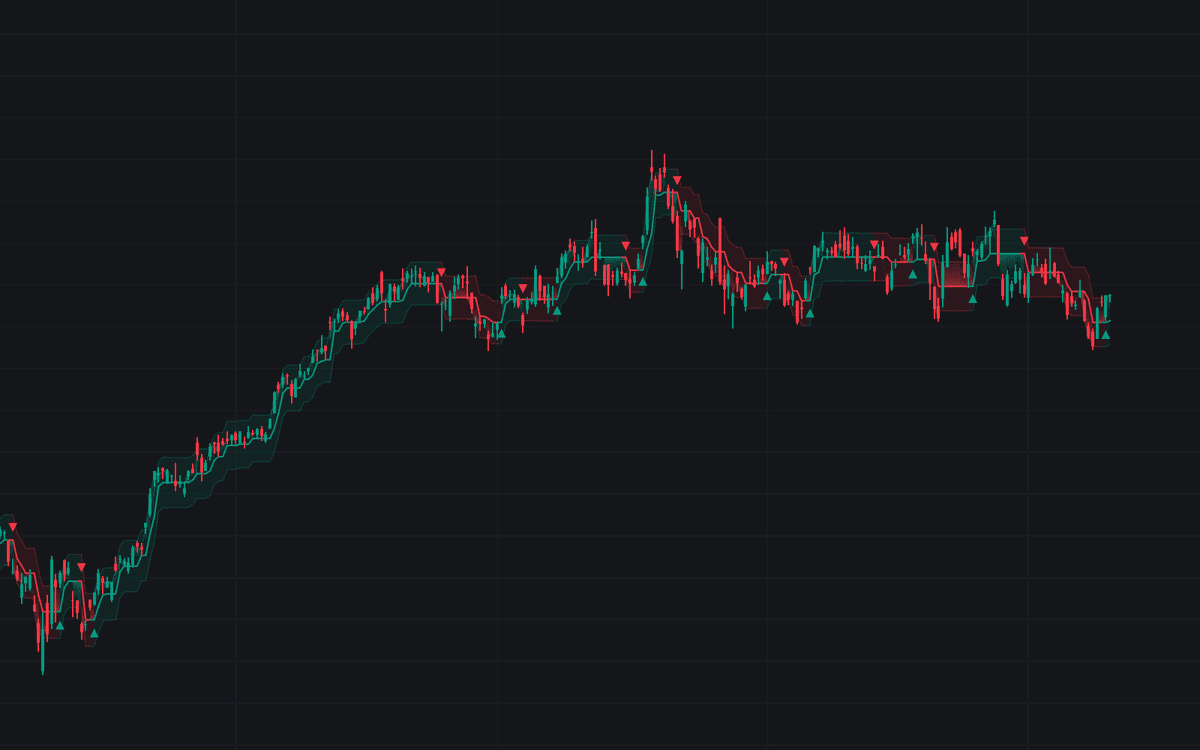

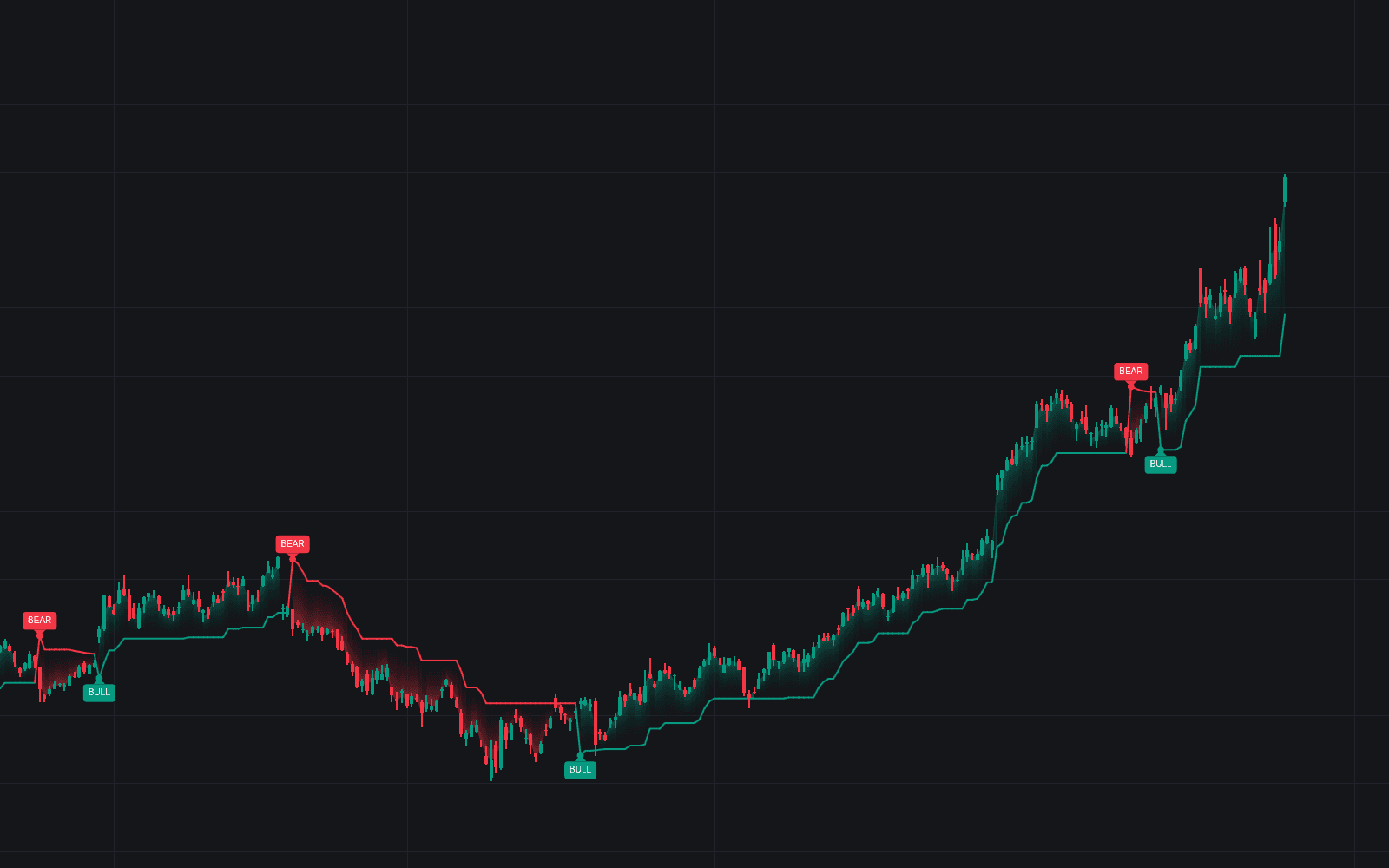
Halftrend rebuilds the community-bred Halftrend trail as one stepped line with two states. While up, the line follows the running floor of the lowest lows over the amplitude window beneath price; while down, the running ceiling of the highest highs above it. A flip requires the averaged highs (or lows) to cross the tracked level, confirmed by a close past the prior bar's extreme, and the line carries unchanged through the flip bar, staying continuous where jump-style trails gap. A channel sized from half the ATR wraps the line as a tolerance zone, and a vertical gradient fills the span between price and the line.
How to Trade the Halftrend?
- Bullish flip arrow: the state turned up. The line now trails beneath price and gates long exposure.
- Bearish flip arrow: the mirror event, the line stepping down overhead.
- Flat line: the amplitude window has produced no fresh extreme. The trend is paused, not broken, and a stop referenced to the line has held.
- Channel rejection: a wick into the channel that closes back outside it reads as continuation pressure in the standing state's direction.
In tight ranges arrows alternate quickly. Flips are state changes, not automatic trades.
Halftrend Settings
- Amplitude (default 2): lookback of the extreme tracking and the flip-driving averages; larger values hold stiller lines but concede more at turns.
- Channel Deviation (default 2.0): multiplier on half the ATR that sizes the tolerance channel.
- ATR Length (default 100): a long averaging window, so the channel breathes slowly.
- Signal On Bar Close (default disabled): fire arrows and alerts only once the bar closes, removing intrabar provisionality.
- Style toggles: the ATR channel, flip arrows and gradient trail fill are on by default; line width defaults to 2.
Frequently Asked Questions
Free to use
Run it on Vela. Go further with a paid plan.
- Up to 500 Custom Alerts, with webhook automation
- Up to 10× the chart history of Free
- Orderflow lookback up to full history
- More Quant usage to customize it, plus extra usage when you need it
- Futures data alongside crypto, stocks, forex and commodities

Related indicators
Run it on Vela. Make it yours with Quant.
Open this indicator free on Vela, our next-generation charting platform. Then ask Quant, our coding agent built into Vela, to retune it or turn it into a backtested strategy of your own.