Morning Star
 By LuxAlgoMay 22, 2026
Morning Star is an indicator on Vela, our next-generation charting platform, written in Pine Script®.
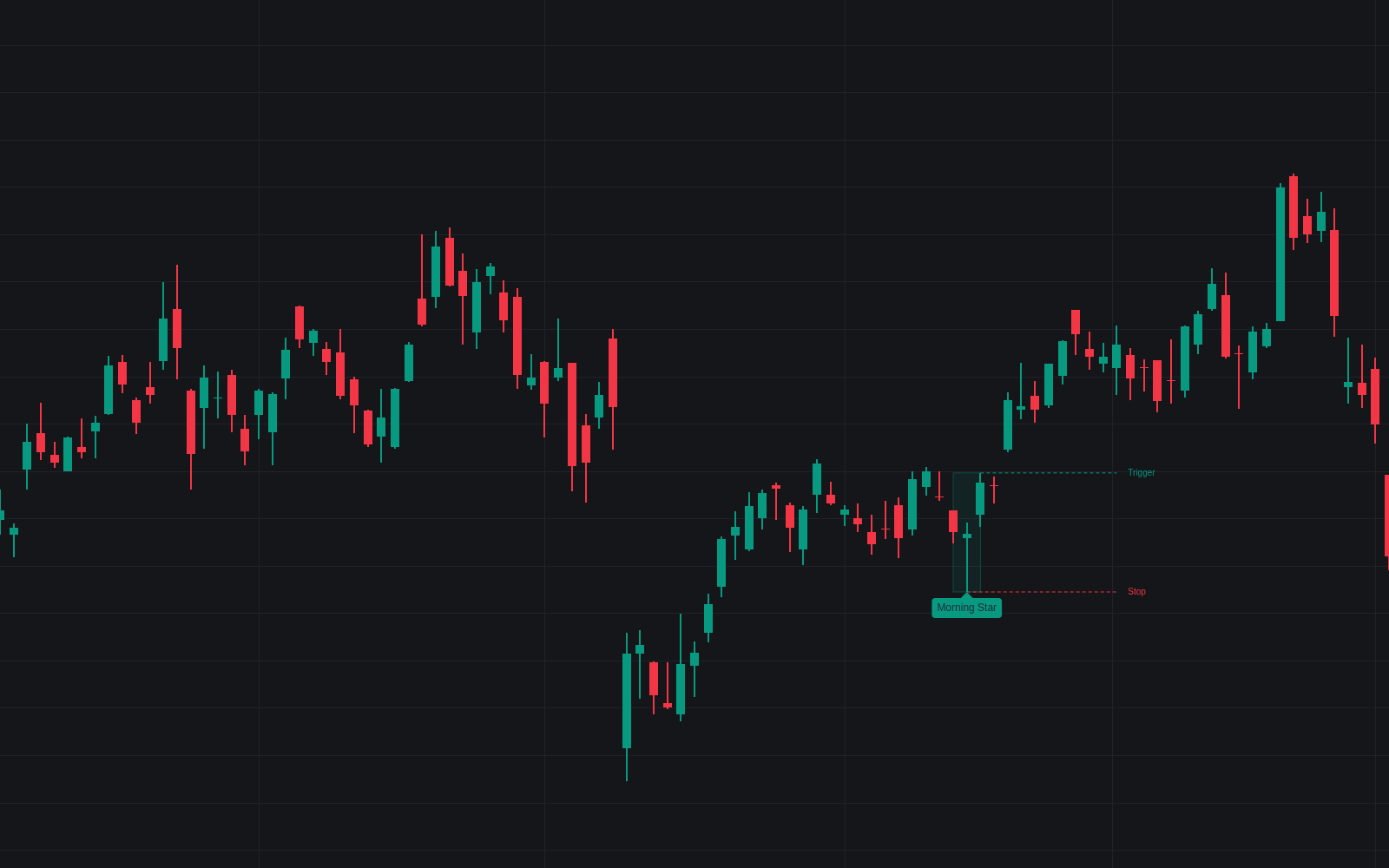

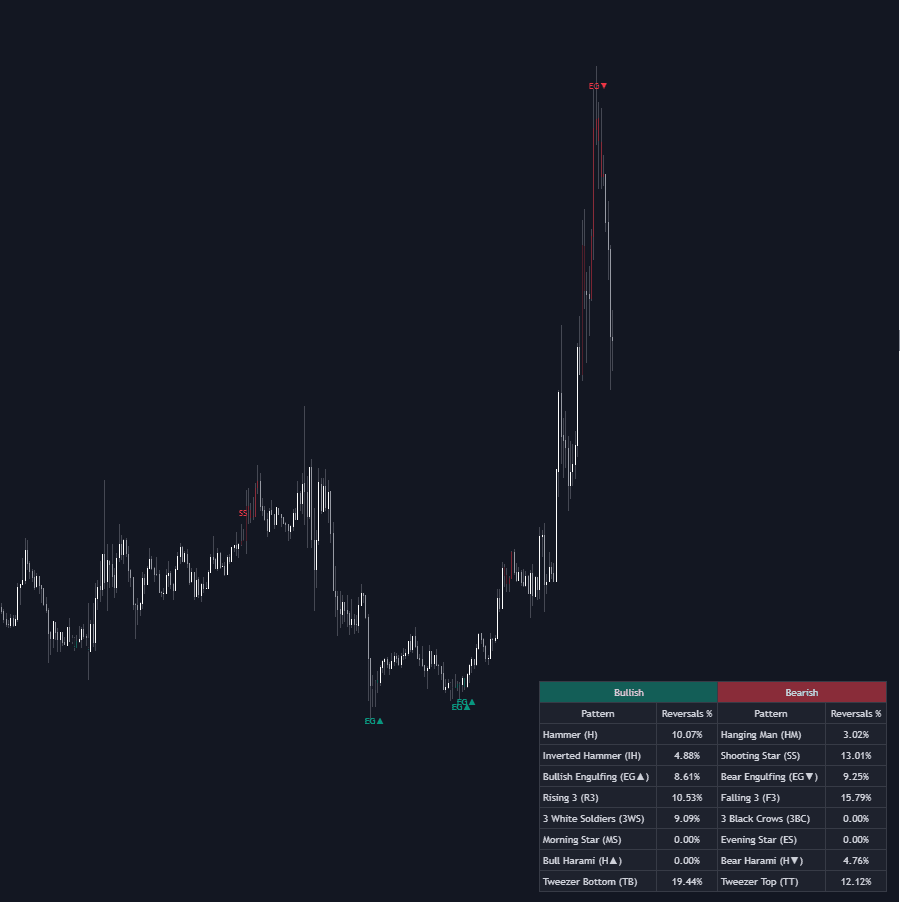
Morning Star detects the classic three-candle bullish reversal by measurement rather than eyeballing. Each morning star candidate needs outer candles with real bodies of at least 1x the 14-bar average body, a star at or below 0.5x, and a third close reclaiming at least 50% of the first candle's body. A 50-bar SMA downtrend filter is on by default, so detections extend a genuine decline instead of printing as mid-range noise.
How to Trade the Morning Star?
- Pattern label prints: the three candles are highlighted and tagged; the label's tooltip reports penetration depth, trigger, and stop.
- Morning Doji Star: a star body at or below 5% of its range upgrades the label, read as a stronger show of indecision.
- Trigger level break: a trade above the dashed trigger (the third candle's high by default) fires the Trigger Level Break alert.
- Stop at the star's low: a trade below the dashed invalidation level fires the Pattern Invalidated alert.
Optional RSI, volume, and merged-candle checks stack stricter confirmation on top.
Morning Star Settings
- Body Average Length (default 14): bars in the average real body yardstick.
- Long Body Multiplier (default 1): minimum body of the outer candles.
- Small Body Multiplier (default 0.5): maximum body of the star.
- Minimum Penetration % (default 50): required close depth into the first body.
- Require Star Body Gap (default off): enforce the classic gap below the first body.
- Doji Body % of Range (default 5): cutoff for the doji-star upgrade.
- Merged Hammer Check (default off): demand a dominant lower rejection in the merged bar.
- Downtrend Filter (default on, SMA Length 50), Oversold Filter (off; RSI 14, level 30), Volume Filter (off; SMA 20): context gates.
- Trigger Level (default Third Candle High) and Levels Extension (default 10).
- Style toggles cover the levels, labels, and highlight box.
Frequently Asked Questions
Free to use
Run it on Vela. Go further with a paid plan.
- Up to 500 Custom Alerts, with webhook automation
- Up to 10× the chart history of Free
- Orderflow lookback up to full history
- More Quant usage to customize it, plus extra usage when you need it
- Futures data alongside crypto, stocks, forex and commodities

Related indicators
Run it on Vela. Make it yours with Quant.
Open this indicator free on Vela, our next-generation charting platform. Then ask Quant, our coding agent built into Vela, to retune it or turn it into a backtested strategy of your own.