All indicators

Session Sweeps

By LuxAlgoJan 25, 2024

Static chart image
Price Action BasedTime BasedLiquidationLiquidity

The Session Sweeps indicator empowers traders with a comprehensive approach to trading based on ICT methodologies. It integrates crucial elements such as market sessions, market structure, and fair value gaps, designed to identify the best entry conditions for trading price action.

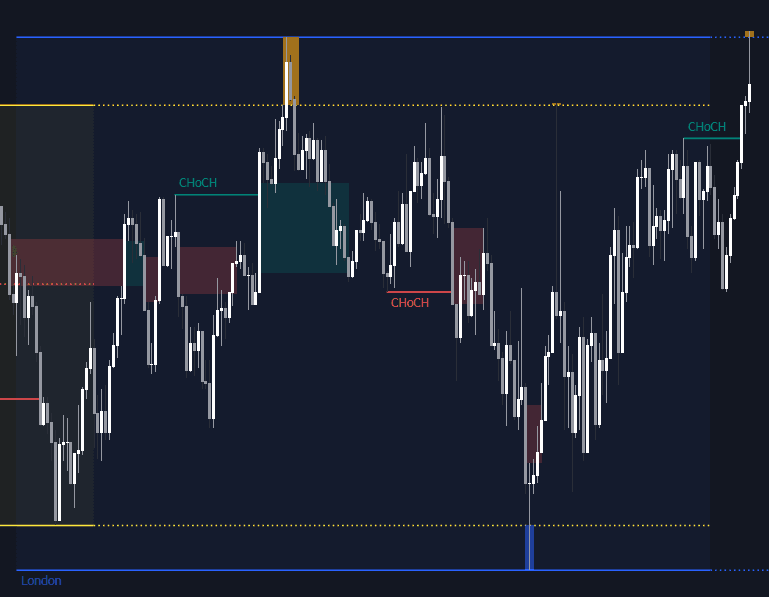
Traders often position stop or limit orders around the highs and lows of pivotal trading sessions like the Asian (Tokyo), European (London), and North American (New York) sessions, forming liquidity pools at these levels. The Session Sweeps indicator is finely tuned to detect and highlight these session sweeps or liquidity sweeps during major trading hours, offering vital insights for smarter trading decisions.

How to Trade the Session Sweeps Indicator?

indicator image

Although the default settings focus on major forex trading sessions, customization options are available. Users can set their preferred opening and closing times, rename sessions, and change colors. Remember, the default session timings correspond to local timezones: Asian (Tokyo) UTC+9, European (London) UTC, and North American (New York) UTC-5.

indicator image

The indicator signals potential market shifts when prices briefly surpass the highs or lows of a market session, triggering stop losses. Recognizing such movements is the core function of this powerful tool.

indicator image

Understanding Market Structure Shifts

indicator image

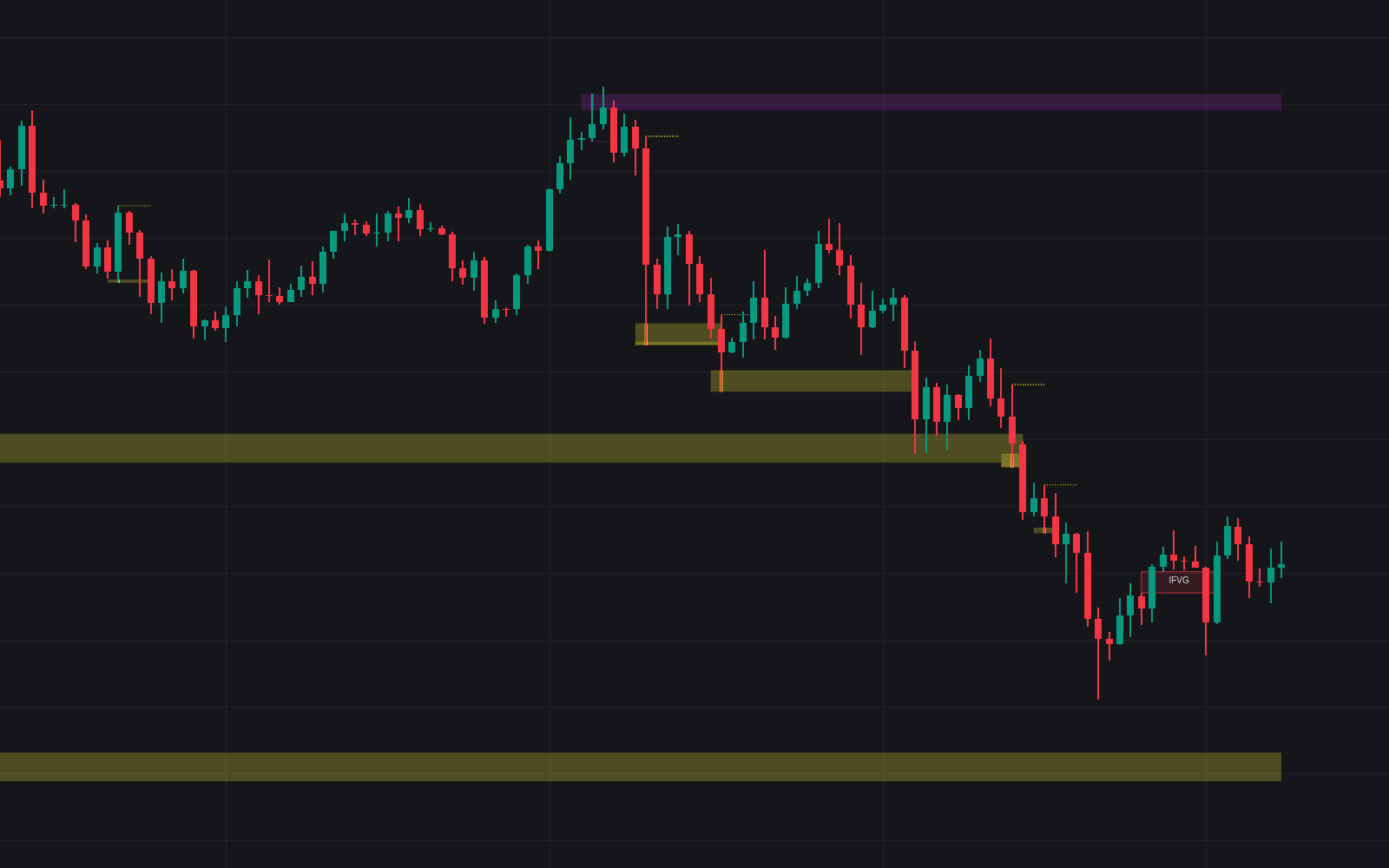
A Market Structure Shift indicates a market pivot, such as transitioning from an uptrend to a downtrend, or vice-versa. A common entry technique with session sweeps involves anticipating a change of character (CHoCH) following a session sweep.

Insights into Fair Value Gaps

indicator image

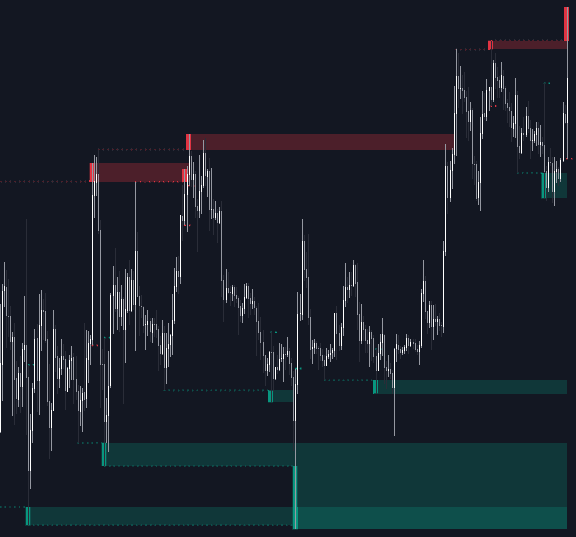
Fair Value Gaps (FVGs) are key for price action traders, emerging due to market inefficiencies or imbalances from uneven buy-sell activities. The market often revisits these gaps before continuing its primary direction. Post-CHoCH, traders may opt to enter positions when prices return to an FVG zone.

Practical Setup Examples

The following entry setups are inspired by ICT trading practices and are shared for informational purposes.

Long Positions (5-Minute Time Frame):

  • Await the breach of the previous session's low.
  • Identify a Bullish CHoCH.
  • Locate a Bullish FVG preceding or following the CHoCH.
  • Entry Point: Within the FVG.
  • Take Profit (TP): Aim for the session high or establish a 1:2 Risk-Reward Ratio.
  • Stop Loss (SL): Place at the session low or a nearby Swing Low.
  • Prefer taking partial profits at intermediate swings without prematurely adjusting SL.

Short Positions (5-Minute Time Frame):

  • Await the breach of the previous session's high.
  • Identify a Bearish CHoCH.
  • Locate an FVG preceding or following the CHoCH.
  • Entry Point: Within the FVG.
  • Take Profit (TP): Aim for the previous session's low or establish a 1:2 RR.
  • Stop Loss (SL): Place at the session high or a nearby Swing High.
  • Prefer taking partial profits at intermediate swings without prematurely adjusting SL.

Configure Your Session Sweeps Indicator

Fine-Tune Session Sweeps

  • Buyside Sweep Zones, Color, and Margin: Toggle visibility of bullside zones, adjust colors, and set margins.
  • Sellside Sweep Zones, Color, and Margin: Toggle visibility of sell-side zones, adjust colors, and set margins.
  • Sweep Margin Length: Define the acceptable length for sweep zone invalidation.
  • Detect Sweeps Once per Session: Limit detection to one occurrence.
  • Hide Fake Sweep Zones, and Color: Manage visibility and colors of faux sweep zones.

Tailoring Sessions

  • Session (Asia, London, New York AM, and PM), Start/End Time: Customize session visibility and operational hours.
  • Color: Choose colors for various sessions.
  • Extend Max/Min: Continuation of session price extremes to subsequent sessions.
  • Extend Mid: Use median price levels as support or resistance.
  • Fill: Background coloring option for session visibility.
  • New York DST | London DST: Adjust for Daylight Saving Time (DST) as relevant.
  • Sessions Extreme Lines | Sessions Names: Adjust the visibility of session highs, lows, and names.
  • Session Lines Width: Customize line widths.
  • Session Fill Transparency: Set transparency levels for session backgrounds.

Pinpoint Market Structure Shifts

  • Market Structure Shifts (CHoCH): Show or hide market pivot points.
  • Detection Length: Configure detection sensitivity.
  • Bull & Bear Colors: Personalize market pivot color patterns.

Navigating Fair Value Gaps

  • Visibility of Fair Value Gaps: Enable or disable FVG indicators.
  • FVG Width Filter: Determine gap visibility using a proportional filter.
  • Bullish & Bearish Imbalance Colors: Personalize color schemes for market imbalances.

Sessions Tabular View for Snapshot Analysis

  • Sessions Tabular View: Activate a table display of session activity, including date, status, and countdown.
  • Market Instrument Check: Auto-configure based on instrument type.
  • Table Text Size & Position: Adapt text size and display positioning.

Considerations

While optimizing, be aware of limitations such as the initial 144-candle timeframe, which restricts fair value gap filtering due to incomplete ATR data required for precise filtering.

Associated Tools for Enhanced Analysis

Explore related scripts to complement the Session Sweeps indicator:

We extend our gratitude to the community for recommending this insightful tool. For further explorations into conceptual scripts, visit our collection at LuxAlgo-Scripts.

FAQs

How can I access the Session Sweeps indicator? You can get access on the LuxAlgo Library for charting platforms like TradingView, MetaTrader (MT4/MT5), and NinjaTrader for free.

What is a Session Sweep? A session sweep occurs when the price briefly surges beyond the highest or lowest point of a market session, targeting stop losses, which could suggest a potential market reversal.

Why are Fair Value Gaps significant for trading? Fair Value Gaps are crucial as they represent areas of inefficiencies, and the market typically revisits these levels, thereby offering potential trading opportunities based on these imbalances.

Free indicator

Get free access to this indicator on the platforms below.

TradingView
NinjaTrader
MetaTrader 4/5

Unlock the entire LuxAlgo Library

Every indicator, every strategy, full charts, and complete access to Quant — our AI agent.