Thinkorswim: Pro Trading Guide
thinkorswim is Charles Schwab's trading platform for active traders, available as a desktop application, a web version and a mobile app, and it covers stocks, ETFs, options, futures and forex from one account. Schwab's own product pages describe more than four hundred technical studies, a scanner called Stock Hacker, the thinkScript language with a condition wizard, an Analyze tab for what-if simulations and options back-testing, extended-hours trading in a large set of stocks and ETFs, and paperMoney, a virtual trading environment built into every version of the platform. This guide is a working map of the platform drawn from Schwab's pages and the thinkorswim Learning Center manual: what each tab does, how to set up charts, scans and alerts, how the analysis and risk tools fit together, how to practise before trading, and where Quant Charts fits alongside it, as the research environment where Quant, our coding agent, writes and backtests a rule with costs before you carry it into a brokerage platform.
Key points:
- Learn the tabs, not the menus. Monitor, Trade, Analyze, Scan, MarketWatch, Charts and Tools each own one job; the workflow moves across them.
- Scan, then alert. Stock Hacker finds candidates from a watchlist or category; the Alerts tab watches them on price, study or thinkScript conditions.
- Analyze before you trade. The Analyze tab simulates what-if scenarios on real and hypothetical positions; sizing arithmetic is yours to bring.
- paperMoney first. The simulator is the same platform on virtual money; every new study, scan and order type should live there before it touches capital.
The Platform by Tab
| Tab | What it holds | What you do there |
|---|---|---|
| Monitor | Activity and Positions, Account Statement, FX Statements, Strategy Roller | Track today's orders and fills, positions and balances; manage covered-call rolls |
| Trade | All Products, Forex Trader, Futures Trader, Pairs Trader (by request) and Active Trader | Enter and manage orders; Active Trader gives a real-time bid/ask ladder with one-click entry for stocks, options, futures and forex |
| Analyze | Risk profile and probability tools, what-if simulations, options back-testing, the economic data indicator database | Model a position before placing it and see how time, price and volatility change it |
| Scan | Stock Hacker and the other scanners | Find symbols matching your criteria within a watchlist, category, preset list or industry, then create an alert |
| MarketWatch | Quotes, Alerts, calendars and other market gadgets | Watchlists and the Alerts tab, which fires on price, portfolio, calendar, news, study or thinkScript conditions |
| Charts | Charts, studies, drawings and strategies | Analyse, save templates, run thinkScript studies and strategies |
| Tools | thinkScript IDE and other utilities | Write and manage studies and strategies outside the chart |
The tab list and the interfaces within each come from the thinkorswim Learning Center's manual. The platform is the former TD Ameritrade thinkorswim, now Schwab's, so older tutorials that refer to TD Ameritrade describe the same software; the current documentation lives on Schwab's site and the Learning Center.
Charts and Studies
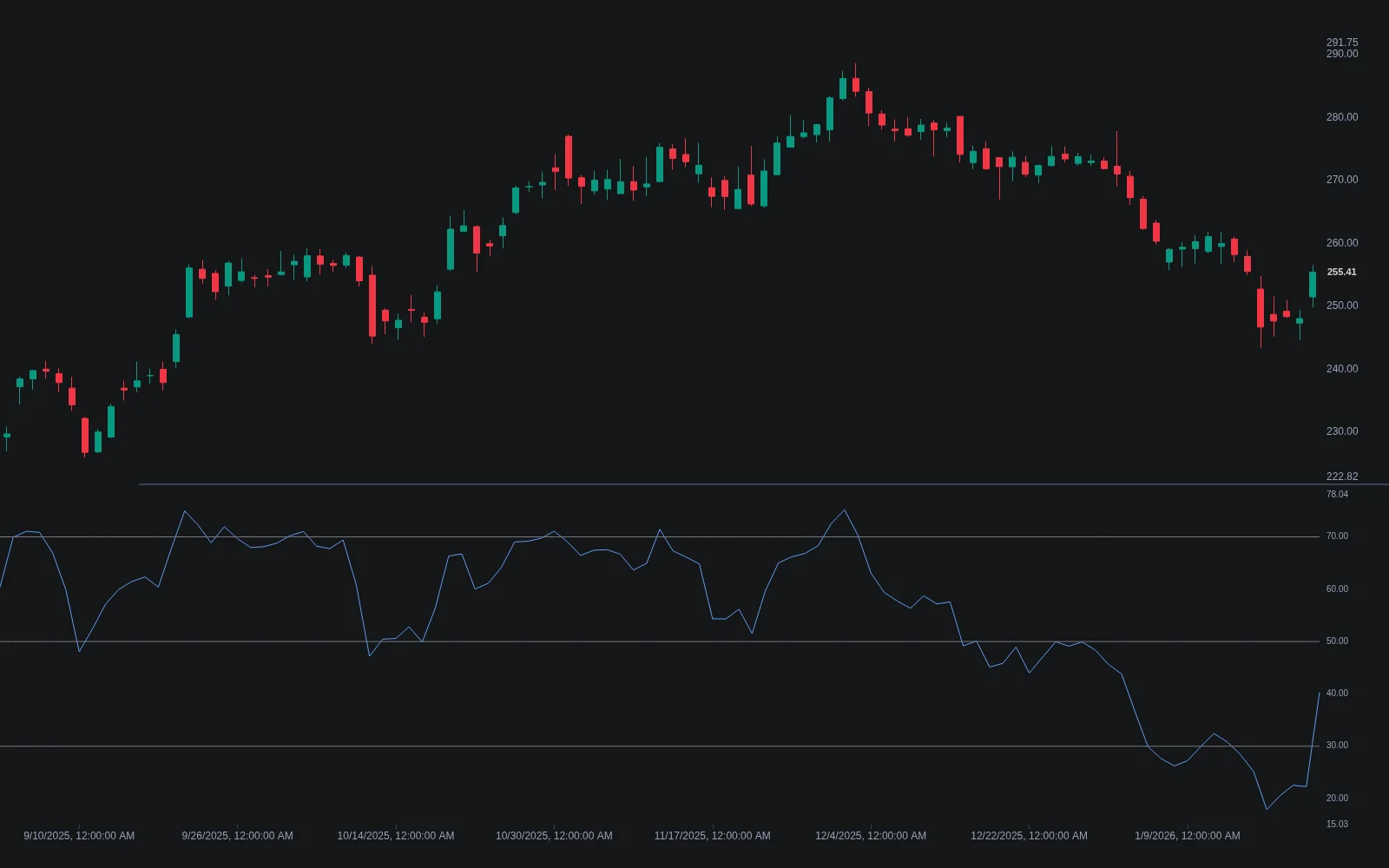
Schwab's desktop page puts the built-in library at more than four hundred technical studies, from moving averages and oscillators to volume, profile and candlestick tools, alongside drawing tools including Fibonacci sets. The productive way to use a library that size is to build a few chart templates per strategy, each with the handful of studies that strategy actually needs, and to save chart layouts so that a new symbol loads ready to analyse. Studies are added and edited through the Studies menu, where Edit Studies also gives access to strategies and to the Create button that opens the thinkScript editor. Linking tools by colour ties a chart, a Level II gadget and a Time and Sales window to the same symbol, so a change in one updates the others. Our guides to thinkScript basics and thinkScript coding cover the language for custom studies and strategies, and the Library's Relative Strength Index entry is a reminder that a familiar study still needs its regime understood before it goes on a template.
Scanning and Alerts
Stock Hacker is the scanner. Per the manual, you first choose where to scan, a personal or public watchlist, a category such as all stocks, all indices, all futures or all listed stocks, a preset list or an industry group, and then add criteria, including your own custom attributes written in thinkScript. Results can be saved as a dynamic watchlist and, from the same interface, turned into an alert. The Alerts tab in MarketWatch then does the watching: alerts can be based on price, portfolio metrics, the calendar, events, news, chart studies, rating changes or custom thinkScript conditions, and they are delivered by email or text message once notifications are set up in Application Settings. The manual's own suggested sequence, scan for the setup and then create an alert so you do not have to sit on the chart, is the right one for anyone trading more than a few names.
Orders and Active Trader
The main order entry tool sits at the bottom of the screen and opens from a symbol's buy or sell button; it offers the common order types as templates, lets you save custom orders, and by default keeps the order price linked to the underlying's mark until you lock it. Active Trader, on the Trade tab, is the interface for fast intraday work: a real-time bid/ask price ladder with one-click order entry for stocks, options, futures and forex, with extensive customisation. Forex Trader and Futures Trader are interfaces tuned for those products, and Pairs Trader is a permissioned feature for trading two securities against each other. Whatever the interface, the order goes to Schwab as the broker; thinkScript strategies and studies do not place orders on their own, as our thinkScript coding guide explains.
Analysis and Risk
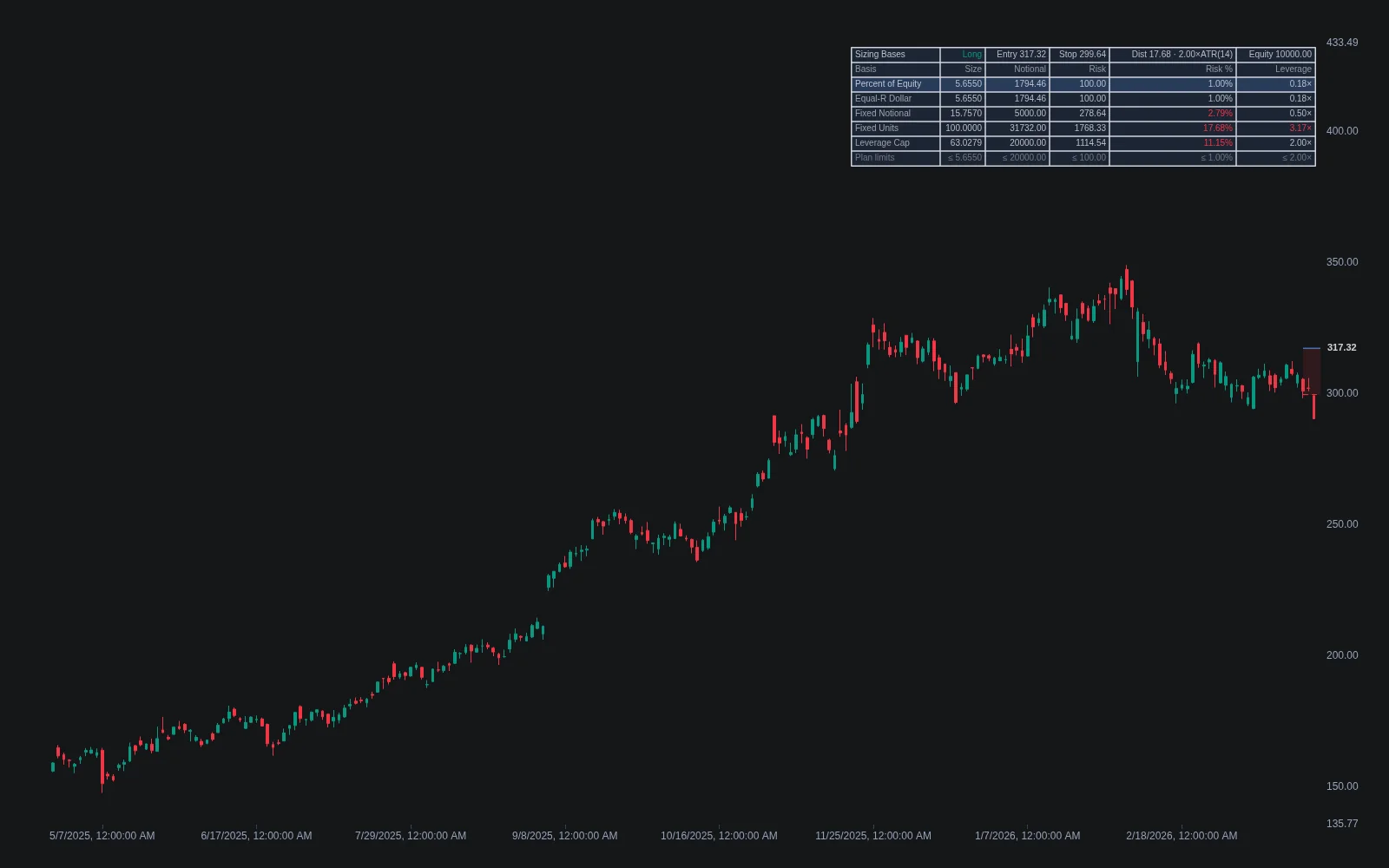
Schwab describes the Analyze tab as the place for what-if simulations on real and hypothetical trades, volatility and probability analyses, options back-testing and an economic data indicator database; the web version adds a side-by-side risk profile and chart tool for seeing how time and price affect an options position. These tools answer what a position would be worth under scenarios you specify. They do not decide how large the position should be, and that arithmetic is where most account damage originates. The Library's sizing bases entry sets out the alternatives, percent of equity at risk, equal dollar risk per trade, fixed notional, fixed units or a leverage cap, and fixed-fractional sizing is the standard: decide the fraction of equity a losing trade may cost, take the stop distance from the chart or a volatility measure, and the share or contract count follows. Do that before opening the order ticket, on every trade, and the Analyze tab's scenarios become a check on a decision rather than a substitute for one.
Practising Before You Trade
paperMoney is built into all thinkorswim platforms and is, in Schwab's description, a virtual trading environment for testing and refining strategies in a live market simulation. Because it is the same platform, everything above, templates, scans, alerts, Active Trader and thinkScript strategies, can be rehearsed there first, which is where new order types and automation should always start. thinkScript strategies add a second kind of test: a strategy applied to a chart simulates its entries and exits on historical bars and produces a strategy report of hypothetical trades, filled by default at the next bar's open and without commissions or slippage unless you account for them. Read it as a costless backtest, as our thinkScript coding guide explains, and our guide to paper trading covers how to make simulated results honest.
A Setup Workflow
- Start in paperMoney. Learn the tabs and interfaces on virtual money, including at least one order of every type you intend to use.
- Build one chart template per strategy with only the studies it needs, and save the layout so new symbols load ready.
- Write the scan, then the alert. Encode the setup in Stock Hacker, save the results as a dynamic watchlist and attach alerts, so the platform watches and you decide.
- Fix the sizing rule as a written fraction of equity and stop method, and apply it to every ticket.
- Test any thinkScript strategy on the chart's strategy report and then in paperMoney before it informs a live order.
- Review from the Monitor tab weekly: fills against plan, and which scans and alerts actually produced trades worth taking.
Where Quant Charts Fits
thinkorswim is a brokerage platform: its purpose is to route orders to Schwab, and its analysis tools exist to serve that. Quant Charts is not a brokerage and does not connect to one; it is where a trading idea is researched and tested before it is entrusted to any brokerage platform's scans and order tickets. The Library's indicators load in a click for the analysis, and the same Relative Strength Index or Sizing Bases logic that thinkorswim would need a study for is already there. More usefully, describe the rule to Quant, buy a pullback to the twenty-day average when the fourteen-period RSI is above fifty, risk one percent of equity with a stop under the pullback low, and Quant writes it in Pine Script on the active chart. Open Code to read the logic, click Run, and the Backtest Summary reports net profit, trade count, win rate, maximum drawdown and profit factor with commission and slippage set in the strategy properties, which is the cost accounting a thinkScript strategy report leaves to you. A rule that survives that test is a precise specification for a thinkorswim study, scan and alert; one that does not is discarded before it consumes a trading session. The Making Strategies with Quant guide shows the workflow, and the Journal keeps the record of what was decided and why, alongside the fills painted on the chart.
One boundary matters here. The LuxAlgo platform does not place orders for you; thinkorswim does, which is exactly the division of labour described above.
Conclusion
thinkorswim rewards traders who learn it as a set of connected tabs: scan in Stock Hacker, watch with alerts, analyse on the Analyze tab, execute through the order tools or Active Trader, review in Monitor, and rehearse all of it in paperMoney. Its four hundred studies and thinkScript language are only as useful as the small set you actually put on a template, and its risk tools assume you have already done the sizing arithmetic. Do the research and the costed backtest on Quant Charts, where Quant writes the rule and the Backtest Summary judges it, then carry the surviving specification into the brokerage platform whose job is execution.
Key Takeaways
- Seven tabs, one workflow. Scan, alert, analyse, trade, monitor, with Charts and Tools serving all of them.
- Templates over libraries. Four hundred studies are a resource; three per strategy are a plan.
- Scan then alert. Stock Hacker finds candidates, the Alerts tab watches them on price, study or thinkScript conditions.
- Sizing is yours. Fixed-fractional arithmetic before every ticket; the Analyze tab checks the scenario.
- Research on Quant Charts, execute in the broker. Quant writes the rule, the Backtest Summary reports it with costs, thinkorswim routes the order; no LuxAlgo tool places orders.
FAQs
What is thinkorswim?
Charles Schwab's trading platform for active traders, formerly TD Ameritrade's, available as a desktop application, a web version and a mobile app. It trades stocks, ETFs, options, futures and forex, offers more than four hundred technical studies, the Stock Hacker scanner, the thinkScript language, an Analyze tab for scenario analysis, and paperMoney, a built-in virtual trading environment.
What do the thinkorswim tabs do?
Monitor tracks orders, positions and statements; Trade holds the order interfaces including Active Trader, Forex Trader and Futures Trader; Analyze runs what-if simulations, probability analysis and options back-testing; Scan holds Stock Hacker; MarketWatch holds quotes, watchlists and the Alerts tab; Charts holds charting, studies and strategies; and Tools holds the thinkScript IDE.
How do alerts work in thinkorswim?
The Alerts tab in MarketWatch creates alerts based on price, portfolio metrics, the calendar, events, news, chart studies, rating changes or custom thinkScript conditions, and delivers them by email or text once notifications are configured in Application Settings. Stock Hacker scan results can be turned into alerts directly, so the platform watches candidates for you.
What is paperMoney?
A virtual trading environment built into all thinkorswim platforms that lets you test and refine strategies in a live market simulation using virtual funds. Because it is the same software, templates, scans, alerts, order interfaces and thinkScript strategies can all be rehearsed there before they are used with real money.
Does thinkorswim size positions for me?
No. The platform provides order types, stops and the Analyze tab's scenario tools, but the fraction of equity to risk and the resulting share or contract count are the trader's decision. Fixed-fractional sizing, a set fraction of equity at risk with the size derived from the stop distance, is the standard method, and it should be applied to every order.
How does Quant Charts complement thinkorswim?
Quant Charts is a research and testing environment, not a brokerage. Describe a rule to Quant, LuxAlgo's coding agent, and it writes the Pine Script on the chart; Code shows the logic and Run produces the Backtest Summary with commission and slippage. A rule that passes becomes the specification for a thinkorswim study, scan and alert, and orders are placed in the brokerage platform. No LuxAlgo tool places orders.
References
LuxAlgo Resources
- Quant Charts
- LuxAlgo Quant
- Making Strategies with Quant
- Journal Documentation
- Relative Strength Index Indicator
- Sizing Bases Indicator
- Sizing Bases Concept
- Fixed Fractional Concept
- ThinkScript Basics for Thinkorswim
- ThinkScript Coding: Automate Your Thinkorswim Edge
- Paper Trading: How Simulators Prepare You for Live Markets
- Best Options Trading Platform Features Compared
External Resources
- Charles Schwab — thinkorswim
- Charles Schwab — thinkorswim Desktop
- Charles Schwab — thinkorswim Web
- Charles Schwab — paperMoney Trading Simulator
- thinkorswim Learning Center — thinkManual
- thinkManual — Trade Tab
- thinkManual — Active Trader
- thinkManual — Order Entry and Saved Orders
- thinkManual — Monitor Tab
- thinkManual — Stock Hacker
- thinkManual — Alerts
- thinkManual — Analyze Tab
- thinkManual — thinkScript IDE
- thinkScript Learning Center — Reference
Read next