Donchian Trend Rules
 By LuxAlgoMay 29, 2026
Donchian Trend Rules is an indicator on Vela, our next-generation charting platform, written in Pine Script®.
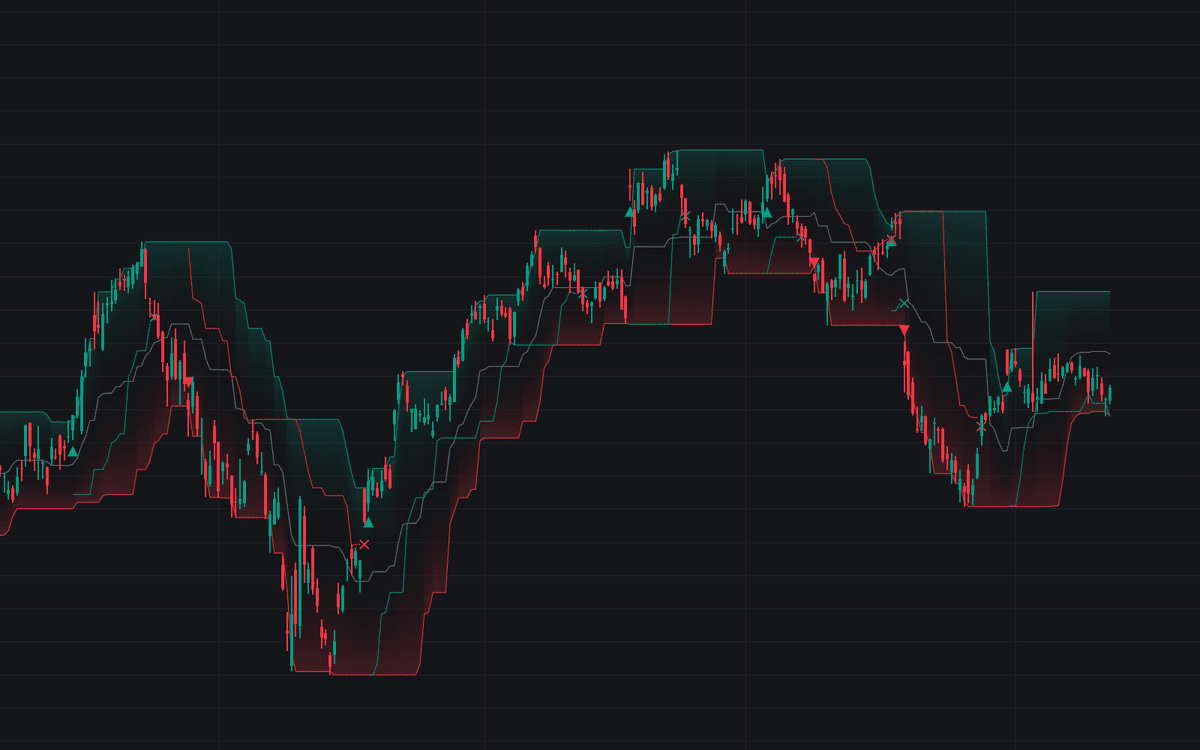

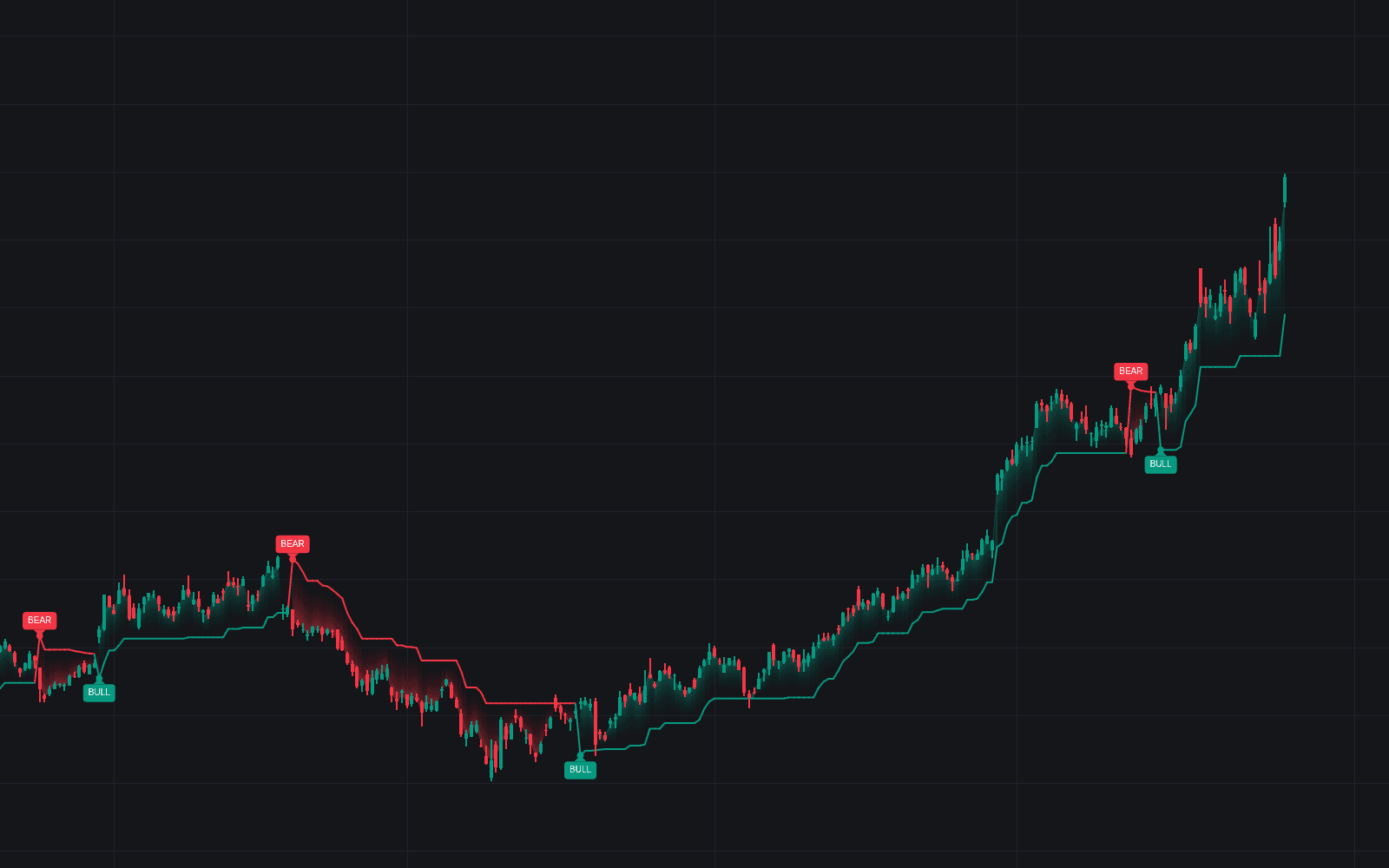
Donchian Trend Rules runs the mechanical breakout system on the chart: long on a break of the prior 20-bar high, out on a break of the prior 10-bar low, mirrored for shorts, all sequenced through an explicit position state. The clean build of the Donchian trend rules, it draws the entry channel with a gradient fill, trails the exit level with the open position, and prints one entry marker per trade. Nothing reprints until its exit.
How to Trade the Donchian Trend Rules?
- Long Entry triangle: the trigger cleared the prior entry-channel high; the mirrored breakdown opens shorts.
- Trailing Exit Level: the opposite extreme of the exit channel. Its break closes the trade, and the line doubles as a standalone trailing stop.
- Direct reversals: in Long & Short mode an opposite entry signal flips the position without waiting for the exit rule.
- Regime as filter: the +1 / 0 / -1 position state (and optional bar coloring) can filter entries from other tools.
Setting the exit equal to the entry recreates the always-in four-week rule; expect frequent small whipsaws in ranges in exchange for the occasional long ride.
Donchian Trend Rules Settings
- Entry Length (default 20): lookback of the entry channel; a breakout beyond a band opens a position.
- Exit Length (default 10): lookback of the exit channel. A shorter window gives back less of the move when it reverses.
- Breakout Trigger (default Close): a close beyond the band, or Intrabar Touch as soon as a wick penetrates it.
- Trade Direction (default Long & Short): both sides with direct reversals, or one-sided modes that go flat on the exit rule.
- Show Entry Channel, Show Trailing Exit Level, Show Signal Markers (all enabled), and Color Bars by Regime (disabled) select the display.
Frequently Asked Questions
Free to use
Run it on Vela. Go further with a paid plan.
- Up to 500 Custom Alerts, with webhook automation
- Up to 10× the chart history of Free
- Orderflow lookback up to full history
- More Quant usage to customize it, plus extra usage when you need it
- Futures data alongside crypto, stocks, forex and commodities

Related indicators
Run it on Vela. Make it yours with Quant.
Open this indicator free on Vela, our next-generation charting platform. Then ask Quant, our coding agent built into Vela, to retune it or turn it into a backtested strategy of your own.