Dragonfly Doji
 By LuxAlgoMay 31, 2026
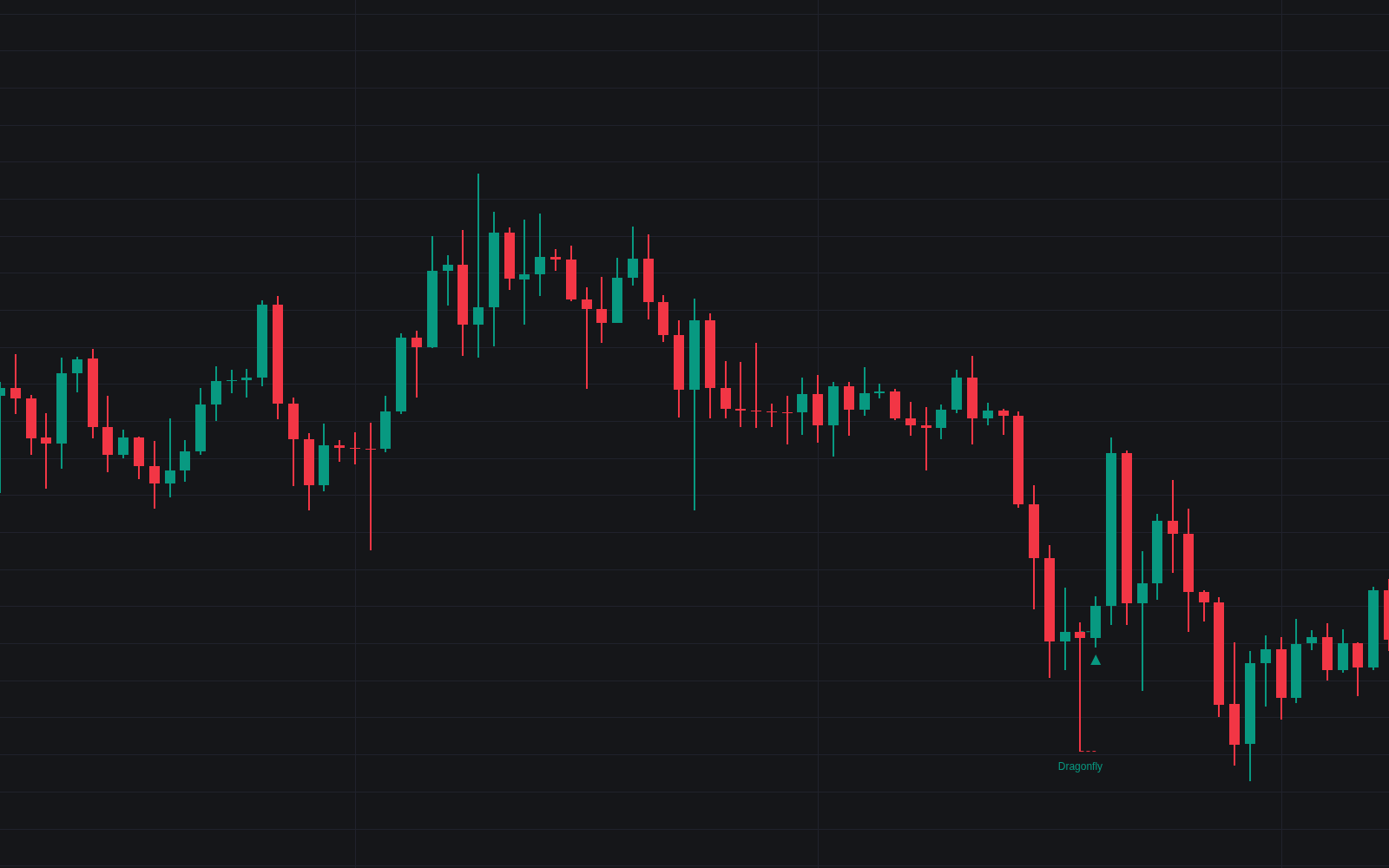

Dragonfly Doji turns the T-shaped candle into a testable rule set. A bar qualifies as a dragonfly doji when its body is a small fraction of the range, its upper shadow negligible and its lower shadow long against both the body and recent ATR. By default only dragonflies below the trend average are flagged, and this first Library implementation tracks each one through an explicit confirmation window.
How to Trade the Dragonfly Doji?
- Dragonfly label: the pattern printed after a decline. Wait for the confirming close rather than act.
- Confirmation triangle: a close above the body within the window confirms the bullish reading, with an alert.
- Invalidation cross: a close back below the shadow low voids the pattern. The rejected prices were accepted after all.
- Trigger and stop levels: dashed lines mark the trigger at the body top and the stop at the shadow low while a signal pends.
- Advance warning (optional): dragonflies above the trend average mark probing trade near a possible top.
Dragonfly Doji Settings
- Maximum Body Size % (default 5) and Maximum Upper Shadow % (default 10): body and upper-shadow caps as percentages of the bar range.
- Minimum Shadow / Body Ratio (default 2) and Minimum Shadow Length (default 1) x ATR (default 14): the lower shadow must dwarf the body and stand out against recent bars.
- Require Prior Decline (default enabled) with Trend SMA Length (default 50): flag only dragonflies closing below the trend average.
- Flag Dragonflies After An Advance (default disabled): adds the top-warning variant.
- Require Elevated Volume (default disabled) with Minimum Volume (default 1.5) x SMA (default 20): optional activity filter.
- Confirmation Window (Bars) (default 3): bars allowed for the confirming close.
- Trigger & Stop Levels (default enabled): draws the pending levels.
Frequently Asked Questions

Original indicatorBuilt in-house by LuxAlgo
The Library is free. Quant makes it yours.
Pull any concept or indicator into Quant: rebuild it, retune it, or turn it into a backtested strategy of your own.