Internal & External Range Liquidity
 By LuxAlgoFeb 24, 2026
Internal & External Range Liquidity is an indicator on Vela, our next-generation charting platform, written in Pine Script®.
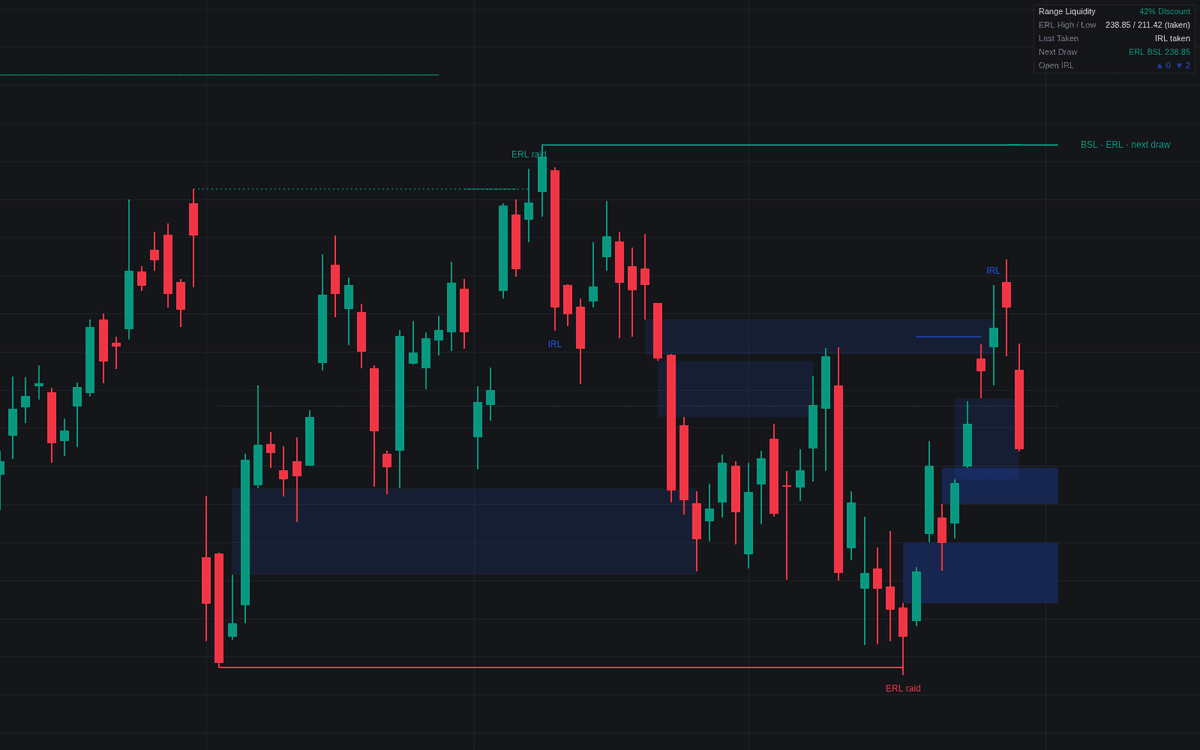

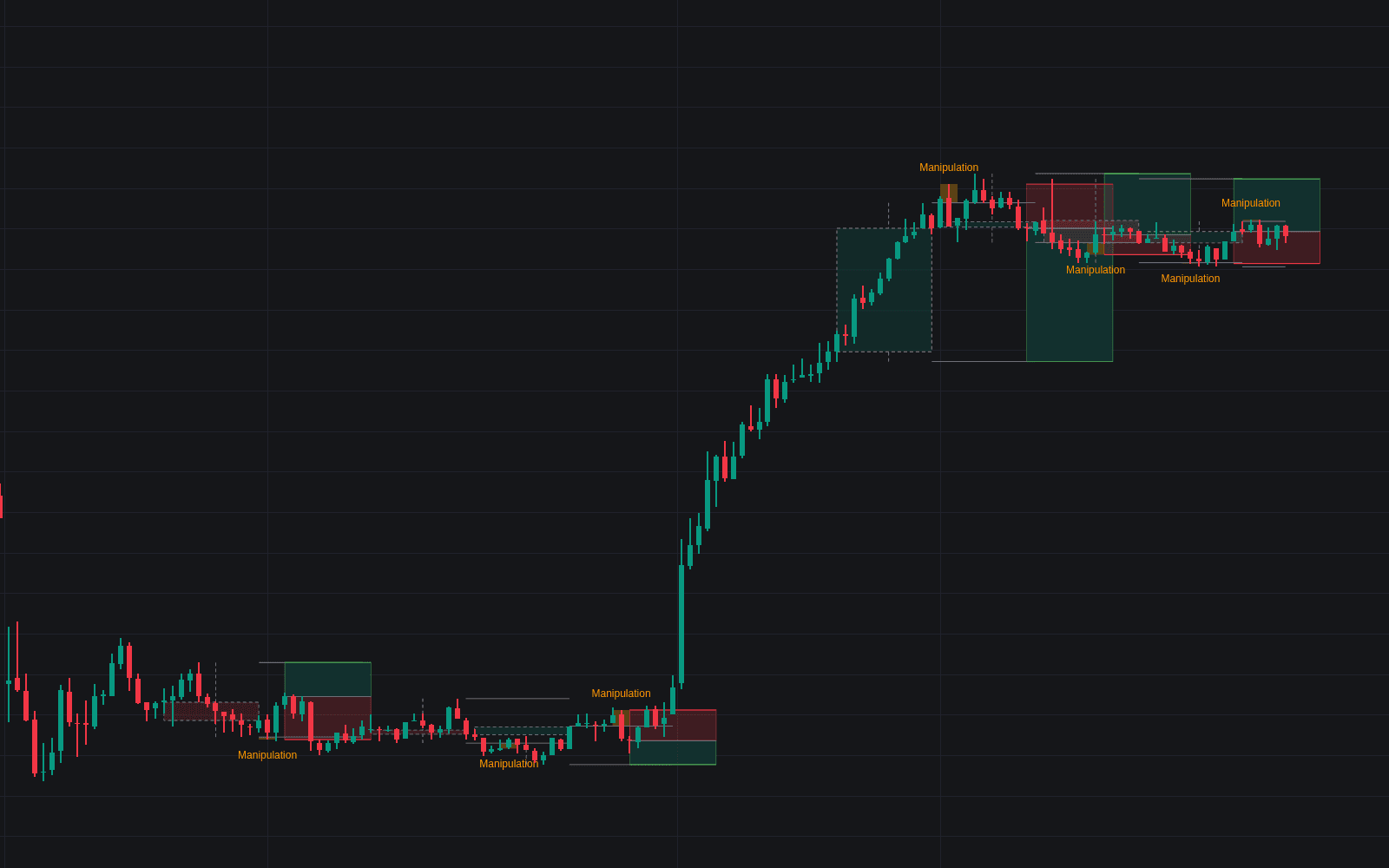
Internal & External Range Liquidity provides a framework for tracking price behavior relative to major dealing ranges by identifying key liquidity levels and internal inefficiencies. It helps traders visualize market structure by distinguishing between External Range Liquidity (ERL), located at the extremes of a swing, and Internal Range Liquidity (IRL), which consists of fair value gaps within that range. By monitoring how price interacts with these levels, the indicator highlights potential rotations, breakouts, and target zones, offering a systematic approach to anticipating where the market may gravitate next.
How to Trade the Internal & External Range Liquidity?
To trade effectively with this indicator, observe the rotation cycle between the range extremes and internal gaps. A raid at an ERL, where price sweeps the high or low but closes back inside the range, often signals a rejection that encourages a move toward the nearest internal liquidity. Once that IRL is captured, the market frequently rotates back toward the opposite ERL.
Monitor the "Next Draw" indicator to identify the current objective of price action. If the market is in a raid scenario, the draw will point toward the nearest valid fair value gap. If an IRL has already been captured, the draw typically shifts toward the opposite ERL. Use the dashboard to determine if price is in a premium or discount zone, which helps refine your bias toward long or short positions. A "run" or breakout, indicated when price sustains closes outside the range, suggests the market is moving into a new phase rather than rotating, which may indicate a trend continuation.
Internal & External Range Liquidity Settings
Dealing Range (ERL)
- Range Swing Length: Defines the number of bars on each side required for a swing to anchor the dealing range.
- Acceptance Closes: Sets the number of bars that must close beyond a range extreme to confirm a breakout, as opposed to a rejection or raid.
- Equilibrium: Toggles the visibility of the 50 percent midpoint line, helping you visualize premium versus discount zones.
Internal Liquidity (IRL)
- Minimum Gap Size: Sets a threshold for fair value gaps based on a multiple of the Average True Range. Gaps smaller than this are ignored.
- Fill Rule: Determines when a gap is considered captured: by simple touch, consequent encroachment (50 percent), or full trade through.
- Max Tracked Gaps: Limits the number of open gaps held in the system.
- Keep Filled Gaps: Determines how many previously filled gaps remain visible on the chart for review.
Rotation, Dashboard, and Style
- Show Next Draw: Enables a line that visually indicates the current liquidity objective.
- Event Labels: Displays labels on the chart when specific events occur, such as ERL raids or IRL captures.
- Show Dashboard: Toggles a small summary table displaying current range status, percentage level, and next draw objectives.
- Style Inputs: Allows you to adjust the colors for Buy-side ERL, Sell-side ERL, IRL, and the Equilibrium line.
Frequently Asked Questions
Free to use
Run it on Vela. Go further with a paid plan.
- Up to 500 Custom Alerts, with webhook automation
- Up to 10× the chart history of Free
- Orderflow lookback up to full history
- More Quant usage to customize it, plus extra usage when you need it
- Futures data alongside crypto, stocks, forex and commodities

Related indicators
Run it on Vela. Make it yours with Quant.
Open this indicator free on Vela, our next-generation charting platform. Then ask Quant, our coding agent built into Vela, to retune it or turn it into a backtested strategy of your own.