Session Sweep & iFVG RR
 By LuxAlgoJul 27, 2026
Session Sweep & iFVG RR is an indicator on Vela, our next-generation charting platform, written in Pine Script®.
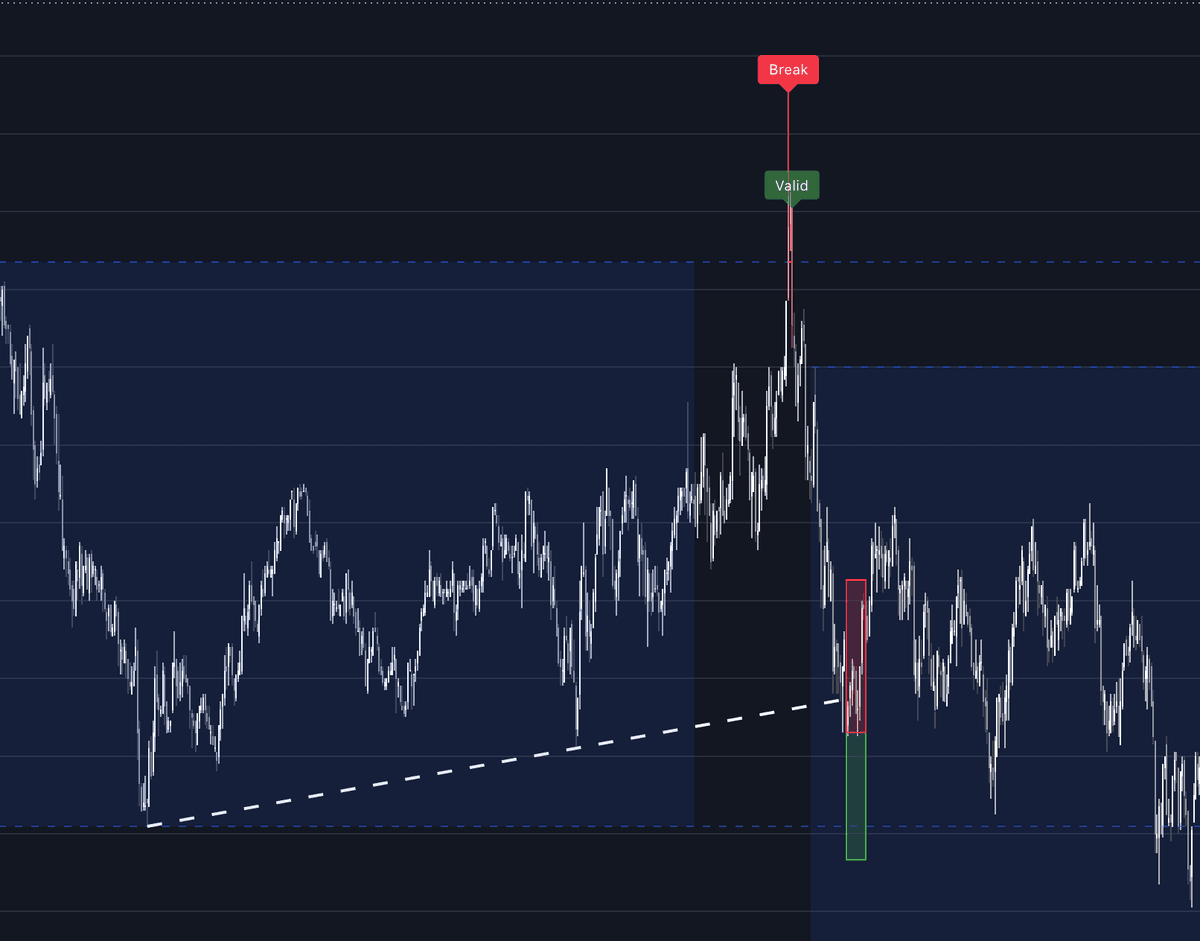

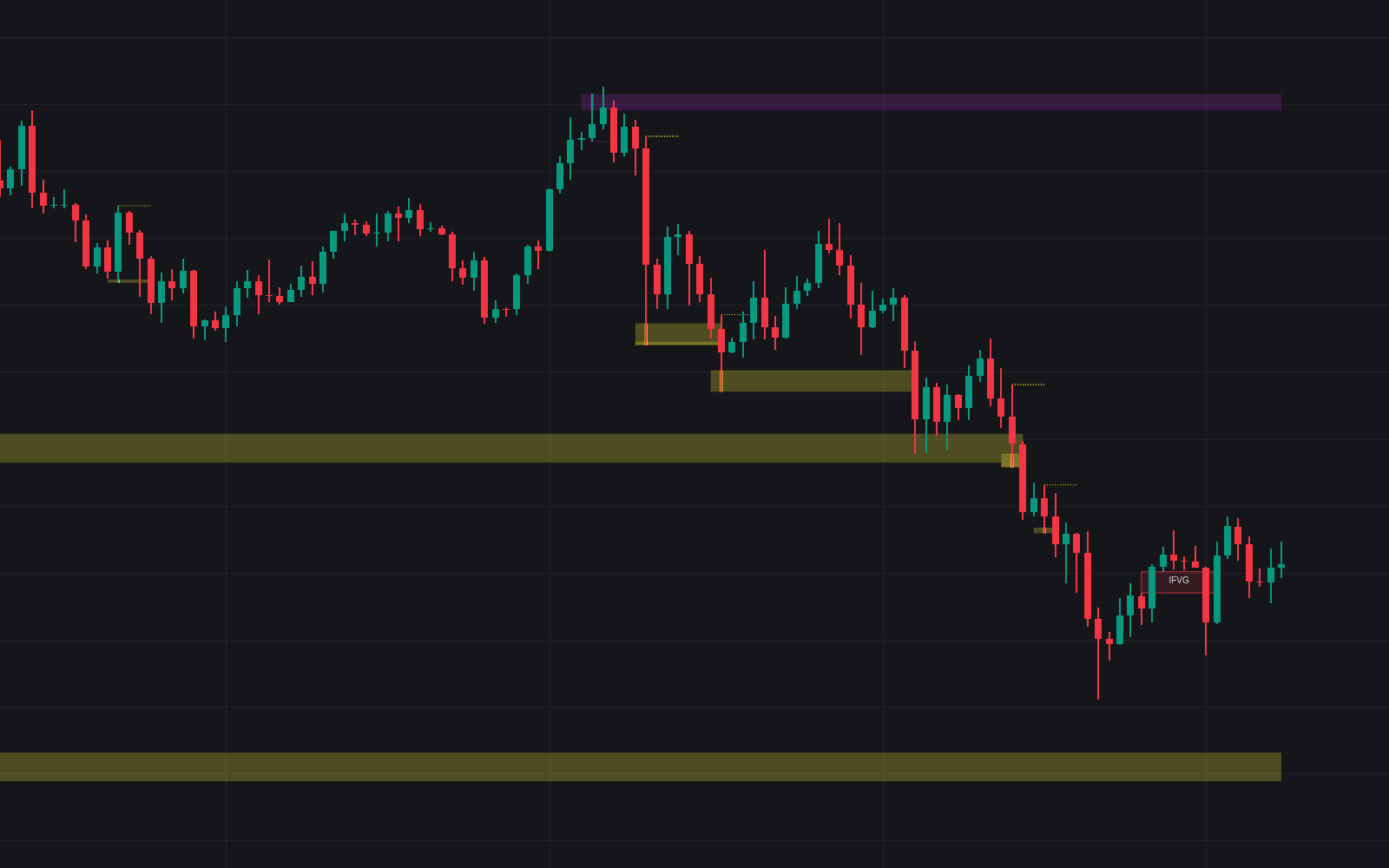
Session Sweep & iFVG RR packages an entire setup workflow into one indicator. It marks the high and low of your selected session - London, New York, Tokyo, or Sydney - and waits for price to sweep liquidity beyond one of those extremes before slipping back inside within your allowed number of bars. A trendline drawn from the relevant pivots then becomes the trigger: break it while price remains inside the session range, and the tool prints the setup and builds the trade geometry for you.
How to Trade the Session Sweep & iFVG RR?
- Valid sweep first: a push beyond the session high or low only counts if price returns to the range within Max Bars to Return to Range - failed breakouts are the raw material of the setup.
- Trendline break entry: after a valid sweep, the indicator connects the relevant pivots; a break of that line inside the range confirms the setup.
- Automatic trade box: each confirmed setup draws a risk-management box - target distance set by RR Target ATR Multiple, stop taken from an inverted fair value gap or an ATR distance, per your Stop Loss Type.
Session Sweep & iFVG RR Settings
- Session to Monitor: Sydney, Tokyo, London, or New York.
- Max Bars to Return to Range: how quickly price must re-enter the range for a sweep to stay valid.
- Max Sweep ATR Multiple: caps how far beyond the range a sweep may stretch and still qualify.
- Stop Loss Type: iFVG uses the inverted gap as the stop zone; ATR uses a volatility distance built on ATR Length.
- RR Target ATR Multiple: the profit-target distance as a multiple of current ATR.
- Strict Mode: hides setups that miss any criterion, trading quantity for cleanliness.
Frequently Asked Questions
Free to use
Run it on Vela. Go further with a paid plan.
- Up to 500 strategy alerts, with webhook automation
- Up to 10× the chart history of Free
- Orderflow lookback up to full history
- More Quant usage to customize it, plus extra usage when you need it
- Futures data alongside crypto, stocks, forex and commodities
Also works on

Related indicators
All 27 Liquidity Sweep indicators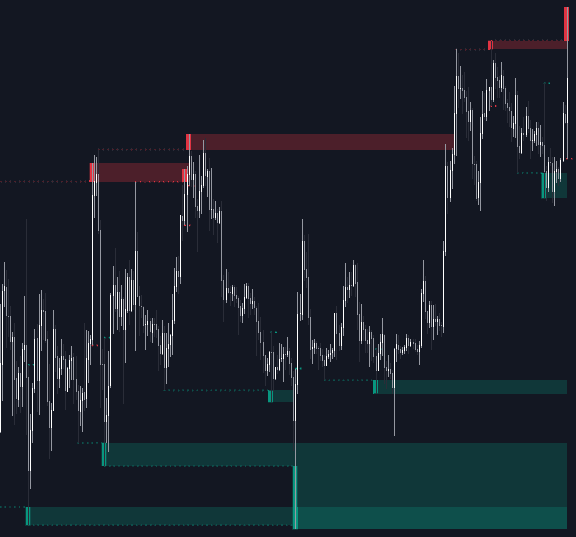
Run it on Vela. Make it yours with Quant.
Open this indicator free on Vela, our next-generation charting platform. Then ask Quant, our coding agent built into Vela, to retune it or turn it into a backtested strategy of your own.