NFP Price Zones

Feb 19, 2026

Static chart image
Price Action Based
Time Based
Dashboard
Works on the following platforms:
tradingviewSymbolTradingView
For free use on the TradingView platform
ninjatraderNinjaTrader
For free use on the NinjaTrader platform
metatrader4MetaTrader 4/5
For free use on the MetaTrader 4/5 platform
thinkorswimThinkorswim
For free use on the Thinkorswim platform

The NFP Price Zones [LuxAlgo] indicator is a professional-grade trading indicator designed to help traders prepare for and execute around Non-Farm Payroll (NFP) releases. By analyzing historical volatility and average expansion ranges during past NFP events, this tool projects statistically derived price zones in advance of the news. It transforms one of the most volatile macroeconomic events into a structured, data-driven trading strategy framework built on historical market behavior.

How to Trade the NFP Price Zones Trading Indicator

The NFP release is one of the most impactful economic events for forex, indices, commodities, and even crypto markets. Sudden volatility spikes often create rapid price expansions, fake breakouts, and liquidity sweeps. The NFP Price Zones indicator helps traders anticipate these moves instead of reacting emotionally.

This trading strategy tool automatically:

  • Detects the correct NFP Friday.
  • Calculates historical expansion statistics.
  • Projects real-time expansion targets.
  • Freezes levels before the news release for actionable trading decisions.

Step-by-Step Trading Workflow

  • Set the Official Release Time: Confirm that the NFP Release Hour and NFP Release Minute match the official release (default 08:30 AM ET).
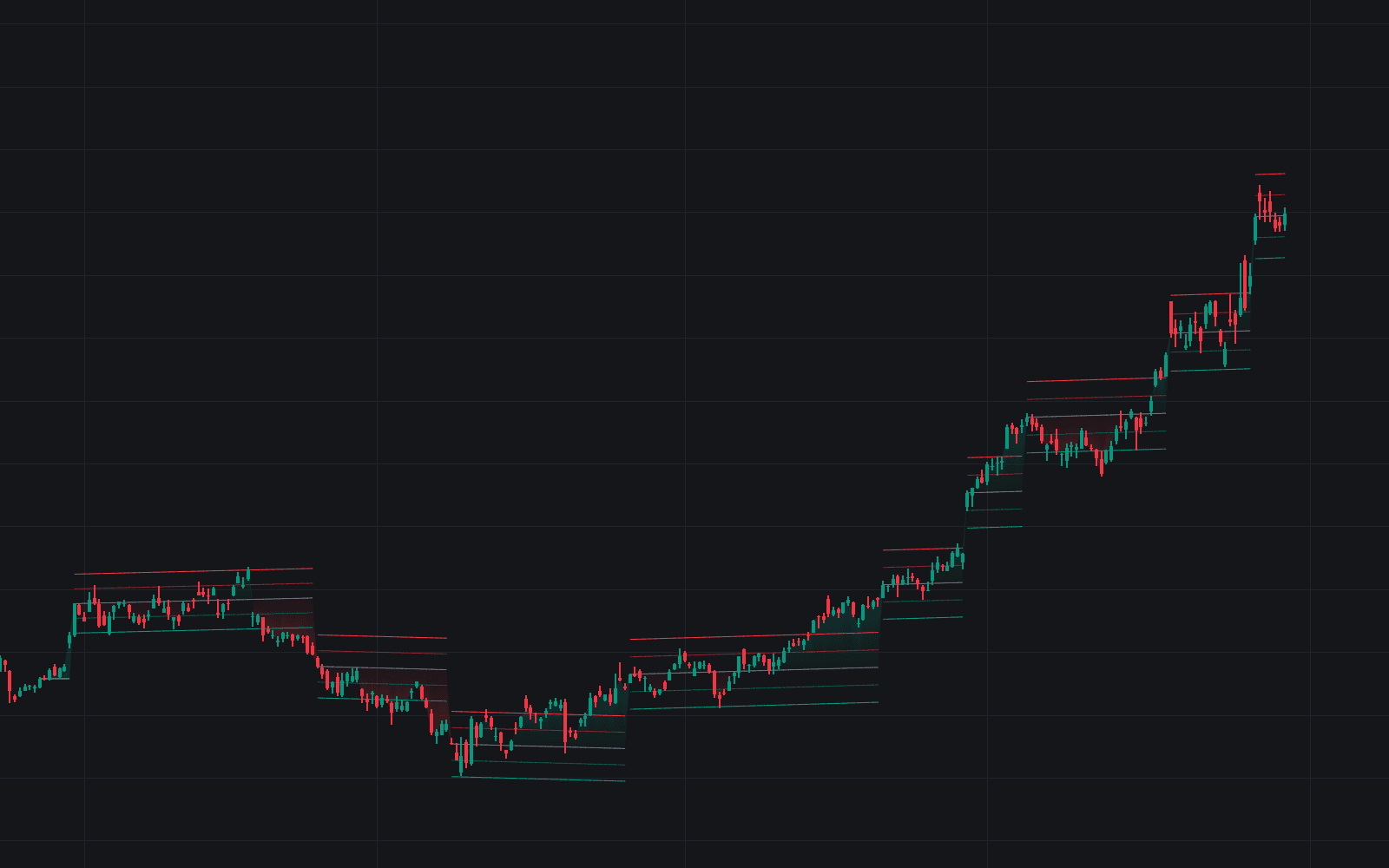
  • Study Historical Reaction Patterns: Review highlighted historical NFP boxes to see how price typically expands during the release window. Adjust the Historical NFPs to Analyze setting to increase or decrease statistical depth.
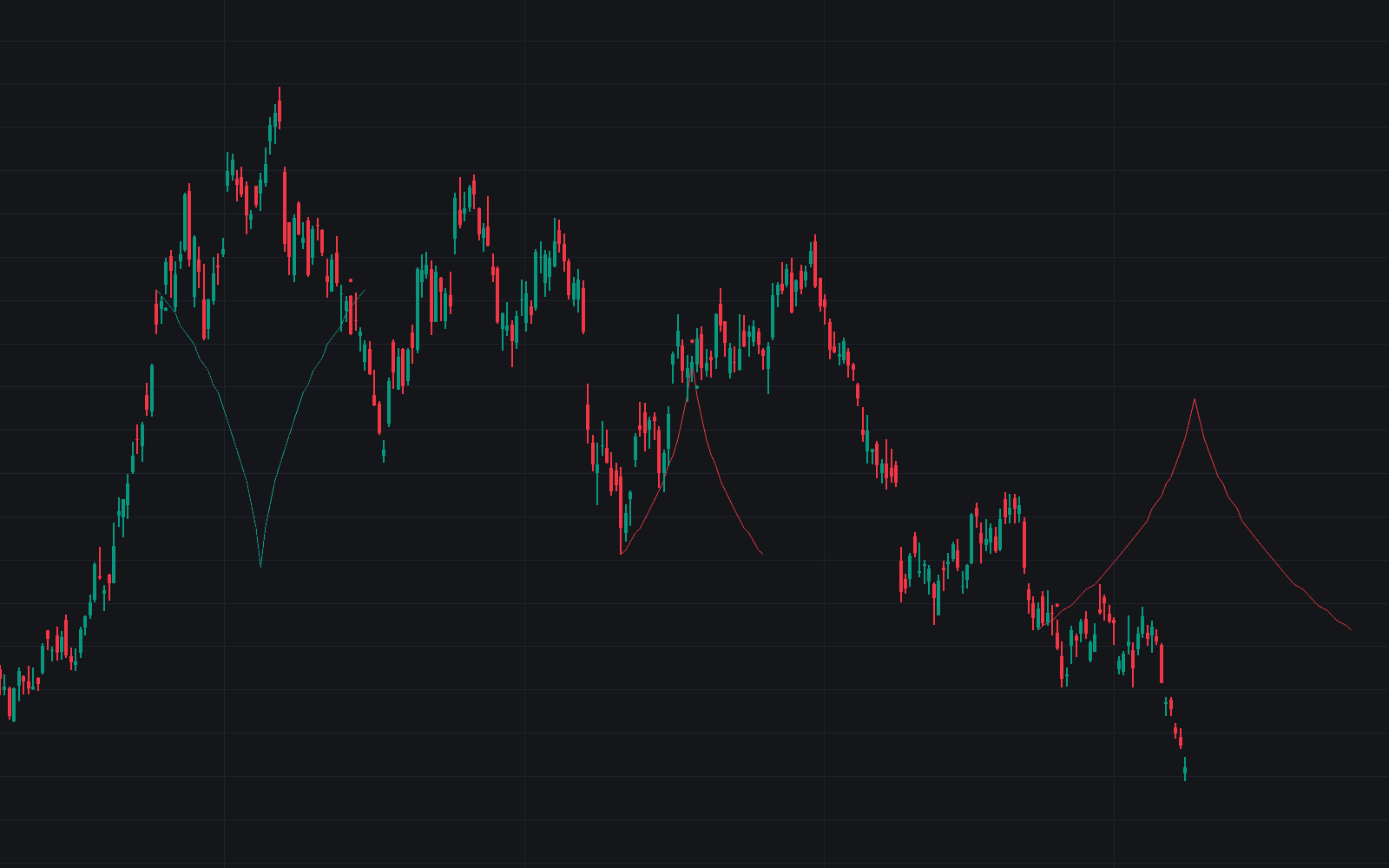
  • Prepare Using Projection Levels: On the right side of the chart, projected expansion lines show the average historical move relative to current price.
  • Trade the Event Structure:
    • Use projected zones as breakout triggers.
    • Treat levels as potential take-profit targets.
    • Monitor for exhaustion reactions near average expansion boundaries.
  • Track Real-Time Expansion: Use the dashboard’s "To High/Low Exp" values to measure how much of the typical move has already occurred.

This makes the indicator suitable for both breakout trading strategies and mean-reversion approaches during high-impact news.

Understanding the Statistical Edge Behind the Indicator

Unlike generic volatility tools, this indicator is specifically engineered for NFP trading. It isolates historical NFP sessions and calculates:

  • Average total range
  • Maximum range
  • Average upward expansion
  • Average downward expansion

By focusing exclusively on this recurring macroeconomic catalyst, the tool provides a contextual volatility model rather than a generic ATR-based projection.

Frozen Anchor Logic – Why It Matters for News Trading

One of the most important features for serious traders is the Frozen Anchor Logic.

Leading into the release, projected zones move dynamically with price. However, exactly 30 minutes before the scheduled NFP time, the anchor freezes.

This creates:

  • Static support and resistance levels
  • Clear breakout thresholds
  • Fixed take-profit targets
  • Objective risk measurement during volatility spikes

Because the levels no longer shift during the event, traders can execute with clarity instead of chasing moving targets. This structure is especially valuable during fast-moving forex pairs like EURUSD, GBPUSD, and USDJPY.

Dashboard Metrics Explained for Advanced Trading Decisions

The built-in dashboard converts raw statistical data into actionable trading intelligence:

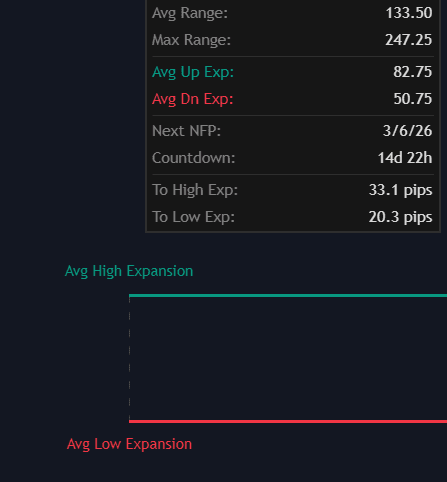
  • Avg Range / Max Range: Measures historical volatility during NFP events.
  • Avg Up/Dn Exp: Shows the typical directional expansion from the pre-news open.
  • Countdown: Displays time remaining until release and switches to EVENT LIVE during the news window.
  • To High/Low Exp: Shows how far price is from the projected statistical expansion targets in real time.

These metrics help traders determine whether the market is underreacting, reacting normally, or exceeding historical volatility expectations.

This trading indicator is fully compatible with Bar Replay, making it ideal for backtesting NFP trading strategies and refining execution models using historical data.

Indicator Settings and Customization

The NFP Price Zones indicator provides flexible configuration options to match different trading styles and asset classes.

Calculation Settings

  • Historical NFPs to Analyze: Controls how many previous NFP releases are included in the statistical model.
  • NFP Release Hour (24h): Defines the official release hour.
  • NFP Release Minute: Defines the official release minute.

Adjusting the lookback allows traders to balance statistical stability with responsiveness to evolving market conditions.

Visual Controls

  • Show Historical Zones: Toggle previous NFP boxes on or off.
  • Zone Color: Customize the visual appearance of historical NFP reaction areas.

These visual elements help traders quickly identify volatility clustering behavior across past releases.

Dashboard Configuration

  • Dashboard: Enable or disable the statistics panel.
  • Position: Select dashboard placement on the chart.
  • Size: Adjust text and table sizing for better visibility.

Who Should Use This Trading Strategy Tool?

This indicator is ideal for:

  • Forex traders focusing on USD pairs.
  • Index traders trading S&P 500, NASDAQ, or Dow futures.
  • Gold (XAUUSD) traders reacting to macroeconomic data.
  • News traders seeking structured volatility frameworks.
  • Systematic traders who want a repeatable NFP trading model.

It is particularly powerful for traders who want a data-driven approach to high-impact economic releases rather than relying on instinct or emotion.

Frequently Asked Questions (FAQ)

What is the NFP Price Zones [LuxAlgo] indicator?

It is a statistical trading indicator that analyzes historical Non-Farm Payroll volatility and projects future expansion zones to help traders structure news-based trading strategies.

Can I backtest this NFP trading strategy?

Yes. The indicator is fully compatible with Bar Replay, allowing traders to simulate historical NFP releases and observe how projection levels behaved in real time.

How do the projection levels work?

Projection levels are calculated from historical average expansion distances measured from the pre-news open price. They freeze 30 minutes before the release to provide fixed, actionable trading levels.

How can I access the NFP Price Zones [LuxAlgo] indicator?

You can get access on the LuxAlgo Library for charting platforms like TradingView, MetaTrader (MT4/MT5), and NinjaTrader for free.

Trading & investing are risky and many will lose money in connection with trading and investing activities. All content on this site is not intended to, and should not be, construed as financial advice. Decisions to buy, sell, hold or trade in securities, commodities and other investments involve risk and are best made based on the advice of qualified financial professionals. Past performance does not guarantee future results.

Hypothetical or Simulated performance results have certain limitations. Unlike an actual performance record, simulated results do not represent actual trading. Also, since the trades have not been executed, the results may have under-or-over compensated for the impact, if any, of certain market factors, including, but not limited to, lack of liquidity. Simulated trading programs in general are designed with the benefit of hindsight, and are based on historical information. No representation is being made that any account will or is likely to achieve profit or losses similar to those shown.

Testimonials appearing on this website may not be representative of other clients or customers and is not a guarantee of future performance or success.

As a provider of technical analysis tools and strategies, we do not have access to the personal trading accounts or brokerage statements of our customers. As a result, we have no reason to believe our customers perform better or worse than traders as a whole based on any content, tool, or platform feature we provide.

Charts used on this site are by TradingView in which the majority of our technical indicators are built on. TradingView® is a registered trademark of TradingView, Inc. www.TradingView.comTradingView® has no affiliation with the owner, developer, or provider of the Services described herein.

Market data is provided by CBOE, CME Group, BarChart, CoinAPI. CBOE BZX real-time US equities data is licensed from CBOE and provided through BarChart. Real-time futures data is licensed from CME Group and provided through BarChart. Select cryptocurrency data, including major coins, is provided through CoinAPI. All data is provided “as is” and should be verified independently for trading purposes.

This does not represent our full Disclaimer. Please read our full disclaimer.

© 2026 LuxAlgo Global, LLC.