PRZ Execution
 By LuxAlgoApr 13, 2026
PRZ Execution is an indicator on Vela, our next-generation charting platform, written in Pine Script®.
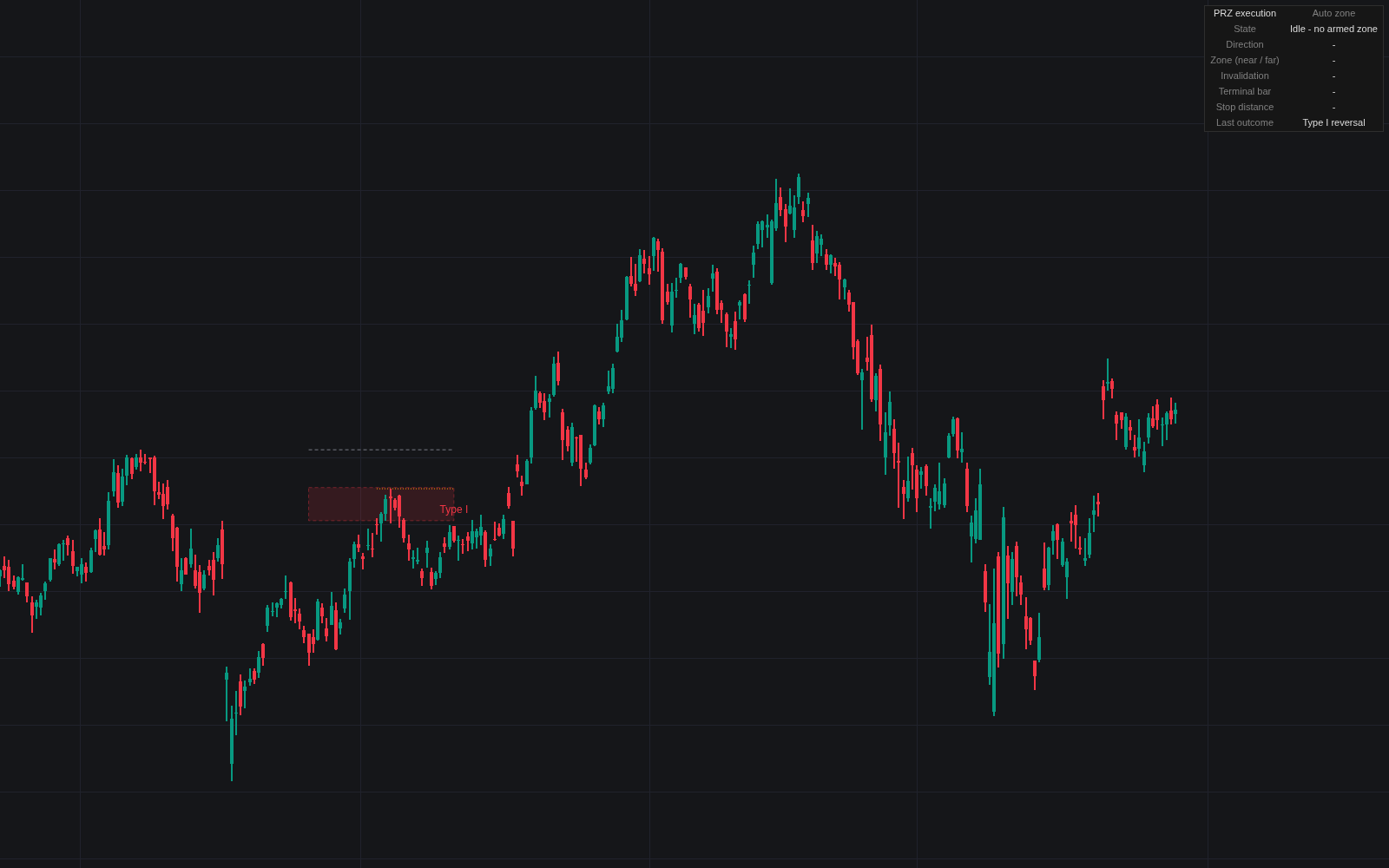

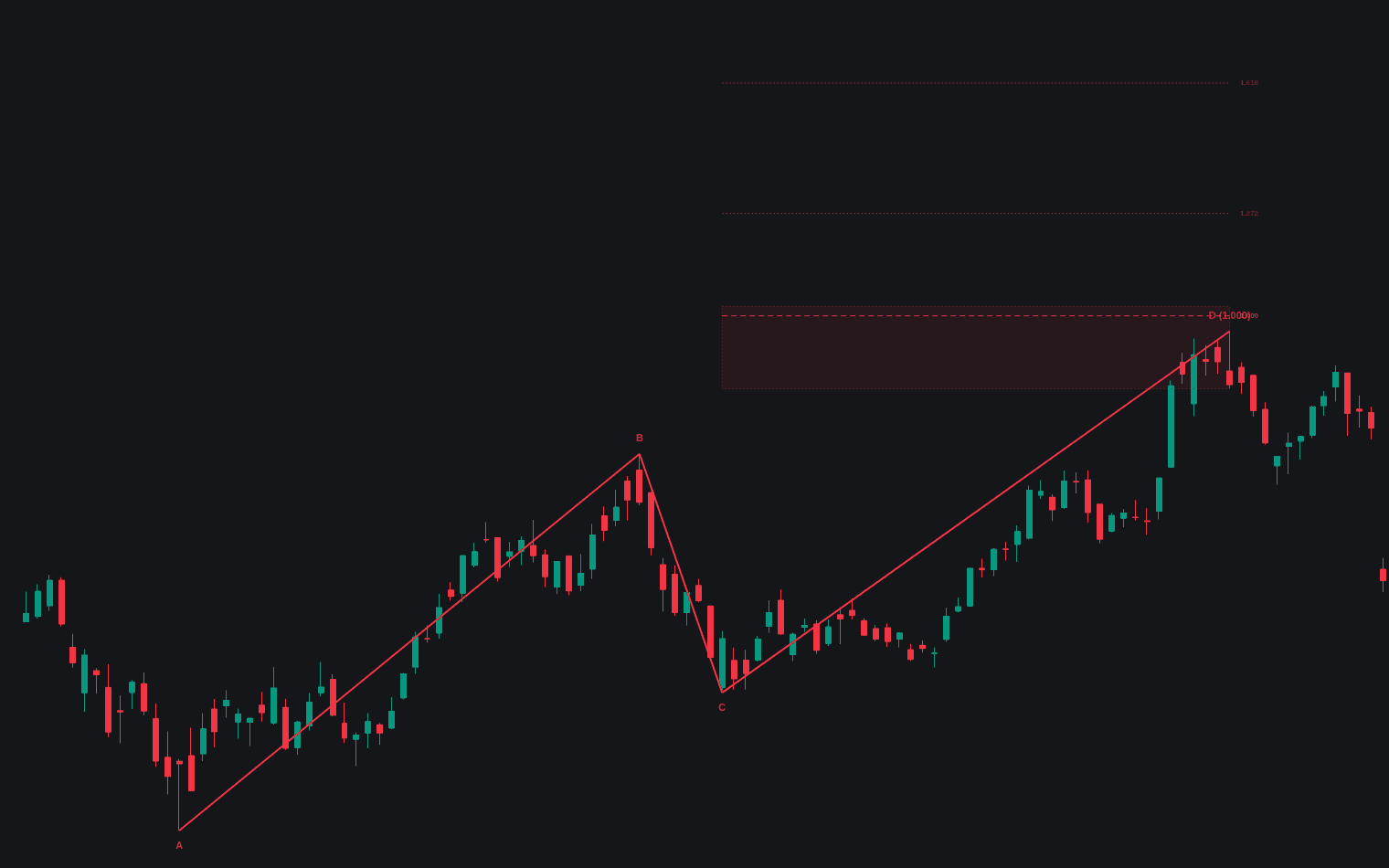
PRZ Execution starts where pattern recognition stops, the first library tool for PRZ execution, managing price from arrival in a potential reversal zone to a graded outcome. Auto mode projects a completion window past the latest X-A-B-C swings from XA ratios, plus a limiting level; Manual mode takes any measured zone. From first touch a state machine runs (test, terminal price bar, entry, resolution), tracked in a status table.
How to Trade the PRZ Execution?
- Terminal price bar: tests the whole zone and is graded on its close. Back toward structure is constructive, wide beyond it the classic warning; both alerted.
- Entry confirmation: the default waits for terminal-bar rejection; Close back inside structure is earlier, First zone touch mimics a limit at D.
- Type I vs Type II: a prompt reaction that stays clear of the zone is Type I; a retest that holds near the original extreme and rejects is Type II. Deep retests demand more evidence.
PRZ Execution Settings
- Zone source (default Auto (harmonic completion window)).
- Swing pivot length (default 8): pivot confirmation bars.
- Completion ratio - near edge (default 0.786) and Completion ratio - far edge (default 0.886).
- Invalidation ratio (limiting level) (default 1.0): the void level (X for retracements).
- Manual - direction, Manual - zone edge A / B, Manual - invalidation level (0 = auto).
- Entry confirmation (default Terminal bar rejection).
- ATR length (default 14), Wide bar threshold (x ATR) (default 1.5), Reaction distance (x zone height) (default 2.0) and Type I: bars clear of the zone (default 10).
- Retest tolerance (x zone height) (default 0.5), Closes beyond limit to invalidate (default 2), Episode timeout (bars) (default 100) and Max acceptable stop distance (%) (default 2.0): wider zones grade "too wide, pass".
- Display toggles for labels, table, zone transparency.
Frequently Asked Questions
Free to use
Run it on Vela. Go further with a paid plan.
- Up to 500 Custom Alerts, with webhook automation
- Up to 10× the chart history of Free
- Orderflow lookback up to full history
- More Quant usage to customize it, plus extra usage when you need it
- Futures data alongside crypto, stocks, forex and commodities

Related indicators
Run it on Vela. Make it yours with Quant.
Open this indicator free on Vela, our next-generation charting platform. Then ask Quant, our coding agent built into Vela, to retune it or turn it into a backtested strategy of your own.