R-squared Trend Fit
 By LuxAlgoJun 8, 2026
R-squared Trend Fit is an indicator on Vela, our next-generation charting platform, written in Pine Script®.
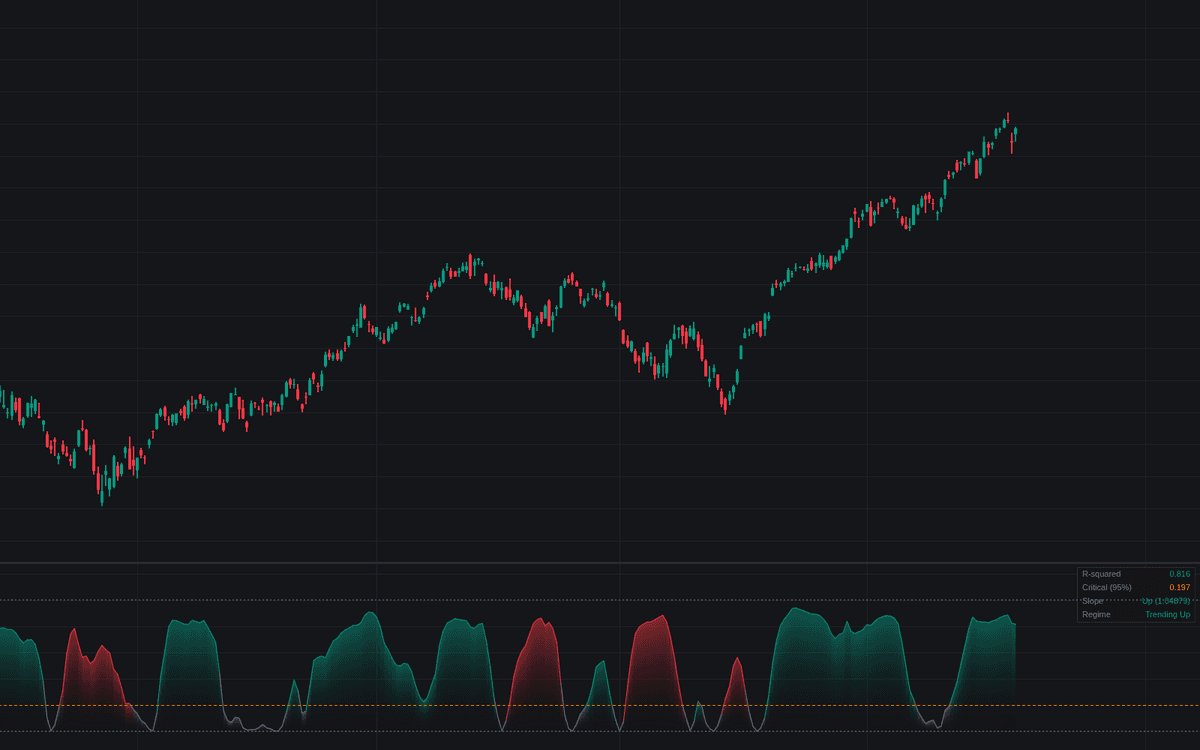

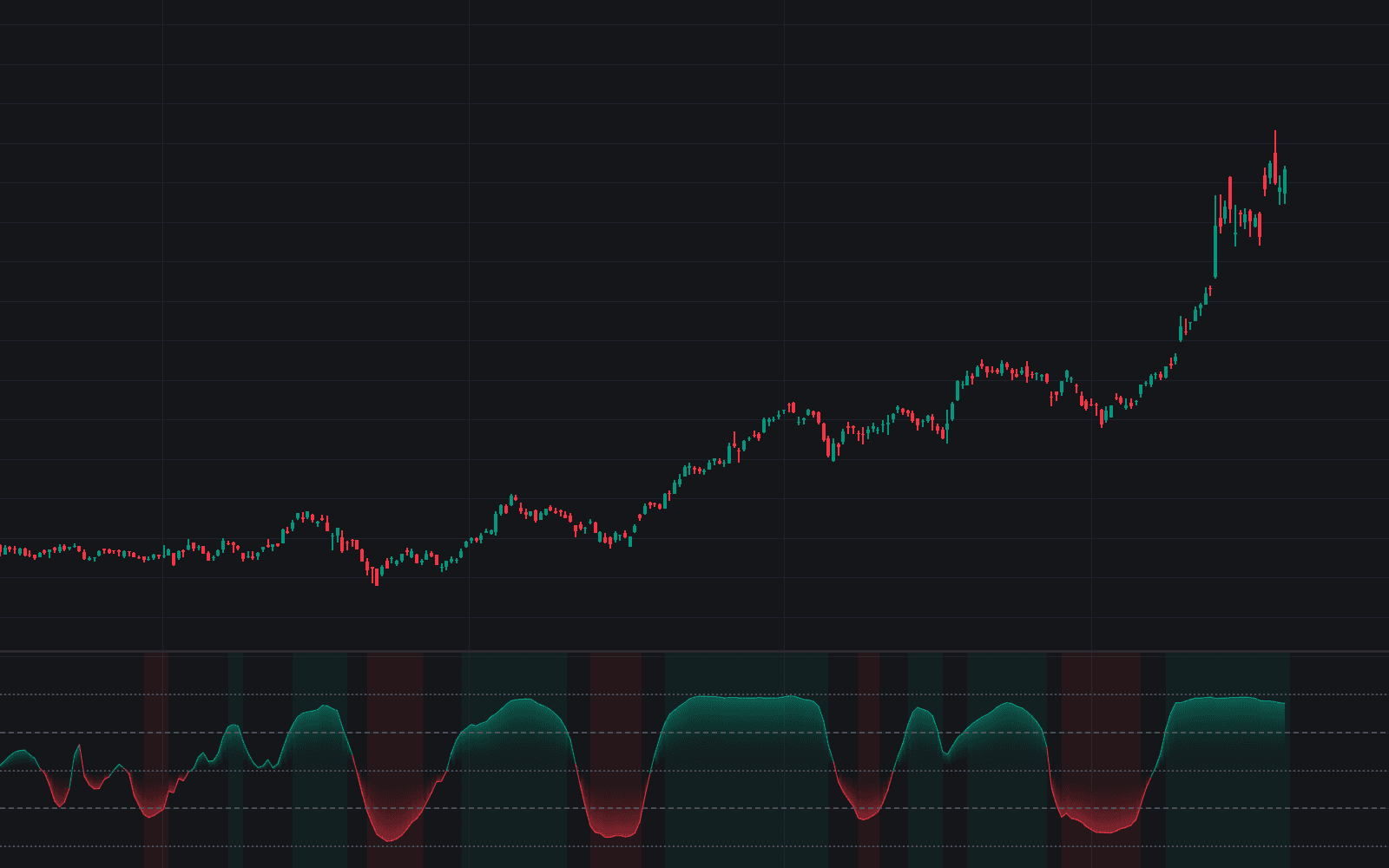
R-squared Trend Fit scores how much of the lookback's price action a straight line explains, then refuses to call it a trend until the score beats luck, the first library build of the R-squared trend fit. Price is regressed against time over the lookback and the variance-explained reading plots between 0 and 1, colored by regime. In Statistical mode the gate's critical value comes from the significance test for the window length and confidence level, so short windows, which score high by chance, must clear a higher bar.
How to Trade the R-squared Trend Fit?
- Significant fit with a rising slope: the regime turns Trending Up and the Clean Uptrend Qualified alert fires; the mirrored condition qualifies downtrends.
- Reading below the critical value: the window is statistically indistinguishable from noise, range conditions; both gate crossings are alerted.
- Trend maturity warning: consecutive falling readings after an extended significant stretch flag an aging trend, a decay symptom, explicitly not a reversal signal.
R-squared Trend Fit Settings
- Length (default 20): the regression window.
- Source (default close).
- Use Log Price (default off): fits the logarithm for comparability across large moves.
- Threshold Mode (default Statistical) with Confidence Level (default 95%): the two-tailed t-test with n - 2 degrees of freedom sets the critical value.
- Fixed Level (default 0.25): the manual cutoff in Fixed mode.
- Maturity: Bars In Trend (default 10) and Maturity: Falling Bars (default 3): the warning's two streaks.
- Display: Show Dashboard (on), Regime Background (off), Gradient Fill (on).
Frequently Asked Questions
Free to use
Run it on Vela. Go further with a paid plan.
- Up to 500 Custom Alerts, with webhook automation
- Up to 10× the chart history of Free
- Orderflow lookback up to full history
- More Quant usage to customize it, plus extra usage when you need it
- Futures data alongside crypto, stocks, forex and commodities

Related indicators
Run it on Vela. Make it yours with Quant.
Open this indicator free on Vela, our next-generation charting platform. Then ask Quant, our coding agent built into Vela, to retune it or turn it into a backtested strategy of your own.