Swing Magnitude Filters
 By LuxAlgoMay 28, 2026
Swing Magnitude Filters is an indicator on Vela, our next-generation charting platform, written in Pine Script®.
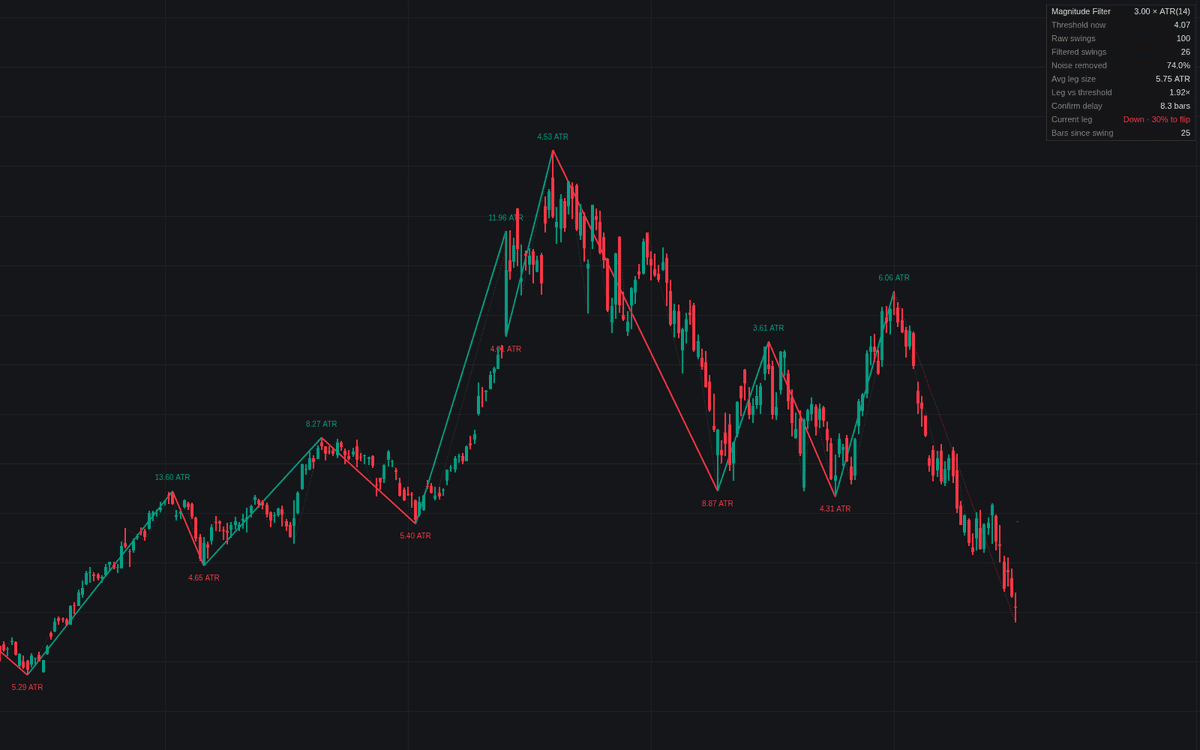

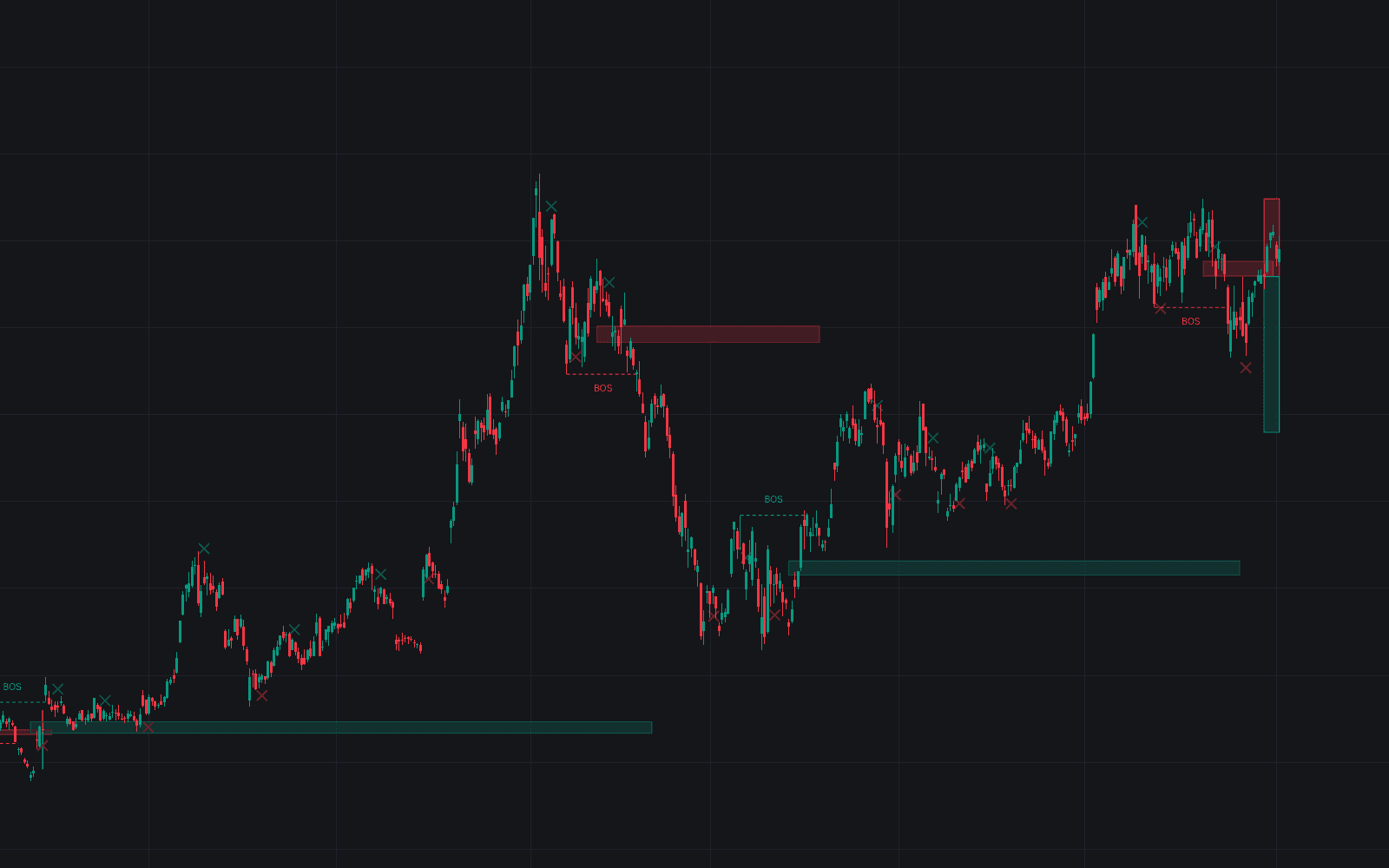
Swing Magnitude Filters applies a pure swing magnitude filter to structure detection: a provisional extreme becomes a confirmed swing only once price reverses the full threshold. The filtered zigzag draws solid over a faint raw candidate layer from a small bar-count rule; the gap between the layers is the noise the filter removed, quantified in a dashboard alongside average leg size, confirmation delay and flip progress.
How to Trade the Swing Magnitude Filters?
- Filtered swing confirmed: the reversal traveled the full threshold. Structure at your scale has genuinely turned.
- Confirmation trigger line: the dashed level where the pending reversal completes; with an ATR threshold it breathes with volatility.
- Quiet stretch highlight: no leg has cleared the threshold for the configured stretch. The silence flags a possible trading range, a cue to swap breakout for rotation tactics.
Magnitude labels print each confirmed leg's travel in the active unit; the newest leg stays provisional: until a reversal travels the full threshold, its extreme can still be replaced.
Swing Magnitude Filters Settings
- Threshold Type (default ATR Multiple): ATR scales with volatility, Percentage tracks price, Points is absolute.
- ATR Multiple (default 3.0) with Length (default 14): the volatility-scaled threshold.
- Percentage (default 5.0) and Points (default 10.0): the other modes' thresholds.
- Swing Source (default Wicks): highs and lows, or Close to ignore wicks.
- Show Raw Swings (default enabled) and Candidate Pivot Length (default 2): the unfiltered comparison layer.
- Quiet Stretch (bars) (default 50) with Highlight Quiet Stretches (default enabled).
- Style and dashboard toggles cover the provisional leg, trigger line, magnitude labels, line width and panel position.
Frequently Asked Questions
Free to use
Run it on Vela. Go further with a paid plan.
- Up to 500 Custom Alerts, with webhook automation
- Up to 10× the chart history of Free
- Orderflow lookback up to full history
- More Quant usage to customize it, plus extra usage when you need it
- Futures data alongside crypto, stocks, forex and commodities

Related indicators
Run it on Vela. Make it yours with Quant.
Open this indicator free on Vela, our next-generation charting platform. Then ask Quant, our coding agent built into Vela, to retune it or turn it into a backtested strategy of your own.