Channel Continuation
 By LuxAlgoJul 24, 2026
Channel Continuation is an indicator on Vela, our next-generation charting platform, written in Pine Script®.
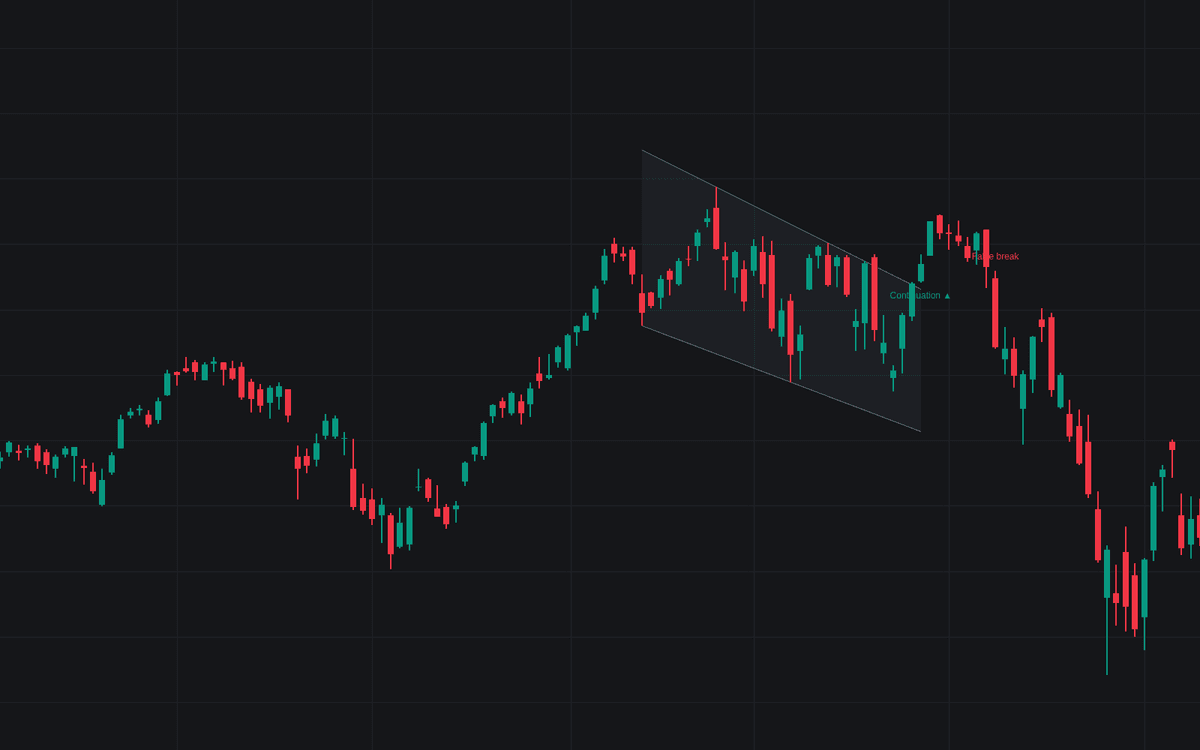

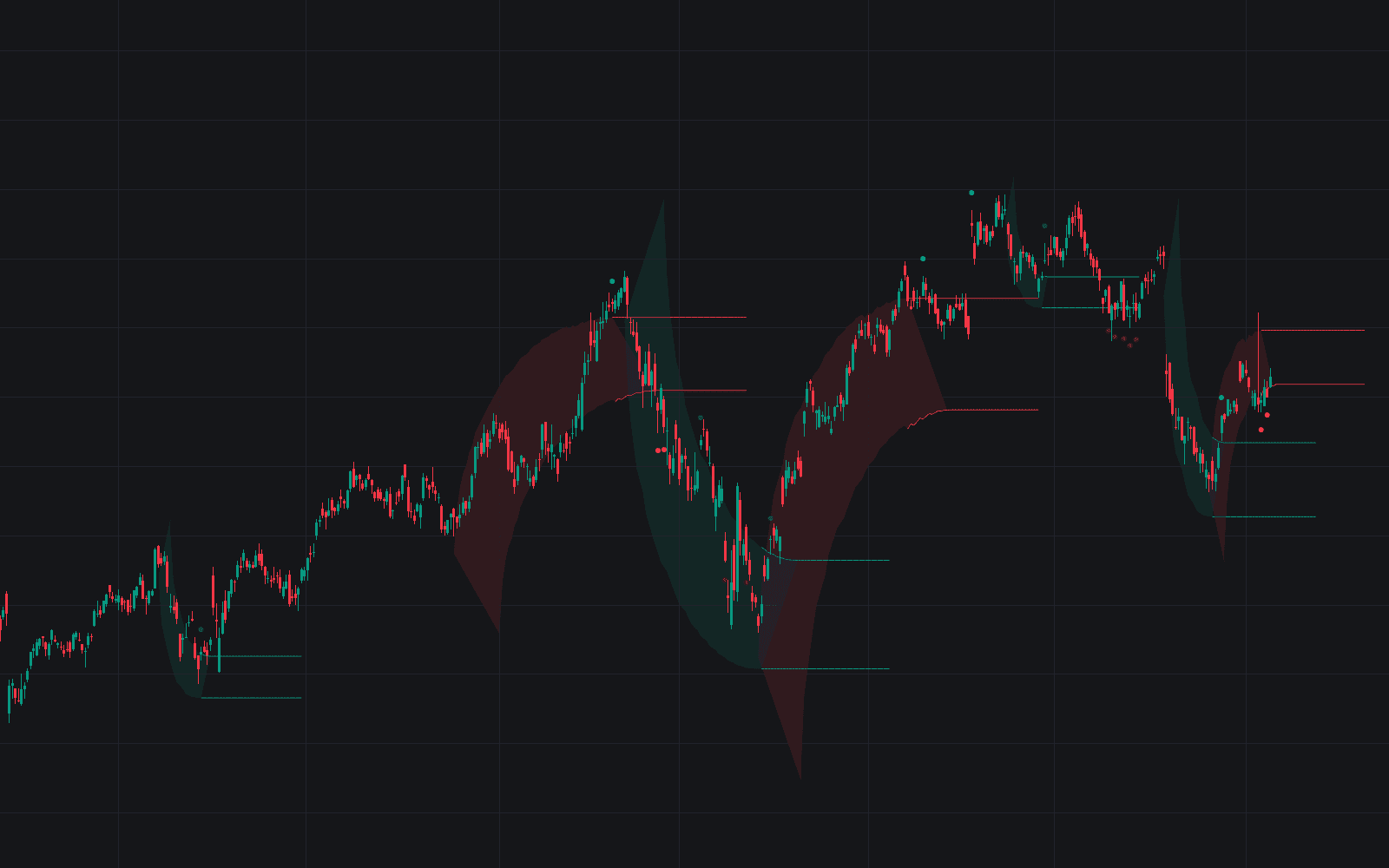
Channel Continuation implements the channel continuation pattern as a complete setup, not a drawing aid. It demands a prior impulse (3+ ATR net over the preceding 20 bars), then fits parallels through confirmed pivots: two touches per side, contained closes and, by default, a countertrend slope. A decisive break with the trend projects the channel's width and the impulse's height as dotted objectives.
How to Trade the Channel Continuation?
- Continuation ▲ / ▼: a decisive close past the boundary resumes the prior trend; Width target and Measured move lines mark the objectives.
- Corrective parallel touch: a test of the parallel opposite the expected break, the entry zone.
- Trend change?: a break against the prior trend, possibly reversal, not pause.
- False break: a close back inside within 8 bars deletes the targets. Exit fast.
Channel Continuation Settings
- Pivot Length (default 5): bars each side confirming the pivots.
- Min Touches Per Side (default 2): the classic minimum.
- Channel Length Min / Max (defaults 15 / 80): duration bounds.
- Parallel Tolerance % (default 25) and Touch Tolerance % (default 15): required cleanliness of the fit.
- ATR Length (default 14): normalizes the filters.
- Impulse Lookback (default 20) and Min Impulse Strength (ATR) (default 3): the prior-trend gate.
- Require Countertrend Slope (default enabled) and Min Channel Drift (ATR) (default 1): only corrective slopes pass.
- Max Retracement % (default 80) and Max Duration (x Impulse) (default 2.5): too-deep or too-long corrections expire.
- Breakout Buffer % (default 5): extra penetration for a decisive break.
- False-Break Window (default 8): bars in which a close back inside fails the break.
- Volume Filter (default disabled) with Volume Expansion (x Average) (default 1.5): the classic volume signature.
- Width Target / Measured-Move Target (default enabled): the objectives.
Frequently Asked Questions
Free to use
Run it on Vela. Go further with a paid plan.
- Up to 500 Custom Alerts, with webhook automation
- Up to 10× the chart history of Free
- Orderflow lookback up to full history
- More Quant usage to customize it, plus extra usage when you need it
- Futures data alongside crypto, stocks, forex and commodities

Related indicators
Run it on Vela. Make it yours with Quant.
Open this indicator free on Vela, our next-generation charting platform. Then ask Quant, our coding agent built into Vela, to retune it or turn it into a backtested strategy of your own.