Scallop
 By LuxAlgoMay 13, 2026
Scallop is an indicator on Vela, our next-generation charting platform, written in Pine Script®.
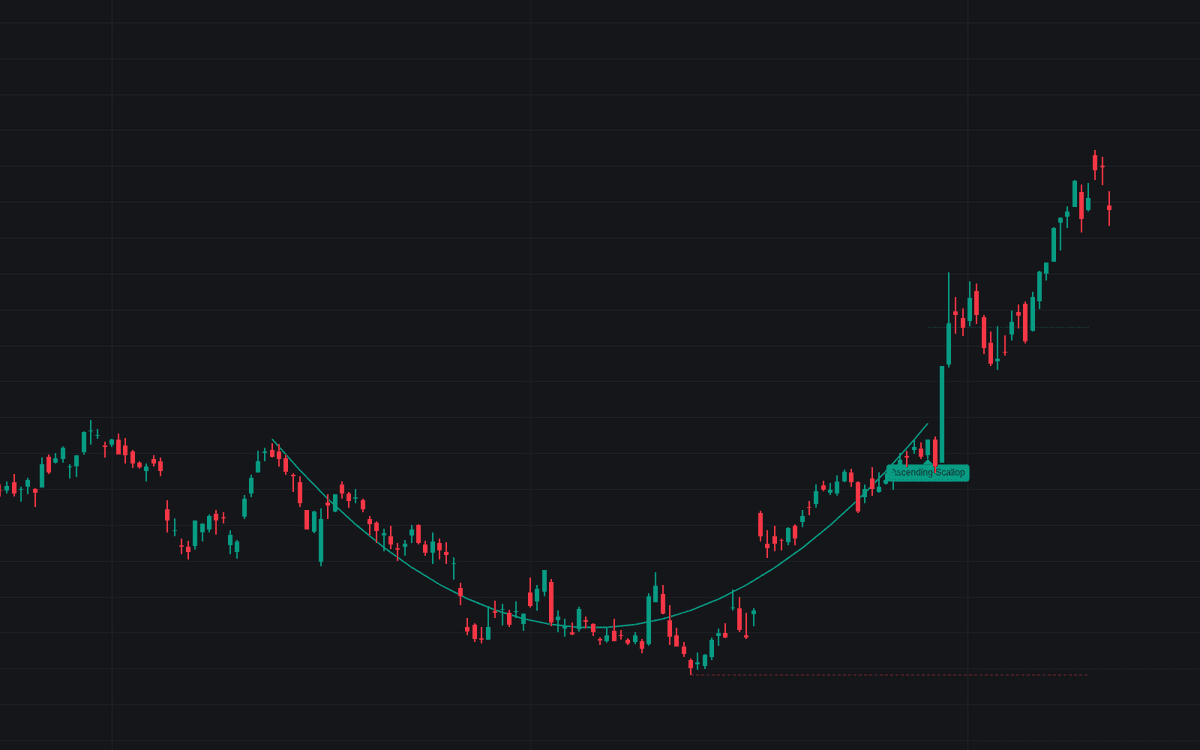

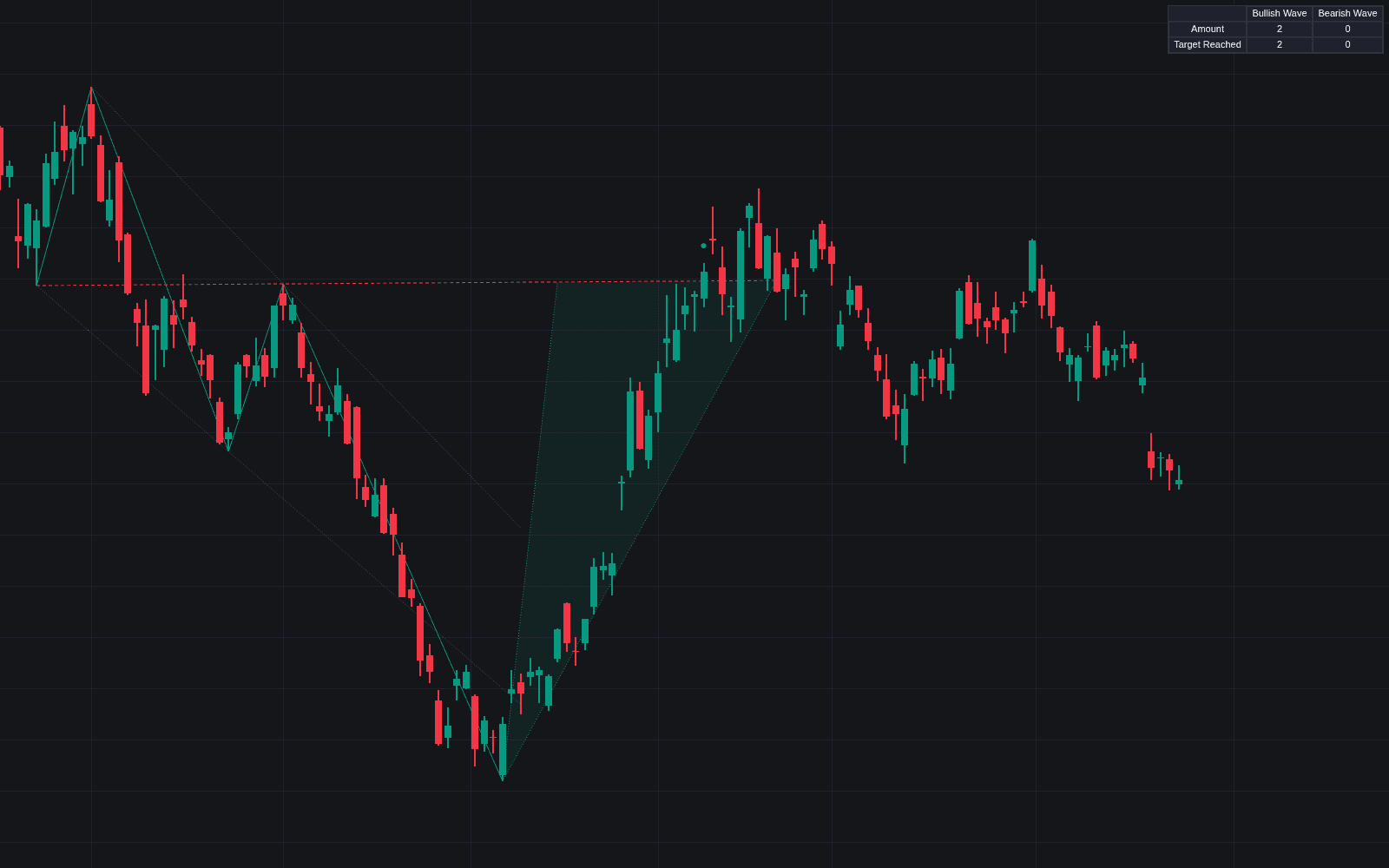
Scallop puts an objective boundary on a pattern that is usually eyeballed: the rounded J-shaped pause that continues a trend. Because a scallop has no straight line to test, the build fits a least-squares quadratic across each span and accepts only curves that behave: minimum fit quality, mid-trend depth and duration, a turn inside the span, enough time near the extreme to rule out a sharp V. A candidate completes when price carries beyond the curve's starting lip; the fitted curve, target and stop are then drawn, with measurements in the tooltip.
How to Trade the Scallop?
- Completion carry: a close above an ascending curve's starting high (below for descending) completes the pattern.
- Target and stop: the dotted target projects part of the curve's height beyond completion; the dashed stop sits at the turn.
- Shrinking series: a completed scallop shorter and shallower than its predecessor is a maturing-trend hint, with its own alerts.
- Developing curve: an optional dotted preview traces a forming curve once its turn is in, plus the level to carry beyond.
A trend filter keeps ascending curves in advances and descending in declines, their place in the continuation pattern family.
Scallop Settings
- Ascending Scallops / Descending Scallops (both on).
- Swing Detection Length (default 5): bars each side confirming the starting lip.
- Curve Length Min (default 15) and Max (default 100): duration bounds in bars.
- Curve Depth % Min (default 3) and Max (default 25): lip-to-turn distance in percent.
- Curve Source (default close), Curve Fit Quality (R²) (default 0.8) and Roundedness % (default 30): the shape tests.
- Trend Filter (default on) with Trend Average Length (default 50); Require Volume Curve (default off).
- Target Projection % (default 50), Show Target Level and Show Stop Level (both on); style: Show Labels, Show Developing Curve (both on).
Frequently Asked Questions
Free to use
Run it on Vela. Go further with a paid plan.
- Up to 500 Custom Alerts, with webhook automation
- Up to 10× the chart history of Free
- Orderflow lookback up to full history
- More Quant usage to customize it, plus extra usage when you need it
- Futures data alongside crypto, stocks, forex and commodities

Related indicators
Run it on Vela. Make it yours with Quant.
Open this indicator free on Vela, our next-generation charting platform. Then ask Quant, our coding agent built into Vela, to retune it or turn it into a backtested strategy of your own.