Cup-with-Handle Base
 By LuxAlgoFeb 25, 2026
Cup-with-Handle Base is an indicator on Vela, our next-generation charting platform, written in Pine Script®.
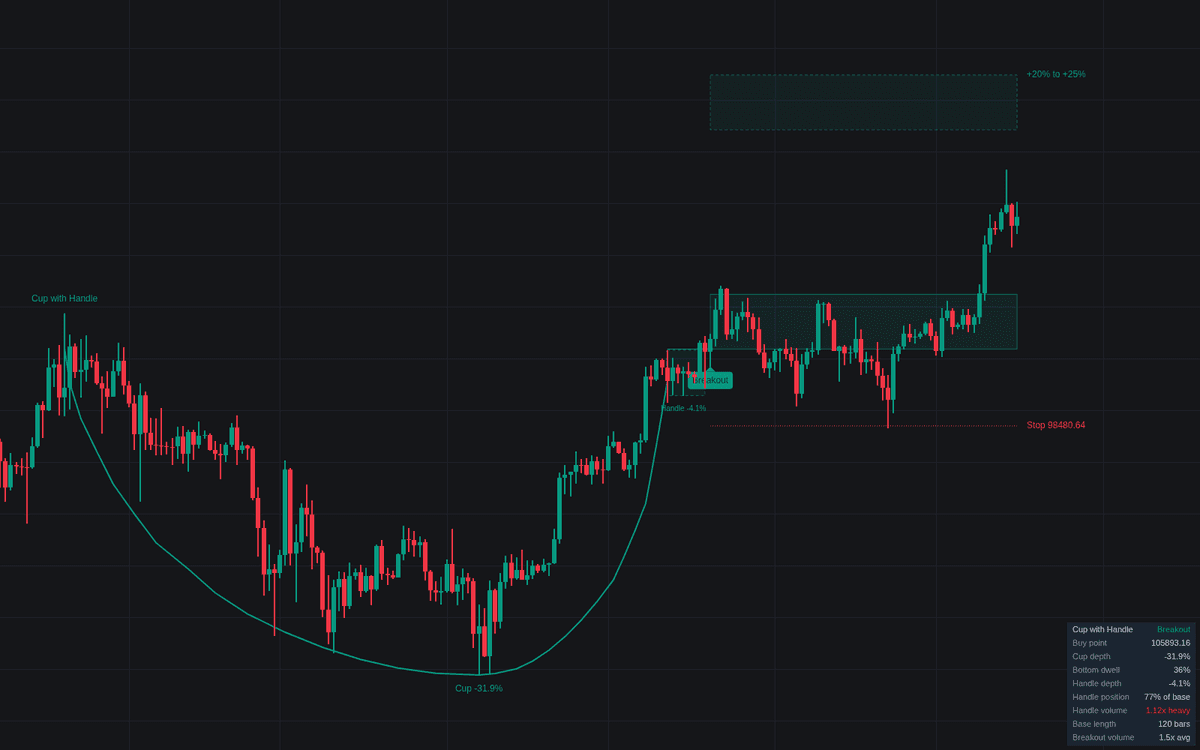

The Cup-with-Handle Base is a systematic technical analysis tool that identifies a well-known consolidation pattern associated with bullish trend continuation. By mapping the formation of a U-shaped price structure followed by a secondary, shallower pullback, the indicator helps traders detect potential entry opportunities as a security prepares for a new move. The tool automatically marks critical price levels, including the breakout pivot and target zones, helping to remove subjectivity from the pattern recognition process. It is designed for traders who follow momentum strategies and seek to capture breakouts from historical price bases.
How to Trade the Cup-with-Handle Base?
Trading this indicator involves monitoring the chart for the completion of a base. First, look for a rounded, U-shaped correction following an established prior uptrend. The indicator draws this structure on the chart automatically, confirming the pattern once the price recovers to the left side of the cup. Once the cup is established, the indicator monitors the handle phase. A healthy handle should be shallow, representing a brief consolidation where weak holders are shaken out before the trend resumes.
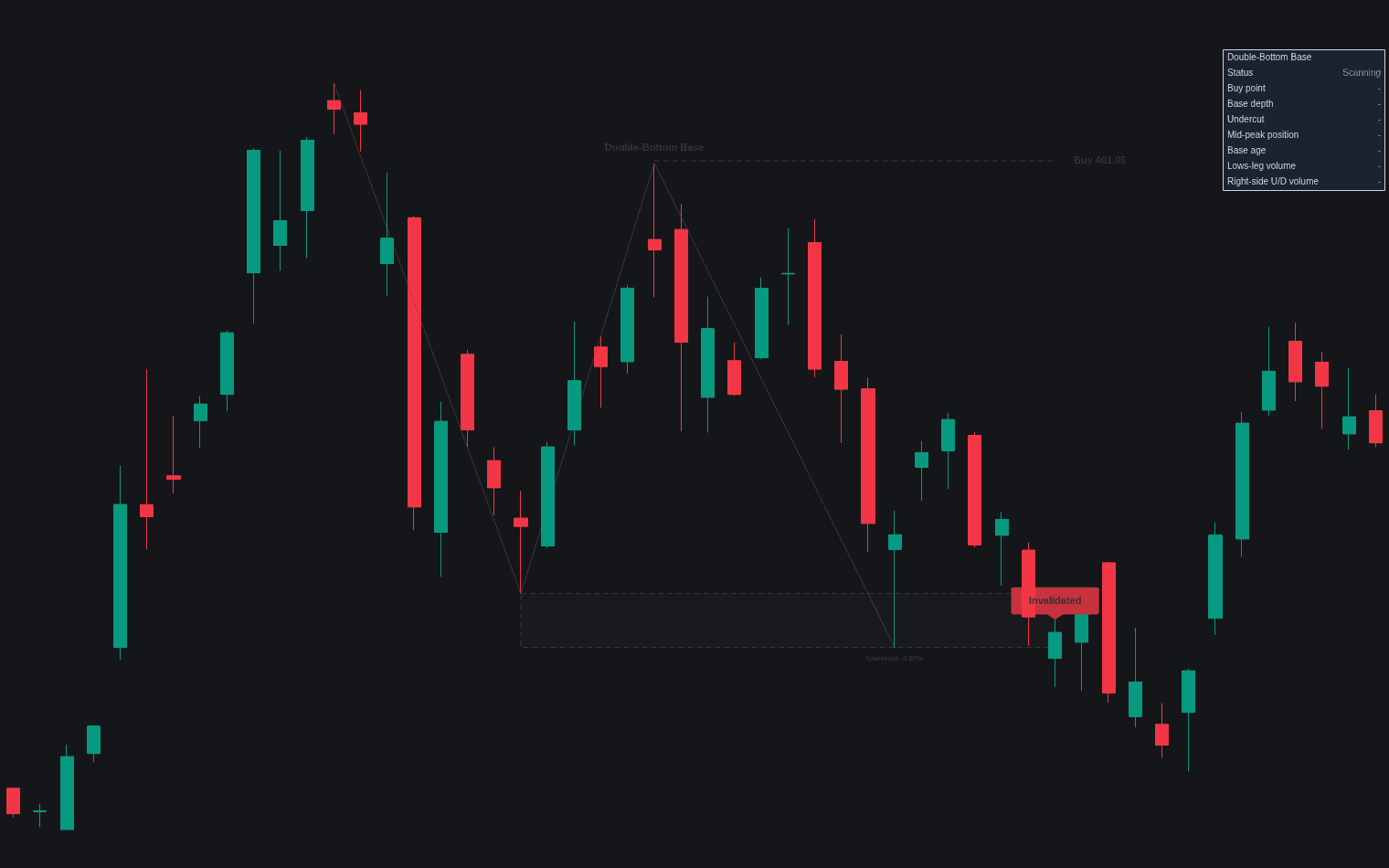
When the price pushes through the identified pivot point above the handle, the indicator flags a breakout. Ideally, this move should be accompanied by a surge in volume, which confirms that institutional buyers are participating in the new leg of the trend. Use the provided dashboard to check the status of the pattern, the buy point and volume metrics; after a confirmed breakout, the buy zone, stop and profit zone are drawn on the chart. When entering, keep in mind that a valid breakout occurs on a decisive close above the pivot. If the handle structure becomes too deep or stays in the lower half of the cup, the pattern is likely invalid, suggesting caution before attempting an entry.
Cup-with-Handle Base Settings
Cup
- Swing Length: Defines the bars required to validate a swing high, used to identify the start and end points of the cup.
- Cup Length (bars): Sets the minimum and maximum range for the base to ensure it reflects a meaningful consolidation.
- Cup Depth (%): Configures the minimum and maximum allowed correction percentage from the left high to the cup low.
- Right-side Recovery (%): Determines how much of the cup depth the price must recover before a handle is allowed to form.
- Minimum Bottom Dwell (%): Tests the shape of the cup by verifying how much time the price spends in the lower third of the structure.
Handle
- Handle Length (bars): Sets the timeframe constraints for the handle formation.
- Handle Depth (%): Defines the allowable pullback depth for the handle to prevent it from becoming too loose.
- Handle In Upper Half: An option to invalidate the pattern if the handle forms too deep, which is often considered a structural defect.
- Reject Up-wedging Handles: Filters out handles that rise in an erratic wedge-like manner, which may not effectively shake out weak positions.
Prior Uptrend
- Prior Uptrend Filter: Enables the requirement that a significant upward move must precede the base formation.
- Uptrend Window (bars): The length of the lookback period used to determine if the trend met the gain requirement.
Breakout
- Pivot Margin (%): Adds a buffer above the handle high for the entry trigger.
- Breakout Volume Confirmation: Ensures the breakout occurs with a significant spike in volume relative to the moving average.
Trade Levels
- Fixed Stop: Sets an automatic stop-loss percentage below the entry point to manage risk.
- Profit Zone (%): Defines the target range for potential profit-taking.
Frequently Asked Questions
Free to use
Run it on Vela. Go further with a paid plan.
- Up to 500 Custom Alerts, with webhook automation
- Up to 10× the chart history of Free
- Orderflow lookback up to full history
- More Quant usage to customize it, plus extra usage when you need it
- Futures data alongside crypto, stocks, forex and commodities

Related indicators
Run it on Vela. Make it yours with Quant.
Open this indicator free on Vela, our next-generation charting platform. Then ask Quant, our coding agent built into Vela, to retune it or turn it into a backtested strategy of your own.