Flat Base
 By LuxAlgoMay 20, 2026
Flat Base is an indicator on Vela, our next-generation charting platform, written in Pine Script®.
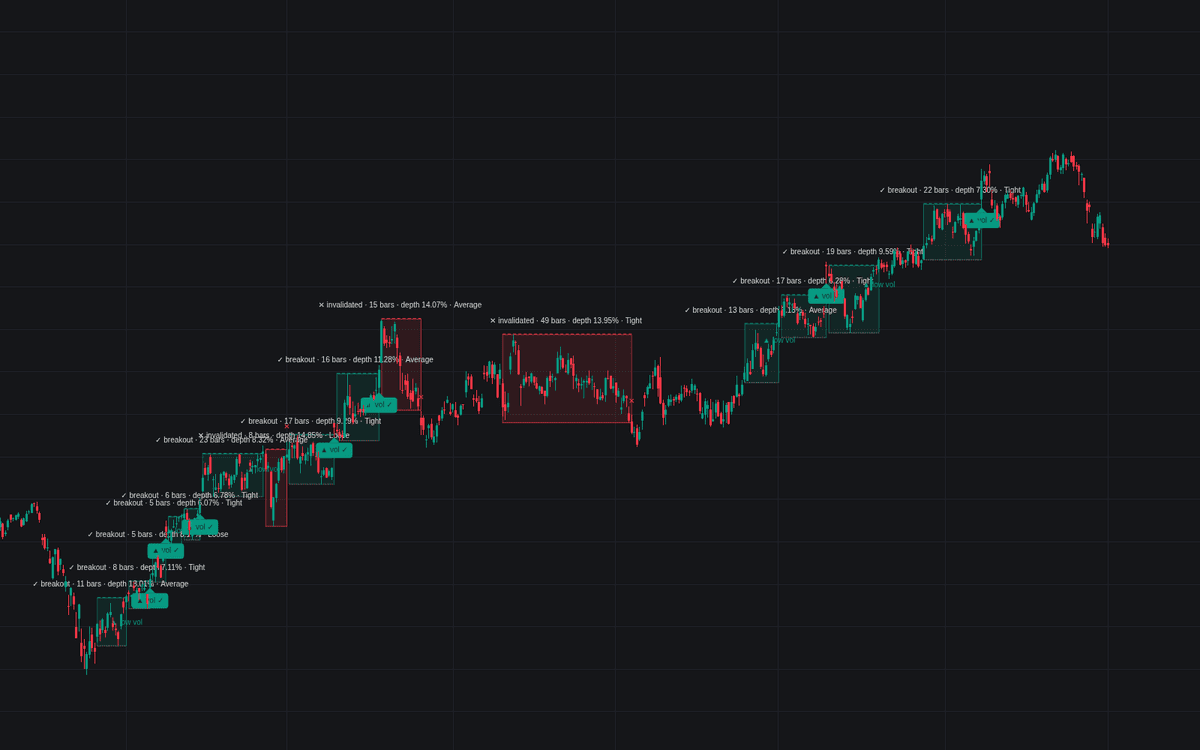

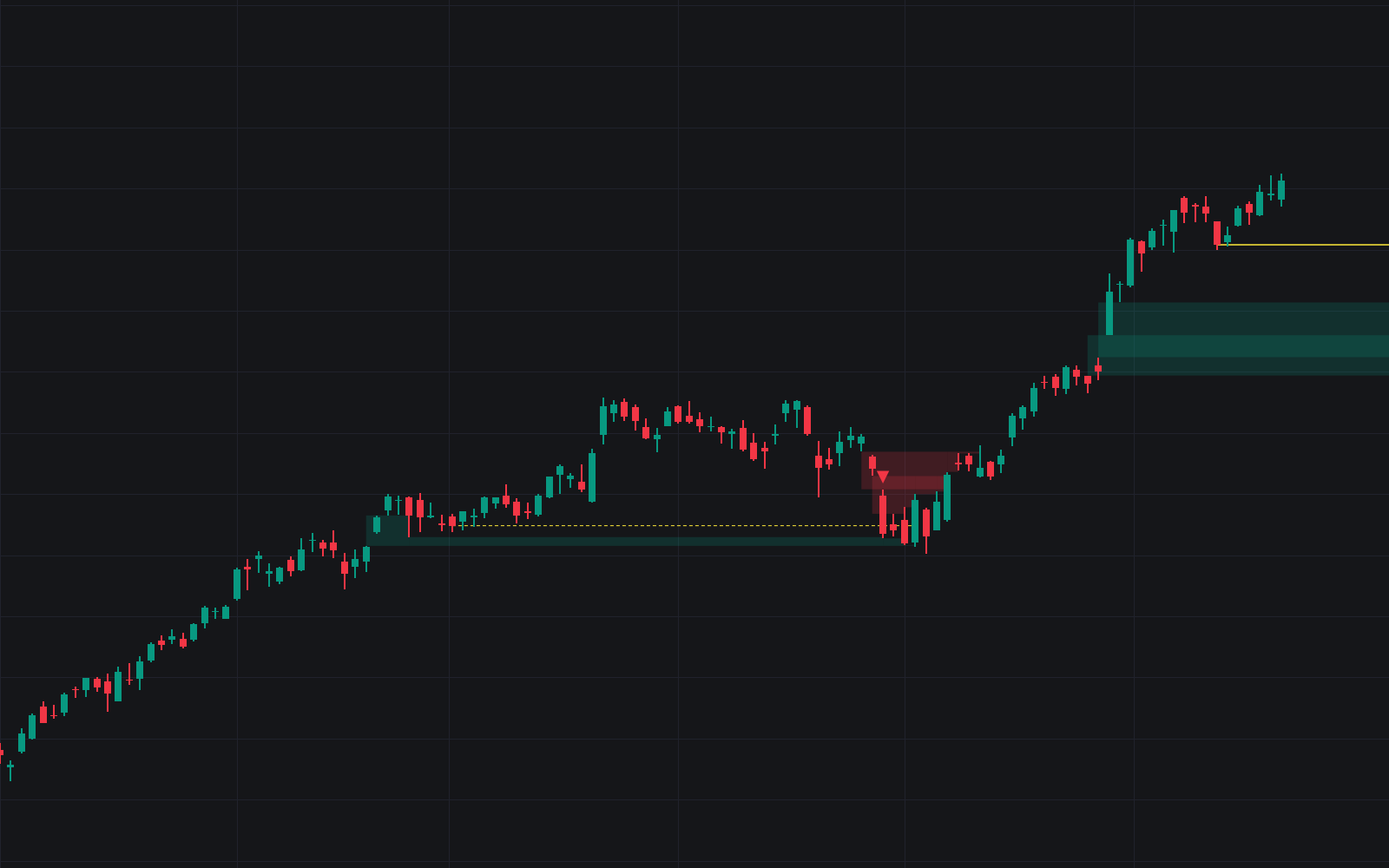
Flat Base watches for the quietest of the growth-stock bases and manages it from shelf to breakout, the written flat base specification's first dedicated detector. A shelf qualifies once it spans the minimum length, corrects less than the depth cap and, by default, follows a meaningful advance; the build boxes it live, sets the buy point a margin over the range high, keeps the range low as the stop reference, grading it by tight closes and contracting volume.
How to Trade the Flat Base?
- Pivot cleared on volume: a break through the buy line at or above the volume multiple prints the volume-confirmed label, the textbook resolution.
- Weak-volume break: clearing the pivot without expansion is flagged and alerted separately.
- Invalidation: the correction exceeding the depth cap recolors and ends the base.
- Grade: the info label reads Tight, Average or Loose, downgrading wide-and-loose shelves that merely meet the depth rule.
Flat bases read best on weekly charts, home of the five-week convention.
Flat Base Settings
- Minimum Base Length (default 5): fewest bars of sideways trade.
- Maximum Base Depth % (default 15): the high-to-low correction cap.
- Require Prior Advance (on) with Prior Advance % (default 20) and Prior Advance Lookback (default 40): the second-stage requirement.
- Breakout Trigger (default Close above pivot); High above pivot fires intrabar.
- Pivot Margin % (default 0.1): the buy point's margin above the range high.
- Breakout Volume × Average (default 1.4) and Average Volume Length (default 10): the confirmation multiple and its baseline, also the in-base contraction reference.
- Tight Closes: Max Avg Close Change % (default 2.5): the bound feeding the grade.
- Display: Show Base Box, Show Pivot Line, Show Range Low Line (Stop Reference), Show Base Info Label, Show Breakout & Failure Markers (all on).
Frequently Asked Questions
Free to use
Run it on Vela. Go further with a paid plan.
- Up to 500 Custom Alerts, with webhook automation
- Up to 10× the chart history of Free
- Orderflow lookback up to full history
- More Quant usage to customize it, plus extra usage when you need it
- Futures data alongside crypto, stocks, forex and commodities

Related indicators
Run it on Vela. Make it yours with Quant.
Open this indicator free on Vela, our next-generation charting platform. Then ask Quant, our coding agent built into Vela, to retune it or turn it into a backtested strategy of your own.