DSS Bressert
 By LuxAlgoJun 9, 2026
DSS Bressert is an indicator on Vela, our next-generation charting platform, written in Pine Script®.
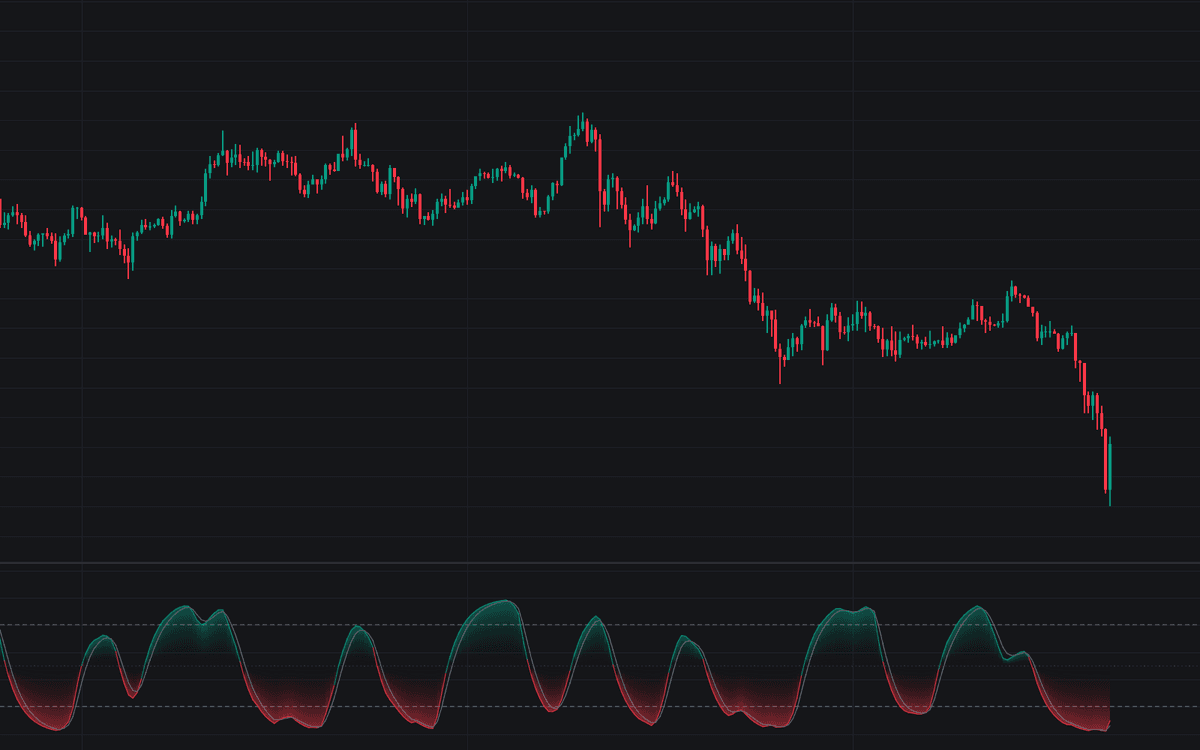

DSS Bressert applies the stochastic calculation twice, smoothing after each pass, keeping the fast turns of a raw stochastic while filtering its noise. This first faithful Library build of the DSS Bressert smooths the first-pass reading, re-normalizes it over a second lookback and smooths again (EMAs by default, per the classic formulation). The line is colored by its side of the 50 midline, with a gradient fill and a companion signal line.
How to Trade the DSS Bressert?
- Bullish hook: the DSS turns back up from below the oversold level, the entry-timing signature this oscillator is known for, with a matching alert.
- Bearish hook: a downward turn from above the overbought level mirrors it.
- Signal crosses: crossings of the DSS and its signal line read like a slow stochastic built on the double-smoothed base.
- Level entries: alerts fire on entry into the overbought or oversold zone, staging attention before a hook forms.
As across the momentum family, hooks against a strong trend fail often; they work best with established structure.
DSS Bressert Settings
- Stochastic Length (default 13) and Second Pass Length (default 13): the range lookback of the first pass, and the re-normalization lookback; the classic form matches both.
- Smoothing Length (default 8) and Smoothing Type (default EMA): the average applied after each pass; EMA is the classic choice, SMA covers variants.
- Source (default close): the series located within the bar range.
- Show Signal Line (default enabled) with Signal Type (default EMA) and Signal Length (default 3): an EMA of the oscillator, or its lagged copy.
- Overbought (default 80) and Oversold (default 20): the hook and level-entry thresholds.
- Style toggles: gradient fill (enabled), hook markers (disabled) and the plot colors.
Frequently Asked Questions
Free to use
Run it on Vela. Go further with a paid plan.
- Up to 500 Custom Alerts, with webhook automation
- Up to 10× the chart history of Free
- Orderflow lookback up to full history
- More Quant usage to customize it, plus extra usage when you need it
- Futures data alongside crypto, stocks, forex and commodities

Related indicators
.png&w=3840&q=75)
.png&w=3840&q=75)
Run it on Vela. Make it yours with Quant.
Open this indicator free on Vela, our next-generation charting platform. Then ask Quant, our coding agent built into Vela, to retune it or turn it into a backtested strategy of your own.