Moving Average
 By LuxAlgoApr 13, 2020
Moving Average is an indicator on Vela, our next-generation charting platform, written in Pine Script®.
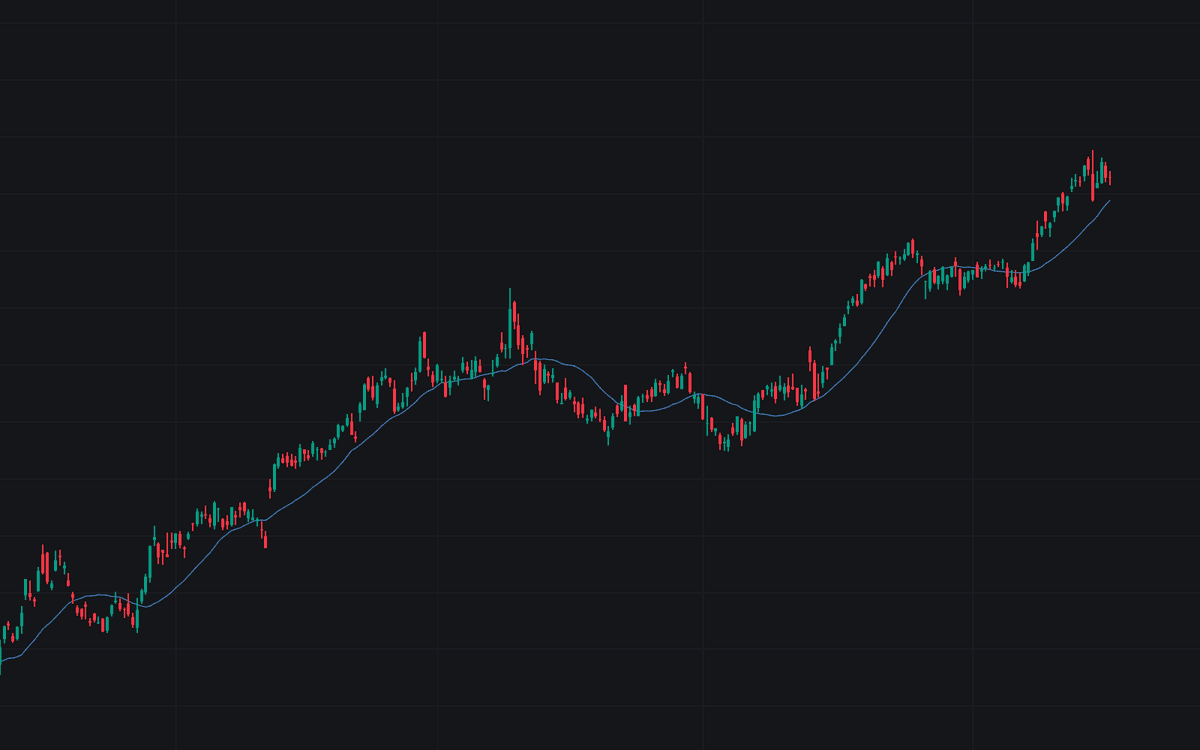

The Moving Average build is a single configurable average that smooths a chosen price source over a set lookback (20 bars by default) and plots the result on the chart. A type selector covers the common variants: SMA (default), EMA, WMA, RMA (SMMA), HMA, ALMA, VWMA, DEMA, TEMA, KAMA, LSMA, McGinley Dynamic, and Hamming, each following its standard published formula with no added logic; an optional second moving average with cross alerts covers crossover work.
How to Trade the Moving Average?
- Price above a rising MA 1: the elementary trend filter; the slope carries most of the information.
- Price crossing MA 1: the simplest trend-change trigger, responsive but whipsaw-prone around a flat average.
- MA 1 crossing MA 2 (with Show MA 2 enabled): the classic fast/slow crossover: later entries, fewer false starts.
- Distance from the average: stretch on either side gauges how extended the current swing is.
Moving Average Settings
- MA 1 Type (default SMA): calculation used for the primary average.
- MA 1 Length (default 20): bars in the MA 1 calculation.
- MA 1 Source (default close): price series MA 1 is calculated on.
- Show MA 2 (default disabled): displays the second moving average.
- MA 2 Type (default SMA): calculation used for MA 2.
- MA 2 Length (default 50): bars in the MA 2 calculation.
- MA 2 Source (default close): price series MA 2 is calculated on.
- ALMA Offset (default 0.85): ALMA type only. Nearer 1 favors responsiveness, nearer 0 smoothness.
- ALMA Sigma (default 6): ALMA type only. Larger widens the Gaussian window.
- LSMA Offset (default 0): LSMA type only: bar offset applied to the regression value.
Alerts
Price Cross Above MA 1 and Price Cross Below MA 1 fire when the source crosses MA 1, while MA 1 Cross Above MA 2 and MA 1 Cross Below MA 2 cover the two-line crossover; both evaluate even while the MA 2 plot is hidden.
Frequently Asked Questions
Free to use
Run it on Vela. Go further with a paid plan.
- Up to 500 Custom Alerts, with webhook automation
- Up to 10× the chart history of Free
- Orderflow lookback up to full history
- More Quant usage to customize it, plus extra usage when you need it
- Futures data alongside crypto, stocks, forex and commodities

Related indicators
All 3 SMA indicators.png&w=3840&q=75)
Run it on Vela. Make it yours with Quant.
Open this indicator free on Vela, our next-generation charting platform. Then ask Quant, our coding agent built into Vela, to retune it or turn it into a backtested strategy of your own.