Best Free TradingView Alternatives (2026): 8 Charting Platforms Compared
Updated November 2026 · Facts checked November 3, 2026
A good free charting platform lets you read a market, test an idea and practice the trade before you pay for anything. We compared eight free TradingView alternatives on what their free plans actually include: charts per tab, tools per chart, alerts, footprint and orderflow, replay, paper trading and scripting.
Our pick is Vela, our next-generation charting platform. We built it, so weigh that, and check every row against the official pages linked at the end. Where another platform fits a need better, we say so.
Quick answer: the best free TradingView alternative for…
- Charting, orderflow and practice on one free plan: Vela by LuxAlgo
- Ad-free browser charts with real-time data included: ProRealTime Web
- Indian markets and a free scripting language: GoCharting
- Forex through your broker: MetaTrader 5
- Daily and weekly chart study, with lessons: StockCharts
- Fundamentals and macro research: Koyfin
- US stock screening: Finviz
- A quick chart beside the news: Investing.com
The free plans, side by side
Every cell below is the free plan, as each platform lists it on its own pricing or product page. TradingView Basic sits in the last row for reference.
Swipe the table sideways to see every column.
| Free plan | Charts per tab | Tools per chart | Alerts | Footprint & orderflow | Replay | Paper trading | Scripting |
|---|---|---|---|---|---|---|---|
| Vela by LuxAlgo | 16 | Unlimited* | Unlimited Price Alerts, 5 Custom Alerts | Footprint, TPO and delta from real trades, 1-day lookback | Any bar, trade it as it plays | $100,000 account | Pine Script® v6 and v5 via PineTS, plus Quant |
| ProRealTime Web | 10 open charts | 25 | 20 price alerts | Paid (Complete) | Paid (Complete) | Yes | Paid (Complete) |
| GoCharting | 2 | Unlimited built-ins | Paid | Paid (Premium) | Intraday, 9,000 bars | Yes | Lipi |
| MetaTrader 5 | Multiple windows | 38 built-in, plus custom | Yes | No (depth via broker) | No | Broker demo accounts | MQL5 |
| StockCharts | 1 | 3 indicators, 3 overlays | Paid | No | No | No | No |
| Koyfin | — | — | — | No | No | No | No |
| Finviz | Paid (Elite) | — | Paid (Elite) | No | No | No | No |
| Investing.com | — | — | — | No | No | No | No |
| TradingView Basic | 1 | 2 | 3 price alerts | Paid (Premium and up) | Daily and higher | Yes | Pine Script® |
* Unlimited on every Vela plan, subject to fair-use performance limits. “—” means the platform doesn’t list it for its free plan. “Paid” means the feature exists on a paid tier only. Checked November 3, 2026.
1. Vela by LuxAlgo: the most complete free plan for active charting
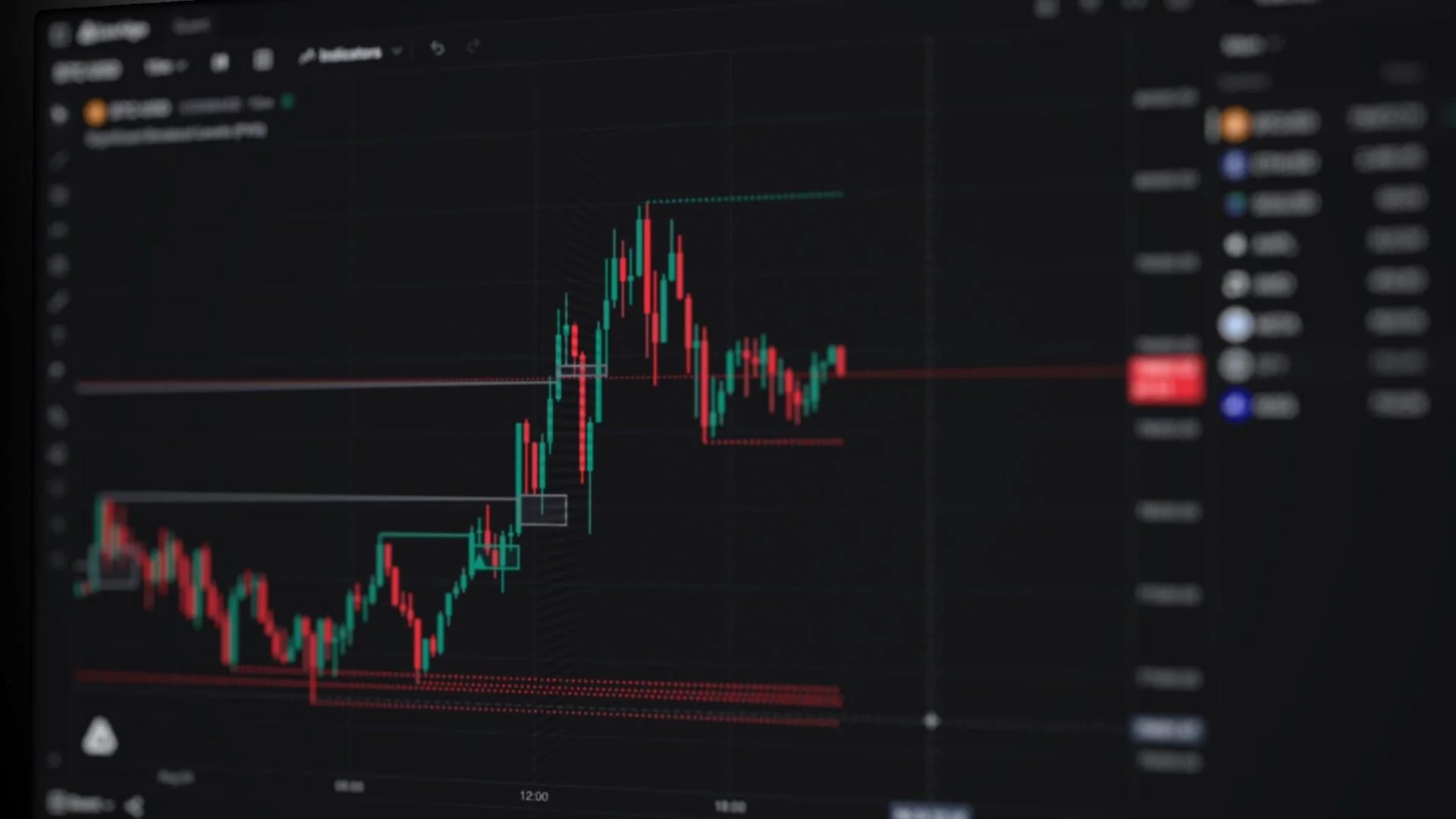
Vela, our next-generation charting platform, gives you state-of-the-art charts on every major market, in the browser or in a free desktop app for macOS, Windows and Linux. The free plan is built to be used, not sampled: 16 charts per tab, unlimited tools per chart, and the full Orderflow Suite, built from real trades.
What the free plan includes
- Charts. 16 charts per tab, 66 drawing tools across 7 groups, 5,000 historical bars, 10 saved workspaces, and real-time data on US stocks and ETFs, crypto, forex and commodities.
- Tools per chart. Unlimited, with hundreds of free indicators from the LuxAlgo Library built into the indicator picker.
- Alerts. Unlimited Price Alerts and 5 Custom Alerts, which run any indicator or strategy on our servers around the clock and reach you by email, push, Telegram, Discord or Slack. How alerts work.
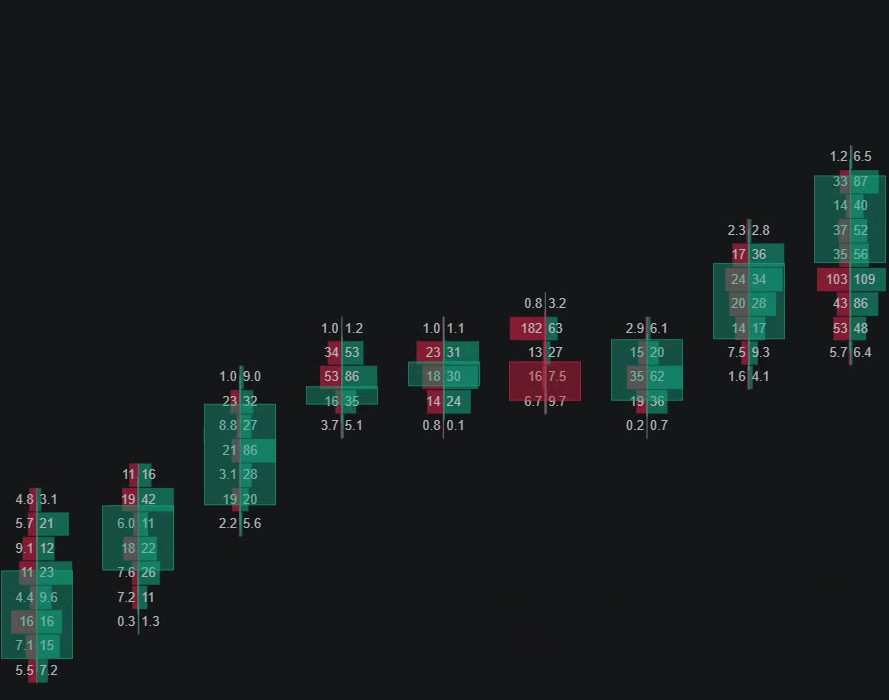
- Orderflow. Footprint, TPO, cumulative delta and volume profiles, built from real trades on crypto and US stocks and ETFs, with a 1-day Orderflow lookback on Free. The Orderflow Suite.
- Replay. Pick any bar, play the market forward and trade it with Buy and Sell, then read a results card when it ends. Up to 16 charts replay on one clock. Replay.
- Paper trading. A $100,000 paper account, up to 5 accounts from $1,000 to $10M, and every fill in your journal. Paper trading.
- Code. Pine Script® v6 and v5 run on Vela through PineTS, our open-source runtime. Quant, our coding agent, built into Vela, writes and tests indicator and strategy code on your chart, and Free includes Quant usage that refills every 5 hours and every week. Meet Quant.
Where it stops
- Orderflow lookback is 1 day on Free. Paid plans reach back 30 days, 90 days, a year, or full history.
- Live CME futures data, more Custom Alerts, webhooks and deeper chart history come with paid plans.
- Free includes hundreds of free indicators. The full Library of 800+ advanced tools comes with an upgrade.
- Chart types cover candles, bars, line, area, baseline and Heikin Ashi, plus footprint and TPO. Renko, Kagi and Point & Figure aren’t there.
- There are no native phone apps, and orders on Vela fill on paper: it doesn’t place live broker trades.
Coming from TradingView? The switch guide brings your watchlists, layouts and Pine Script® across: a watchlist file, a screenshot of your layout and a paste.
2. ProRealTime Web: ad-free browser charts with real-time data
ProRealTime Web is the free browser edition of ProRealTime, and it is generous on the basics. It suits traders who want clean charts on European and US markets without ads, and who can do without footprint and backtesting.
- Free plan. No ads, 10 simultaneous charts, 25 indicators per chart, 20 real-time alerts on price levels, 3,000 units of history, paper trading and trading from the chart. A real-time package covering US and European stocks (Cboe), forex, crypto, major indices and metals is included.
- Where it stops. Custom indicators, alerts on indicators, market depth and order flow, Market Replay and backtesting are in ProRealTime Complete, listed at $32 a month excluding VAT.
3. GoCharting: Indian markets and a free scripting language
GoCharting is a browser charting platform with strong roots in Indian markets. Its free plan carries more than most: replay, paper trading and its own scripting language, Lipi.
- Free plan. 2 charts per tab (4 concurrent), unlimited built-in indicators per chart, 30 saved layouts, intraday Bar Replay over 9,000 bars, paper trading, Lipi scripting, basic Market Profile and volume profile, and real-time NSE and MCX data in India.
- Where it stops. Footprint and imbalance charts, orderflow indicators and every alert type are paid. Real-time US stocks and CME futures need a paid plan, and plans differ by region.
4. MetaTrader 5: forex through your broker
MetaTrader 5 is the platform many forex and CFD brokers hand their clients. It is free to use through a broker that offers it, and it is built around execution as much as charting.
- Free plan. 38 built-in technical indicators, 44 analytical objects and 21 timeframes, with custom indicators and trading robots in MQL5, a Strategy Tester, alerts, and demo accounts for practice.
- Where it stops. You need a broker, and the broker sets the markets, the data, the costs and the support. There is no footprint chart, and market depth depends on the broker and the instrument.
5. StockCharts: daily and weekly chart study, with lessons
StockCharts is a long-standing home for end-of-day technical analysis, and its ChartSchool is one of the best free libraries of chart lessons on the web.
- Free plan. SharpCharts with 3 indicators and 3 overlays per chart, up to 900 px wide, with BATS real-time data for US stocks and delayed data elsewhere.
- Where it stops. Intraday charts, saved charts, alerts, multi-chart layouts and an ad-free view start with the Basic plan at $19.95 a month.
6. Koyfin: fundamentals and macro research
Koyfin pairs price charts with company financials, estimates and macro series. It suits investors comparing the data behind an idea more than traders reading intraday flow.
- Free plan. Advanced charting, 2 watchlists, 2 screens, 2 custom dashboards, 2 years of financials and 1 year of estimates, market and macro dashboards, and portfolios.
- Where it stops. News and company snapshots are limited, and Koyfin lists no alerts, footprint, replay, paper trading or scripting on Free.
7. Finviz: US stock screening
Finviz is a screener first. Its free version is a fast way to narrow thousands of US stocks down to a short list worth charting properly.
- Free plan. The screener and market maps, with stock quotes delayed 1 minute for NASDAQ, NYSE and AMEX.
- Where it stops. The interactive charting suite, intraday charts, alerts, multi-layout charts and an ad-free view are Finviz Elite, at $39.50 a month or $299.50 a year.
8. Investing.com: a quick chart beside the news
Investing.com covers a huge range of instruments, and its interactive charts are a quick way to look at a market while you read about it.
- Free plan. Interactive charts with studies such as RSI, MACD, EMA, Bollinger Bands and Fibonacci retracements, across global stocks, indices, currencies, commodities, bonds and futures, with free sign-up.
- Where it stops. The site is ad-supported, with an ad-free version sold separately. Data timing varies by instrument, so check the feed before acting on a quote.
Who should stay on TradingView
A switch only makes sense if it fixes something. TradingView is still the better fit if:
- You chart markets across many countries. TradingView lists 150+ exchanges in 50+ countries.
- You rely on Renko, Kagi, Line Break or Point & Figure charts.
- You want native iOS and Android apps.
- You place live orders through a connected broker, straight from the chart.
- Your setup depends on invite-only or protected community scripts whose code you can’t see.
If you’re weighing it up, our row-by-row comparison of Vela and TradingView lists where each one wins. If you’re ready to try, the switch guide moves your watchlists, layouts, Pine Script® and trade history to Vela, and you can keep your TradingView account while you settle in.
FAQ
What is the best free alternative to TradingView?
Is there a free charting platform with footprint charts?
Can I run Pine Script® outside TradingView?
Which free platform lets you add the most indicators to a chart?
Can I practice with bar replay and paper trading for free?
Is Vela really free?
Sources
Each free plan was checked on the platform’s own site on November 3, 2026. Plans change, so confirm the current terms before you decide.
- LuxAlgo: plans and limits
- Vela: charts
- Vela: Orderflow Suite
- Vela: Replay
- Vela: paper trading
- Vela: Pine Script®
- Vela: desktop app
- ProRealTime: pricing
- GoCharting: pricing
- MetaTrader 5: technical analysis
- StockCharts: pricing
- Koyfin: pricing
- Finviz: Elite
- Investing.com: interactive charts
- TradingView: plan comparison
TradingView and Pine Script are trademarks or registered trademarks of TradingView, Inc. LuxAlgo is not affiliated with, sponsored by, or endorsed by TradingView, Inc. Other product names belong to their owners.
Read next