10am Open Key Levels
 By LuxAlgoNov 3, 2026
10am Open Key Levels is an indicator on Vela, our next-generation charting platform, written in Pine Script®.
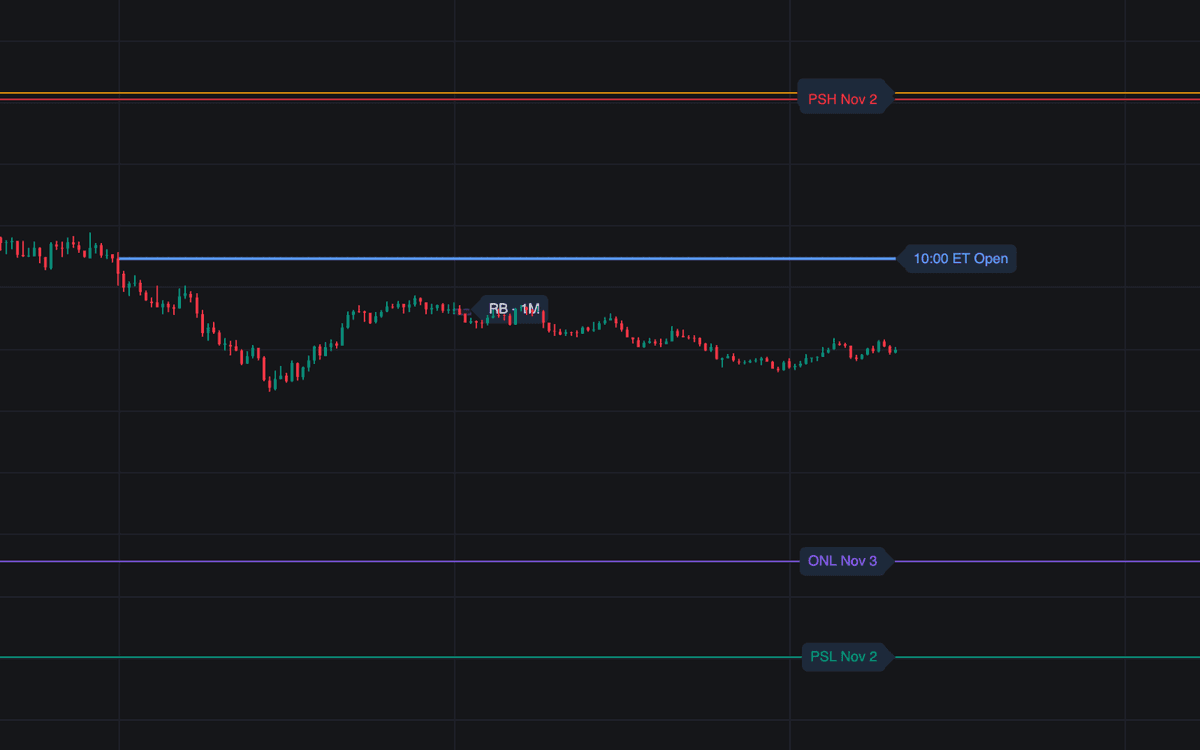

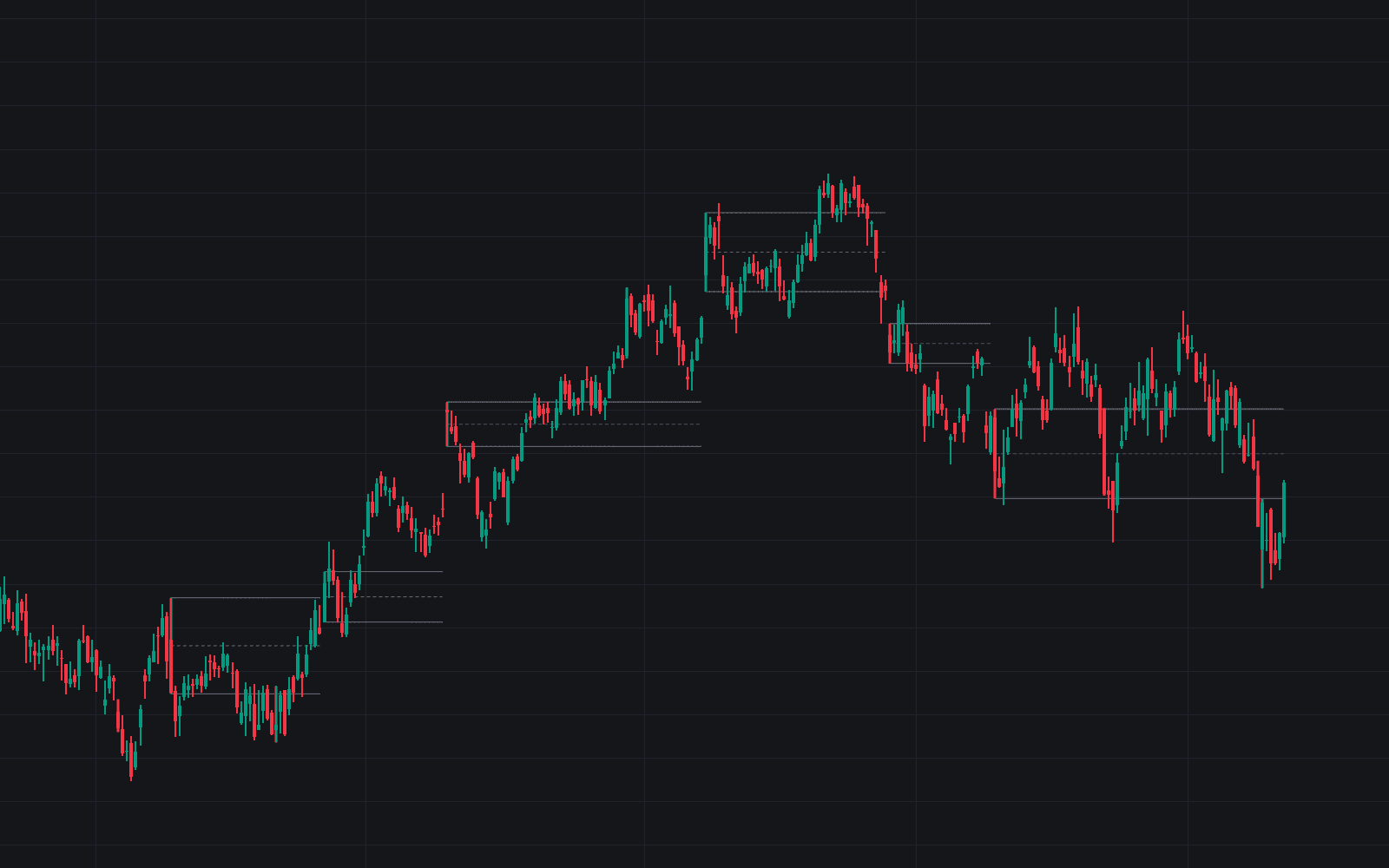
10am Open Key Levels is a comprehensive tool designed to help traders identify critical liquidity and momentum zones by mapping significant session based price levels. The indicator automates the tracking of the 10:00 AM Eastern Time open, previous session highs and lows, and overnight ranges, providing a structured framework for professional level analysis. By integrating automated rejection block detection, it assists in identifying potential reversals at these key price points, enabling users to maintain a disciplined approach to market sentiment and support or resistance zones throughout the trading session.
How to Trade the 10am Open Key Levels?
The indicator serves as a multi-layered reference tool for identifying intraday levels of interest. Use the 10:00 AM open as a primary pivot for daily trend confirmation, as price action relative to this level often sets the tone for the remainder of the session. Previous session highs and lows function as important magnets or reversal zones; monitor how price interacts with these levels to determine if momentum is exhaustion based or trending.
The overnight range defines the boundaries of the after-hours or pre-market session. Breakouts from these established ranges frequently signal increased volatility at the market open. Additionally, the rejection blocks highlight specific areas where aggressive buying or selling pressure occurred, represented by significant wicks. Traders can use these boxes as potential zones for pullbacks or as areas to look for trade validation. Combining these indicators with volume or trend analysis can help refine entries and identify confluence points where multiple levels align.
10am Open Key Levels Settings
Previous Session Levels
- Trading session: Defines the time range used to calculate the high and low of the previous day.
- Show previous-session highs/lows: Toggles the visibility of historical session boundaries on the chart.
- Keep previous sessions: Determines the number of recent historical high/low pairs to retain on the chart.
Overnight Range
- Show overnight high/low: Enables the plotting of the high and low formed during the specified after-hours or pre-market window.
- After-hours / pre-market window: Specifies the time range used to identify the overnight liquidity levels.
- Keep overnight ranges: Sets the quantity of recent overnight high/low pairs to keep visible for reference.
Rejection Blocks
- Rejection-block timeframe: Selects the timeframe for processing rejection candles, allowing for varied sensitivity.
- Minimum rejection-wick/body ratio: Sets the threshold for identifying a rejection, requiring the wick to be a specific multiple of the candle body size.
- Swing pivot strength: Sets the number of bars required on each side to confirm a swing point for rejection analysis.
Style
- Controls the color, width, and visual presentation of all session lines, labels, and rejection boxes to ensure compatibility with different chart settings.
Frequently Asked Questions
Free to use
Run it on Vela. Go further with a paid plan.
- Up to 500 Custom Alerts, with webhook automation
- Up to 10× the chart history of Free
- Orderflow lookback up to full history
- More Quant usage to customize it, plus extra usage when you need it
- Futures data alongside crypto, stocks, forex and commodities

Related indicators
All 19 S/R Zone indicators
Run it on Vela. Make it yours with Quant.
Open this indicator free on Vela, our next-generation charting platform. Then ask Quant, our coding agent built into Vela, to retune it or turn it into a backtested strategy of your own.