Decycler
 By LuxAlgoMar 19, 2026
Decycler is an indicator on Vela, our next-generation charting platform, written in Pine Script®.
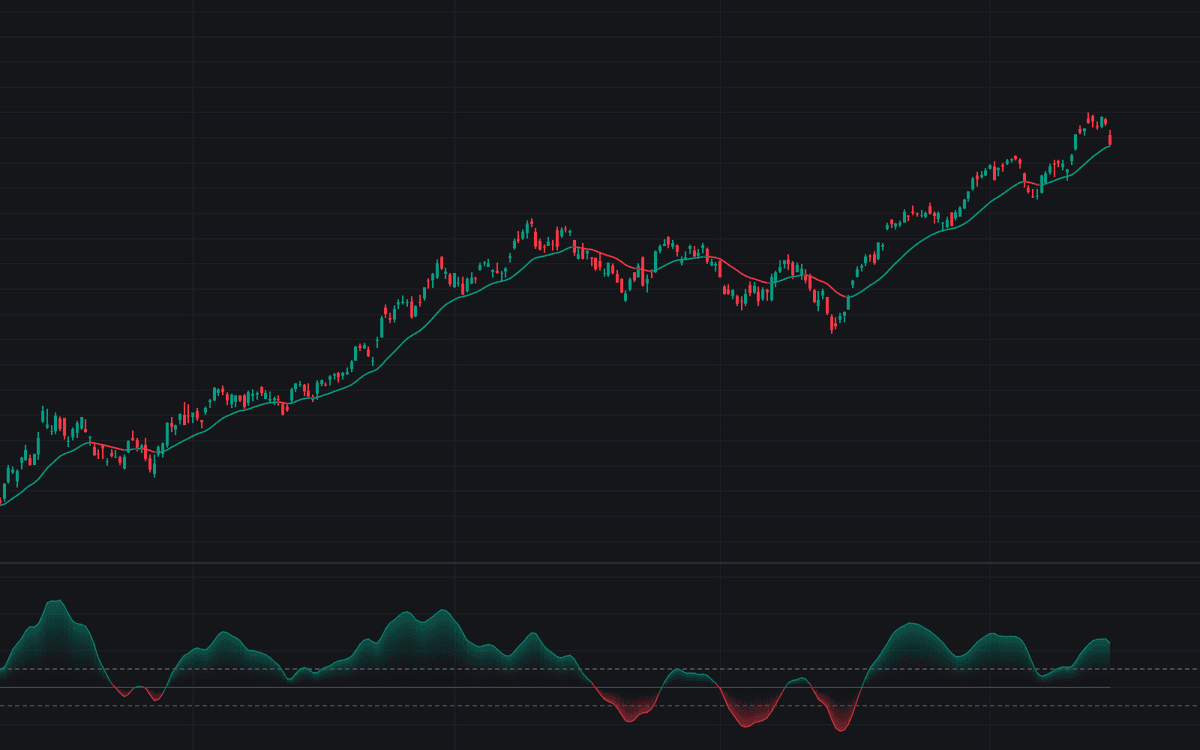

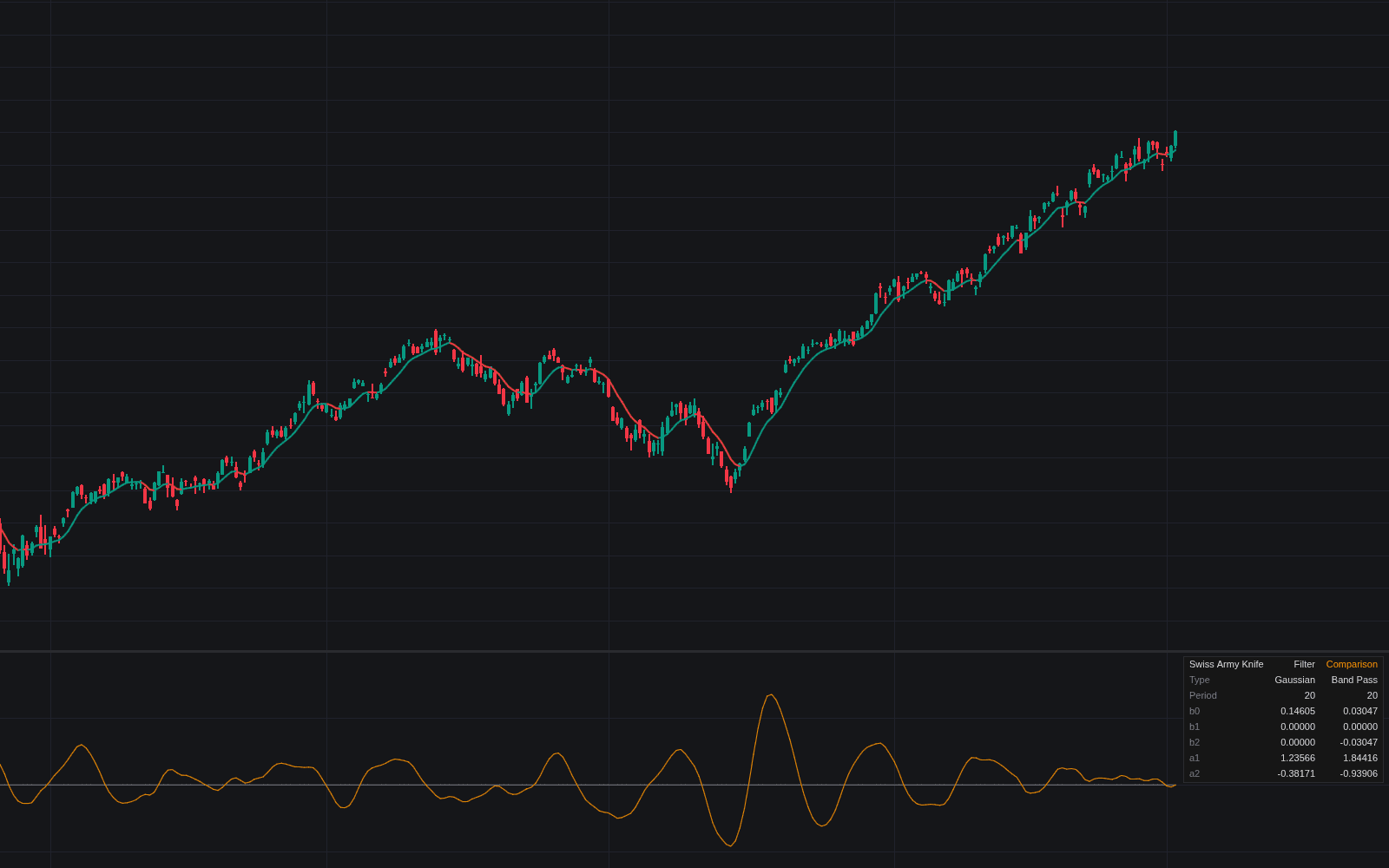
Decycler is the first faithful Library rendition of the Ehlers decycler: cycle components shorter than the cutoff are removed from price by subtraction, leaving trend and longer swings with very little delay. The baseline draws directly on the price chart, colored by trend state: bullish while price holds above a rising line, bearish below a falling one, neutral otherwise. The pane holds the Decycler Oscillator (the fast decycler minus the slow one, expressed by default as a percentage of price) with a gradient fill around zero and a symmetric signal band.
How to Trade the Decycler?
- Price above a rising decycler: uptrend conditions established, and the baseline doubles as moving support; the mirrored read defines downtrends.
- Oscillator zero cross: the fast decycler overtaking or losing the slow one is the basic trend-change trigger.
- Signal band cross: clearing the ±0.5 band demands more displacement than the zero cross and filters marginal flips.
Because the filter discards cycle-period swings by design, it shines in trends and is deliberately unhelpful for timing rotations inside a range. Hand that job to a range tool when the baseline flattens.
Decycler Settings
- Source (default close): series the filter runs on.
- Cutoff Period (default 60): high-pass cutoff in bars for the baseline.
- Show Decycler On Price Chart (default on): the trend baseline overlay.
- Fast Cutoff (default 30) and Slow Cutoff (default 60): the oscillator's two decyclers; keep the slow one larger.
- As Percentage Of Price (default on): scale-free oscillator units, comparable across symbols.
- Signal Band Level (default 0.5): half-width of the symmetric band; 0 disables the band alerts.
- Show Trend Change Markers (default off): circles at zero crossings; alerts work either way.
- Bullish, bearish, neutral, and band colors.
Frequently Asked Questions
Free to use
Run it on Vela. Go further with a paid plan.
- Up to 500 Custom Alerts, with webhook automation
- Up to 10× the chart history of Free
- Orderflow lookback up to full history
- More Quant usage to customize it, plus extra usage when you need it
- Futures data alongside crypto, stocks, forex and commodities

Related indicators
Run it on Vela. Make it yours with Quant.
Open this indicator free on Vela, our next-generation charting platform. Then ask Quant, our coding agent built into Vela, to retune it or turn it into a backtested strategy of your own.