Dynamic Time Warping Similarity
 By LuxAlgoJul 22, 2026
Dynamic Time Warping Similarity is an indicator on Vela, our next-generation charting platform, written in Pine Script®.
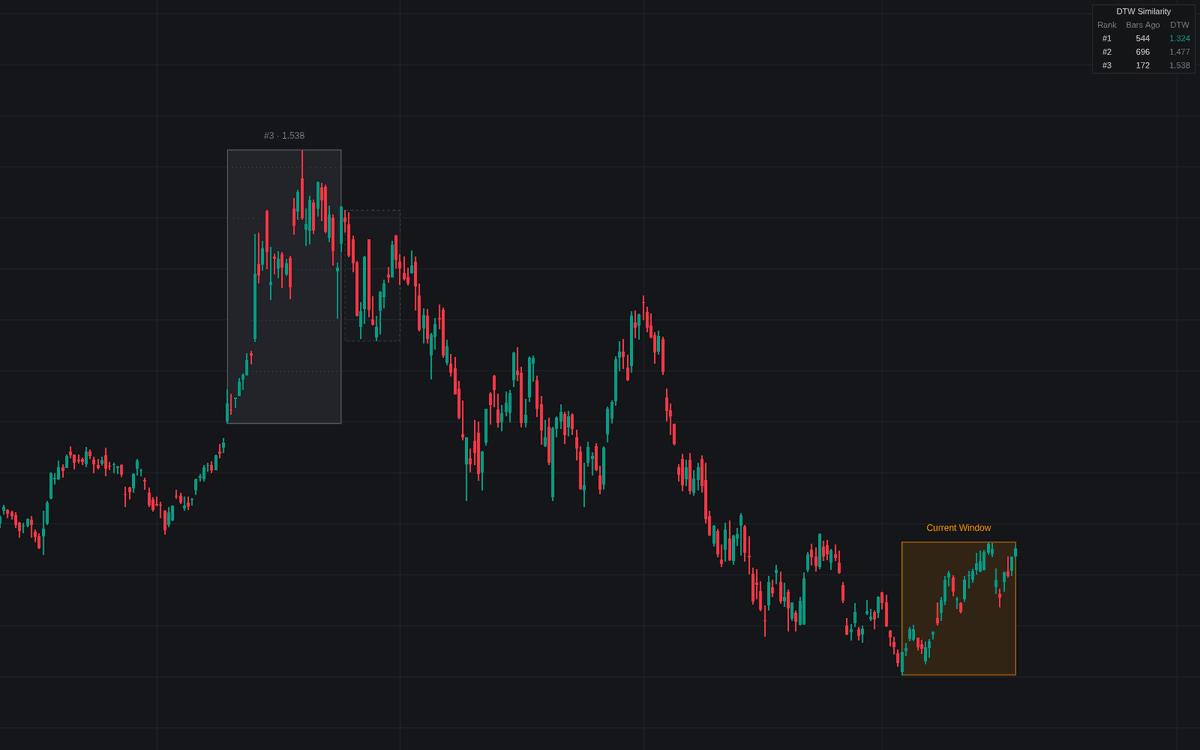

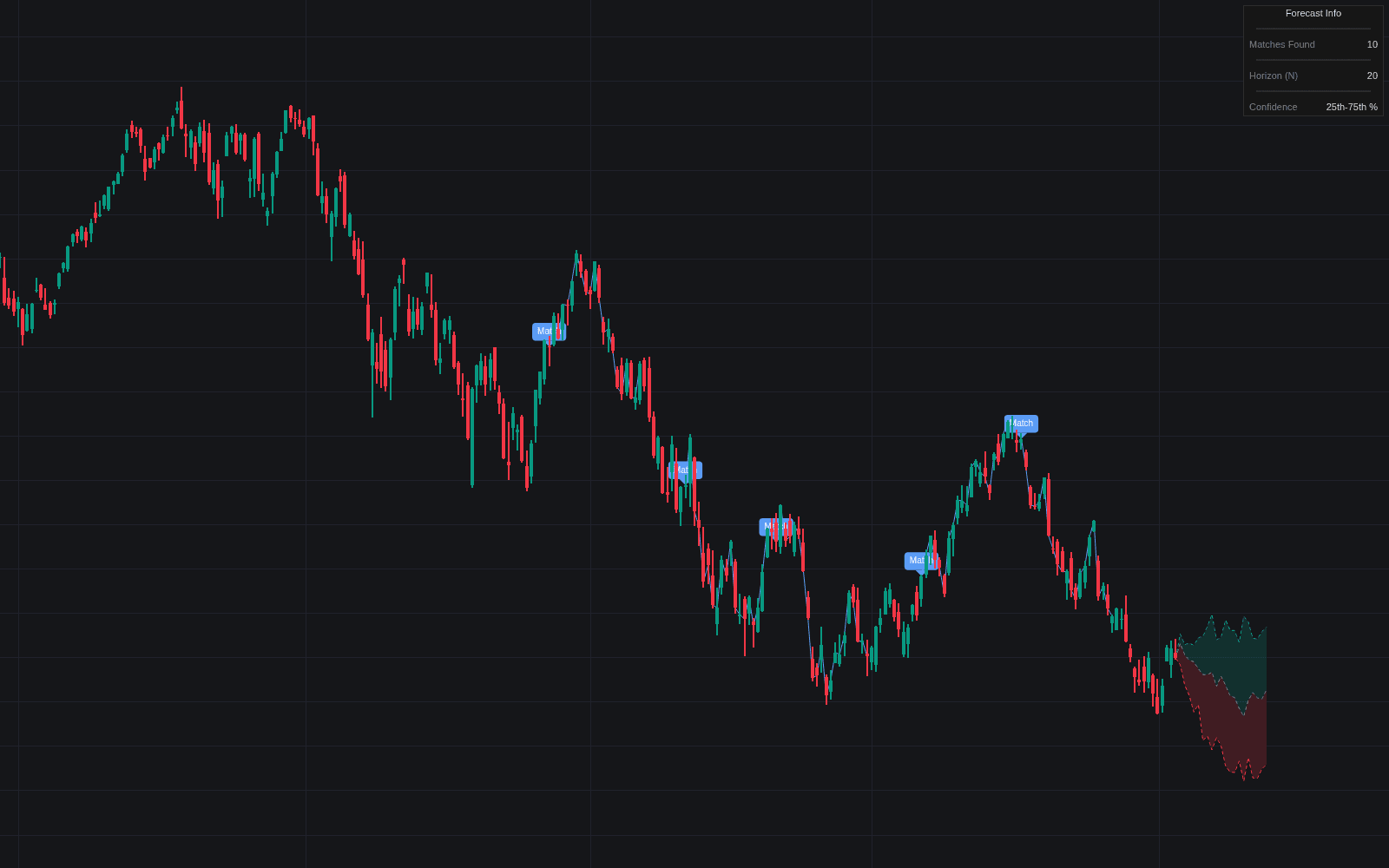
Dynamic Time Warping Similarity retrieves the historical price windows that most resemble the current one, using dynamic time warping so shapes that unfolded at different speeds can still match. It is the technique's first Library implementation. Every window is z-normalized, making the search about shape rather than price level, and the warping path is constrained to a Sakoe-Chiba band to keep alignments honest.
How to Trade the Dynamic Time Warping Similarity?
- Analog boxes: the closest non-overlapping windows are boxed on the chart, colored from closest to farthest; labels report rank and DTW distance.
- Aftermath zones: dashed extensions show what happened after each analog, a study aid, explicitly not a forecast.
- Strong match alerts: fire when the best distance drops to or below the threshold, and when no analog remains that close.
- Dashboard: ranks the analogs by distance with their age in bars.
As elsewhere in the machine learning family, treat the output as evidence: a low distance says two shapes rhyme, nothing more.
Dynamic Time Warping Similarity Settings
- Source (default close) and Window Length (default 30): the series and bars per window; the latest bars form the reference.
- Search Lookback (default 1000): historical bars scanned.
- Scan Stride (default 2): step between candidates; grows automatically to respect the computation budget.
- Warping Band Width (default 5): the Sakoe-Chiba constraint; 0 disables warping.
- Analogs To Retrieve (default 3): non-overlapping matches kept and ranked.
- Strong Match Threshold (default 3): the distance at or below which a match counts as strong.
- Aftermath Zone (default enabled) with Length (default 15): the highlighted bars after each analog.
- Dashboard and style toggles: panel position and size, labels, and colors.
Frequently Asked Questions
Free to use
Run it on Vela. Go further with a paid plan.
- Up to 500 Custom Alerts, with webhook automation
- Up to 10× the chart history of Free
- Orderflow lookback up to full history
- More Quant usage to customize it, plus extra usage when you need it
- Futures data alongside crypto, stocks, forex and commodities

Related indicators
Run it on Vela. Make it yours with Quant.
Open this indicator free on Vela, our next-generation charting platform. Then ask Quant, our coding agent built into Vela, to retune it or turn it into a backtested strategy of your own.