Midpoint/half-back of Session
 By LuxAlgoMar 1, 2026
Midpoint/half-back of Session is an indicator on Vela, our next-generation charting platform, written in Pine Script®.
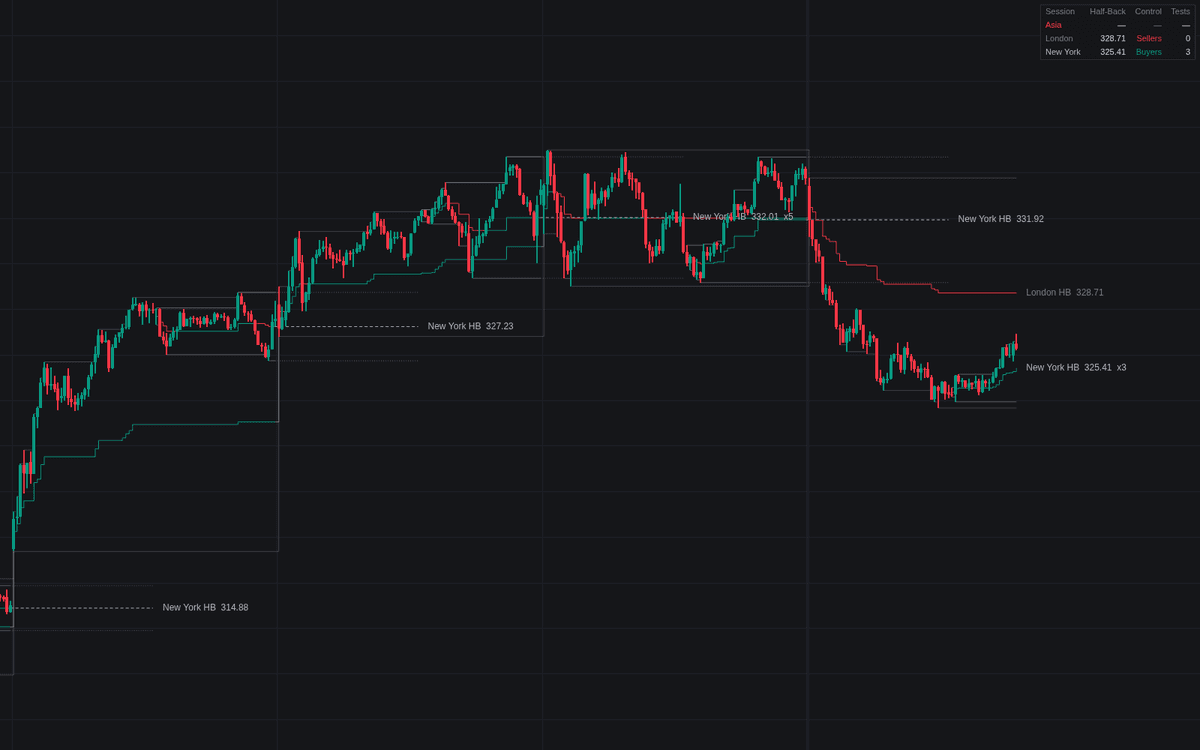

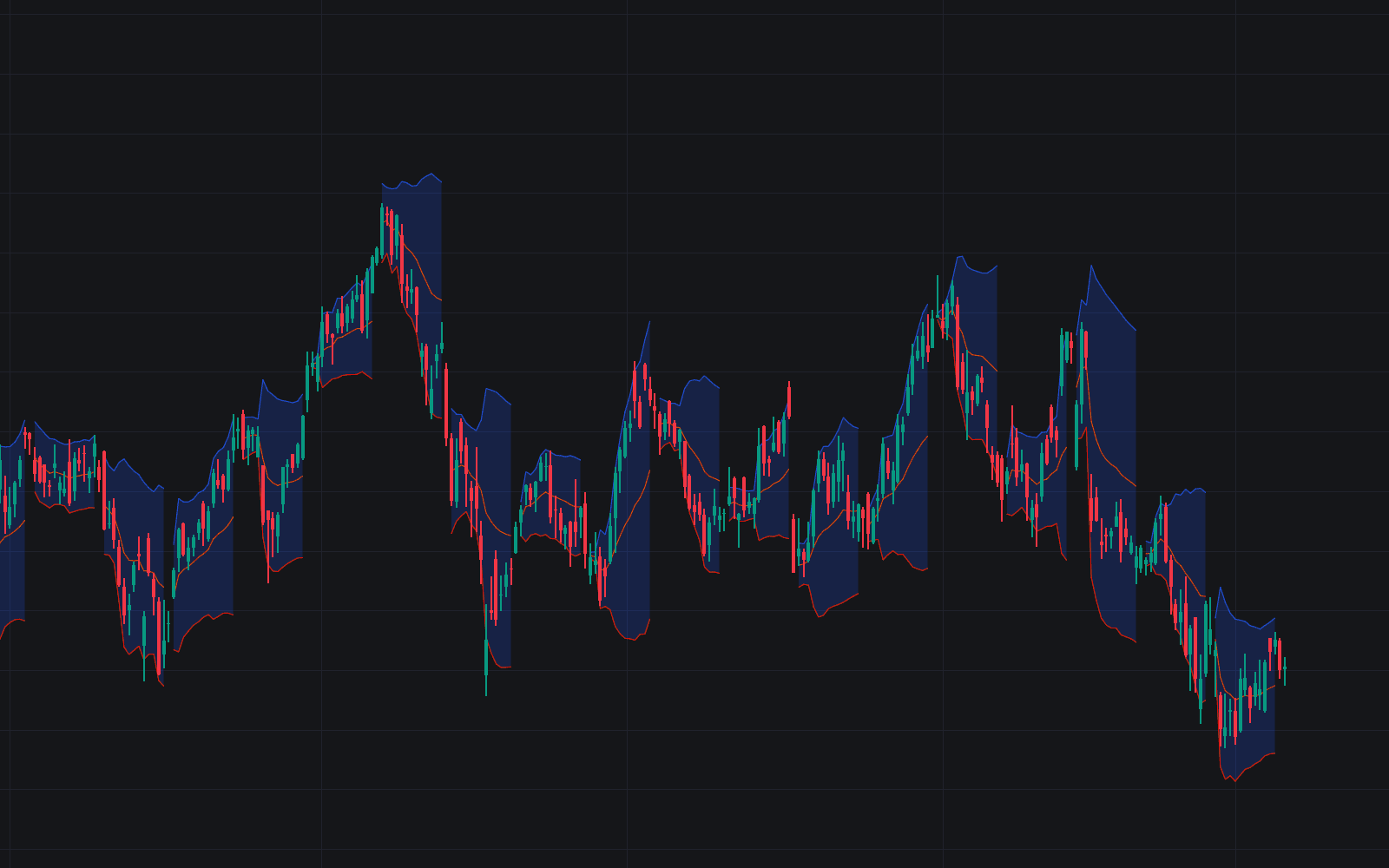
Midpoint/half-back of Session plots the live session half-back (session high plus session low, divided by two) for up to three windows, defaulting to Asia (0000-0800), London (0800-1600) and New York (1300-2100) on UTC. The developing level steps with every fresh extreme, 2 consecutive closes decide which side controls the range, and the completed level freezes at the close and carries forward, the classic carried Asia mid.
How to Trade the Midpoint/half-back of Session?
- Acceptance above the level: closes holding the upper half keep buyers in control and favor rotation toward the session high; flip alerts fire when control passes from one side of the half-back to the other.
- Test and hold: price pulling back into the half-back and closing back on the side it came from is a responsive rejection, the hold alert.
- Carried mid: the frozen level extended right is the reference for following sessions, its label counting tests absorbed.
Sessions may overlap and are tracked independently, each with its own dashboard row showing the level, control read and test count.
Midpoint/half-back of Session Settings
- Timezone (default UTC): the clock the windows use; Exchange follows the symbol's exchange time.
- Session 1 / 2 / 3 (defaults on: Asia 0000-0800, London 0800-1600, New York 1300-2100): toggle, name and hours per window; 0000-0000 tracks a full trading day.
- Acceptance Closes (default 2): consecutive closes on one side required for control.
- Carry Completed Half-Back (default on, Until Next Open): extend the frozen level; Until Next Close keeps it through the next same-session window too.
- Display: Show Session High / Low (on), Level Labels (on), Mark Half-Back Tests (off), Highlight Session Windows (off), Show Dashboard (on).
- Style: Half-Back Coloring (default Control Side, which recolors by acceptance; Session Color keeps each session's color), Carried Line Style (Dashed), Line Width (1).
Frequently Asked Questions
Free to use
Run it on Vela. Go further with a paid plan.
- Up to 500 Custom Alerts, with webhook automation
- Up to 10× the chart history of Free
- Orderflow lookback up to full history
- More Quant usage to customize it, plus extra usage when you need it
- Futures data alongside crypto, stocks, forex and commodities

Related indicators
Run it on Vela. Make it yours with Quant.
Open this indicator free on Vela, our next-generation charting platform. Then ask Quant, our coding agent built into Vela, to retune it or turn it into a backtested strategy of your own.