VWAP Pinch
 By LuxAlgoApr 11, 2026
VWAP Pinch is an indicator on Vela, our next-generation charting platform, written in Pine Script®.
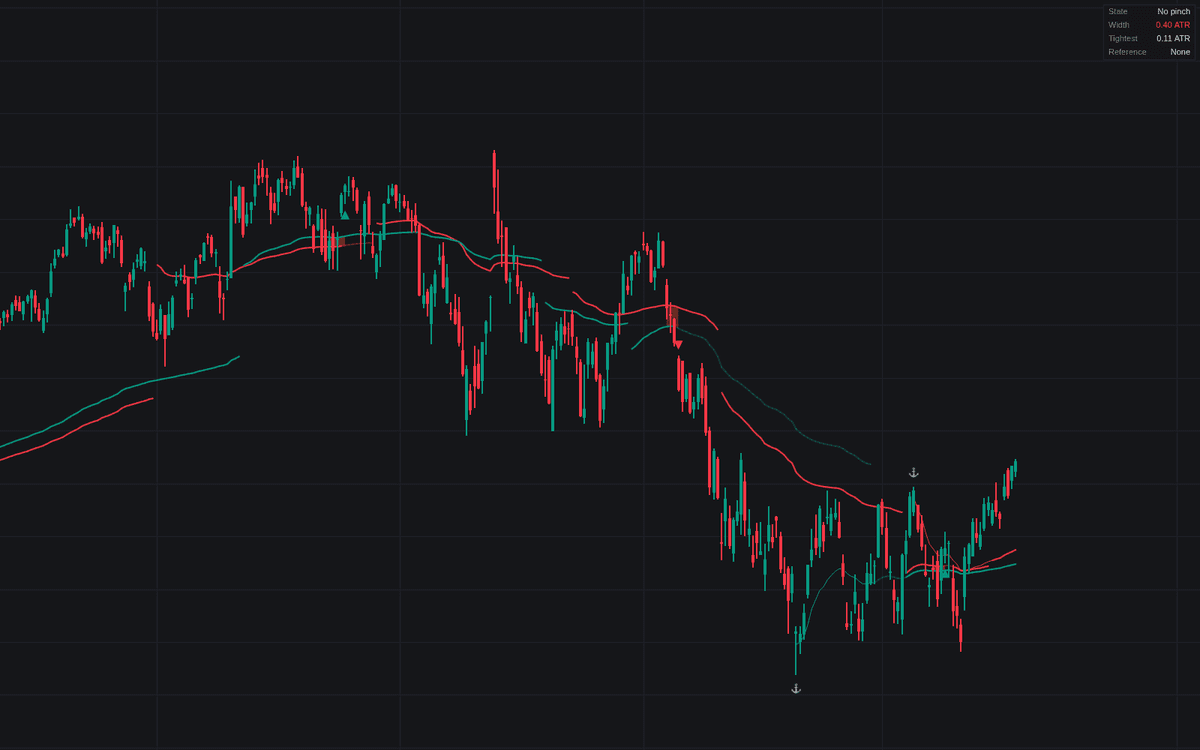

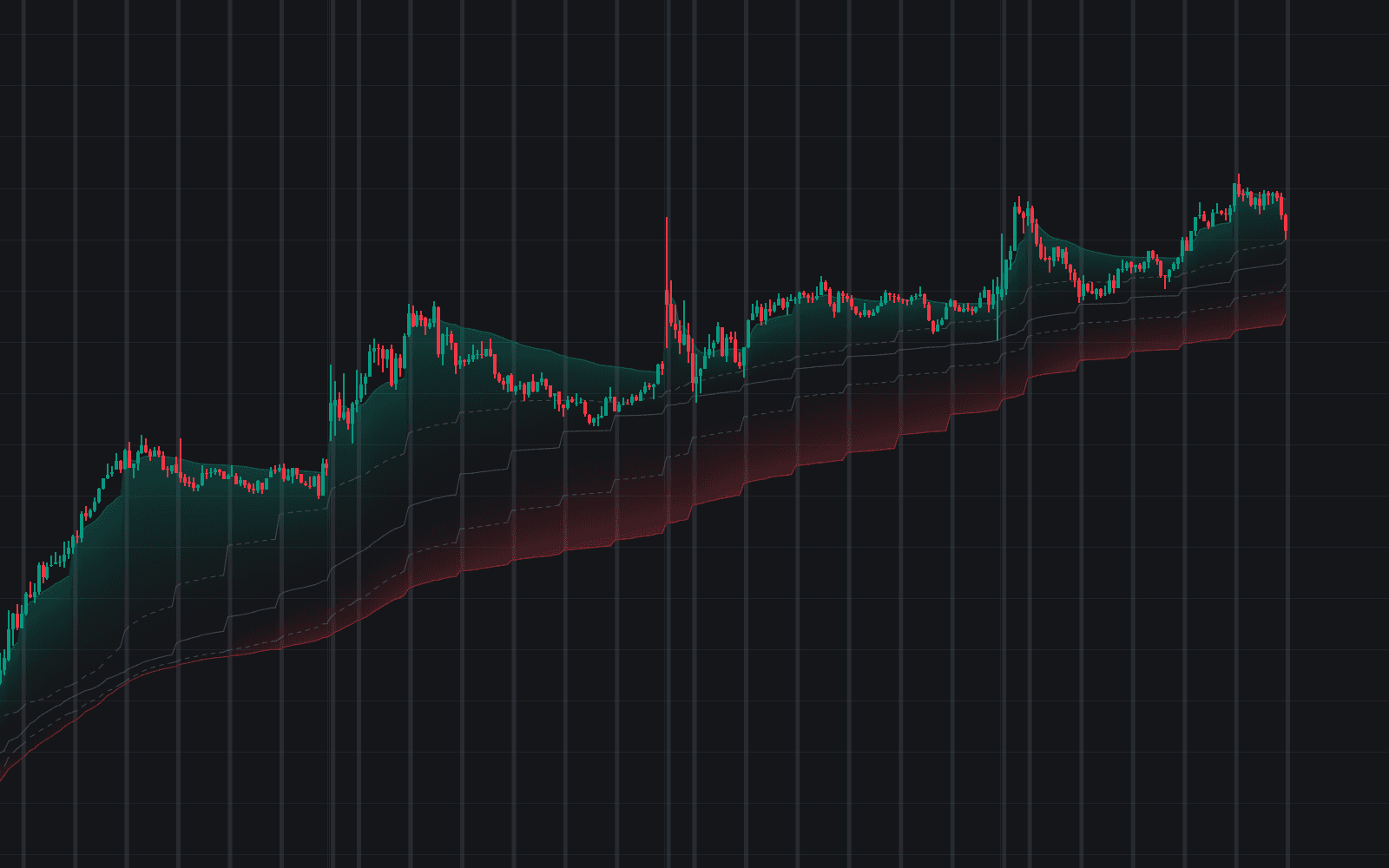
VWAP Pinch tracks the two-anchor compression at the heart of the VWAP pinch read: one VWAP anchored at the latest confirmed swing high, one at the swing low, each re-anchoring as new swings confirm and back-drawn from the swing bar. When the pair converges to within 1 ATR while price closes between the lines, the pinch is on. The zone fills and turns more opaque as it tightens. Acceptance beyond either line on 2 consecutive closes resolves the coil: the escape is marked, the abandoned VWAP fades, and the survivor becomes the working reference.
How to Trade the VWAP Pinch?
- Pinch active: a coiled, decision-pending state. Both cohorts trade at average cost and neither holds a cushion. Prepare; do not predict.
- Tightening event: width narrowed through 0.5 ATR. A resolution is nearing.
- Escape triangles: held acceptance beyond one line puts the opposing cohort underwater; watch for range expansion, and confirm with structure and volume, since breaks fail.
- Handoff retests: pullbacks into the surviving VWAP are alerted as tests of the new trailing support or resistance.
VWAP Pinch Settings
- Anchor Mode (default Auto (Swing High & Swing Low)): or Manual (Anchor Times) via High Anchor Time and Low Anchor Time.
- Swing Length (default 20): bars each side to confirm a swing; larger picks more significant anchors.
- Source (default hlc3): the standard VWAP source.
- ATR Length (default 14): normalizes the pinch width per symbol and timeframe.
- Pinch Threshold (default 1), Tightening Threshold (default 0.5): the ATR widths that arm the pinch and fire the tightening event.
- Convergence Lookback (default 5): the width must be narrower than this many bars ago, filtering lines that merely run parallel.
- Acceptance Closes (default 2): closes beyond the pair required to resolve. The same count of closes back through the pair later ends a failed handoff, returning the dashboard to No pinch.
- Dashboard and style toggles cover the zone fill, anchor and escape markers, and the fade.
Frequently Asked Questions
Free to use
Run it on Vela. Go further with a paid plan.
- Up to 500 Custom Alerts, with webhook automation
- Up to 10× the chart history of Free
- Orderflow lookback up to full history
- More Quant usage to customize it, plus extra usage when you need it
- Futures data alongside crypto, stocks, forex and commodities

Related indicators
Run it on Vela. Make it yours with Quant.
Open this indicator free on Vela, our next-generation charting platform. Then ask Quant, our coding agent built into Vela, to retune it or turn it into a backtested strategy of your own.