Polarized Fractal Efficiency
 By LuxAlgoJul 5, 2026
Polarized Fractal Efficiency is an indicator on Vela, our next-generation charting platform, written in Pine Script®.
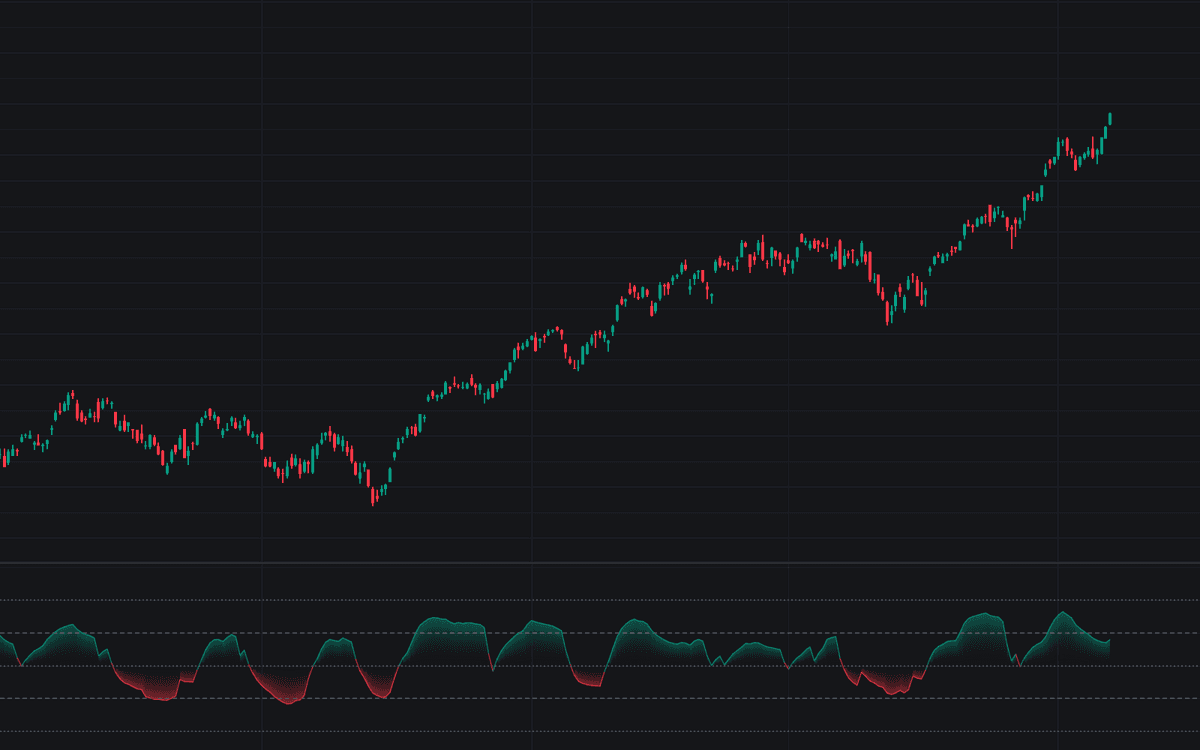

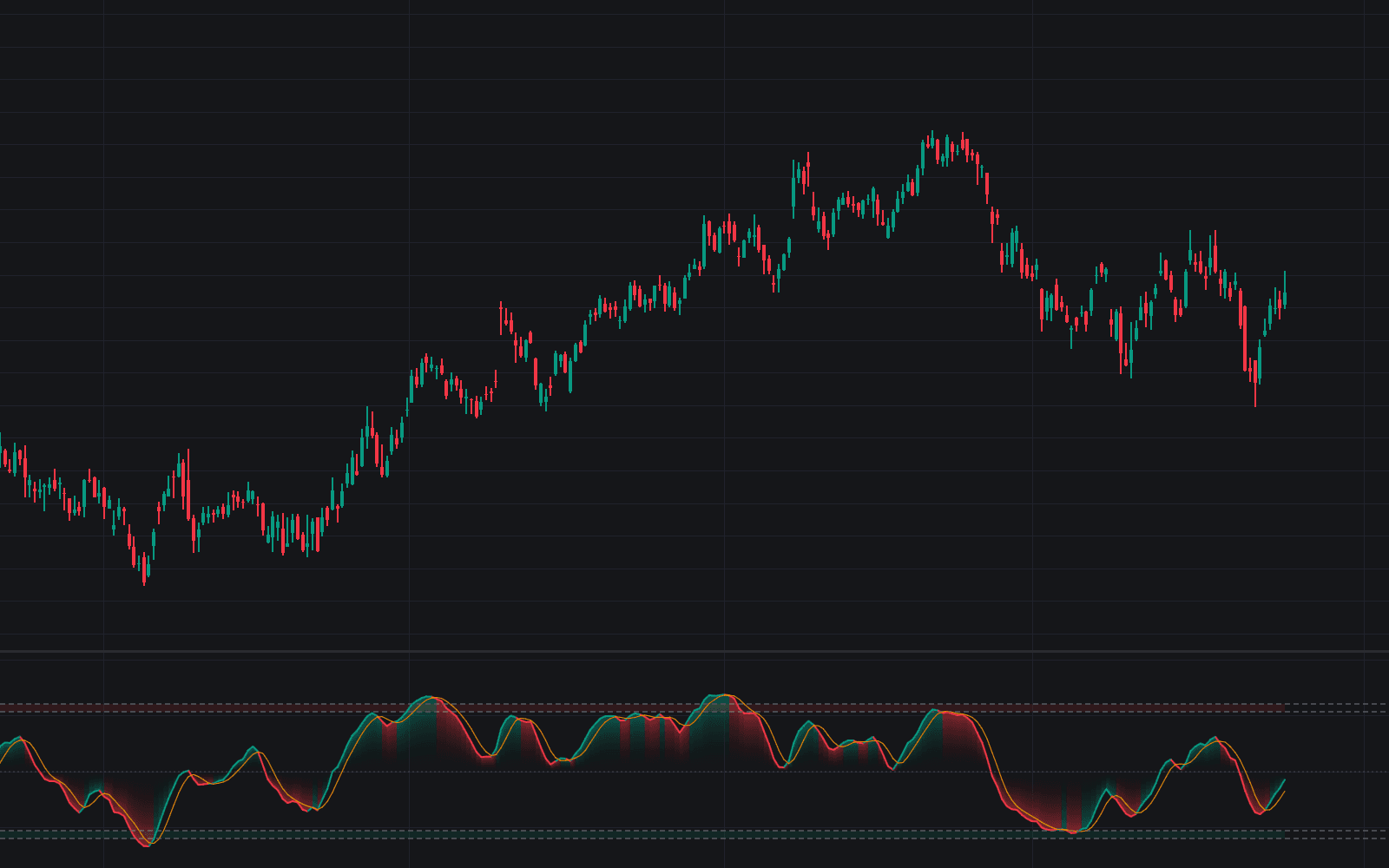
Polarized Fractal Efficiency plots Hannula's signed efficiency ratio: the straight-line distance price covered over the window divided by the bar-by-bar path it actually traced, scaled to 100 and flipped negative when the net move is down. That makes polarized fractal efficiency a one-line regime gauge (direction and trend quality in the same bounded reading) drawn with a gradient fill against zero, dotted bounds at +/-100 and dashed trending levels at +/-50.
How to Trade the Polarized Fractal Efficiency?
- Reading beyond +50 or below -50: the move is graded an efficient trend; persistent readings out there favor pullback entries in the trend's direction, with alerts on the crossing.
- Efficiency decay: the line bending back inside the trending level says the trend is losing its straight-line quality, an early caution rather than a reversal call, with its own alert pair.
- Zero crosses: the net move over the window flipped sign; optional markers circle them and alerts fire either way.
A reading that churns near zero favors range tactics instead.
Polarized Fractal Efficiency Settings
- Source (default close): the series measured for path efficiency.
- Length (default 10): the efficiency window; longer makes the regime call steadier but later.
- Smoothing (default 5): EMA applied to the raw ratio so single bars can't whip the reading; 1 disables it.
- Scale-Adjusted Changes (default off): expresses each change in percent of the window's anchor close, reducing sensitivity to the instrument's price scale.
- Trending Level (default 50): the absolute reading treated as trending; anchors the regime and decay events.
- Trending Regime Background and Zero Cross Markers (both off), plus color controls.
Frequently Asked Questions
Free to use
Run it on Vela. Go further with a paid plan.
- Up to 500 Custom Alerts, with webhook automation
- Up to 10× the chart history of Free
- Orderflow lookback up to full history
- More Quant usage to customize it, plus extra usage when you need it
- Futures data alongside crypto, stocks, forex and commodities

Related indicators
Run it on Vela. Make it yours with Quant.
Open this indicator free on Vela, our next-generation charting platform. Then ask Quant, our coding agent built into Vela, to retune it or turn it into a backtested strategy of your own.