Stochastic RSI
 By LuxAlgoApr 13, 2020
Stochastic RSI is an indicator on Vela, our next-generation charting platform, written in Pine Script®.
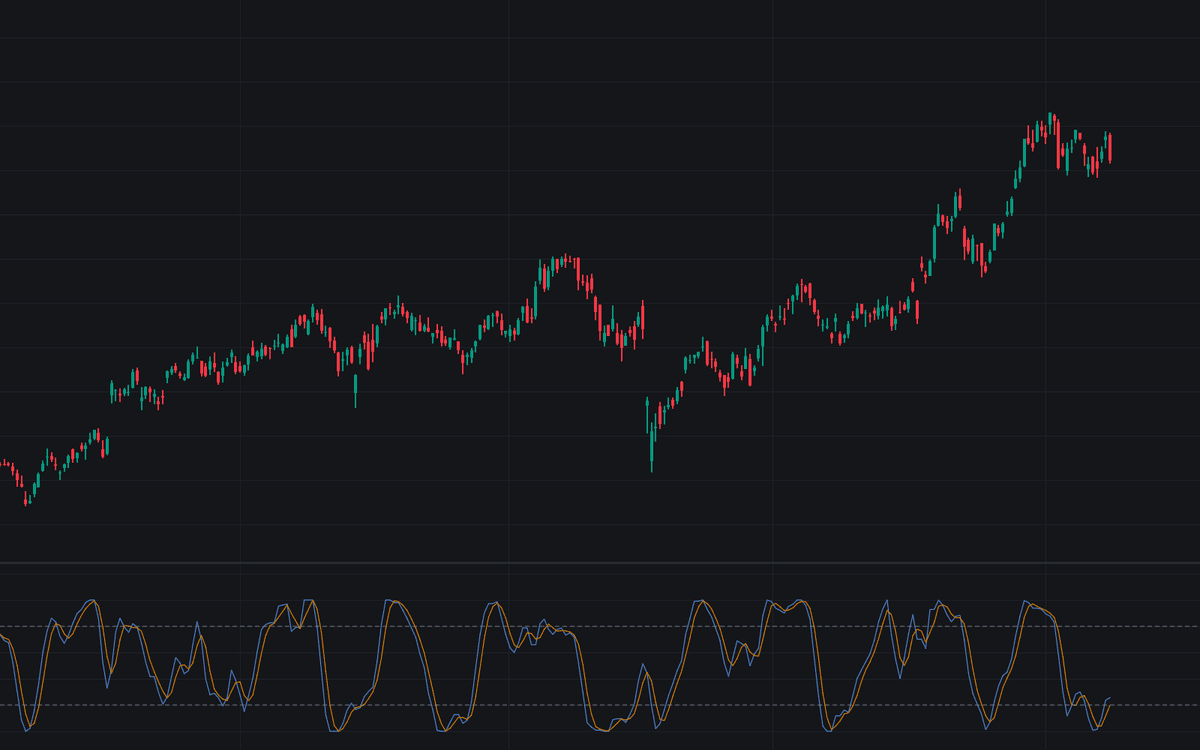

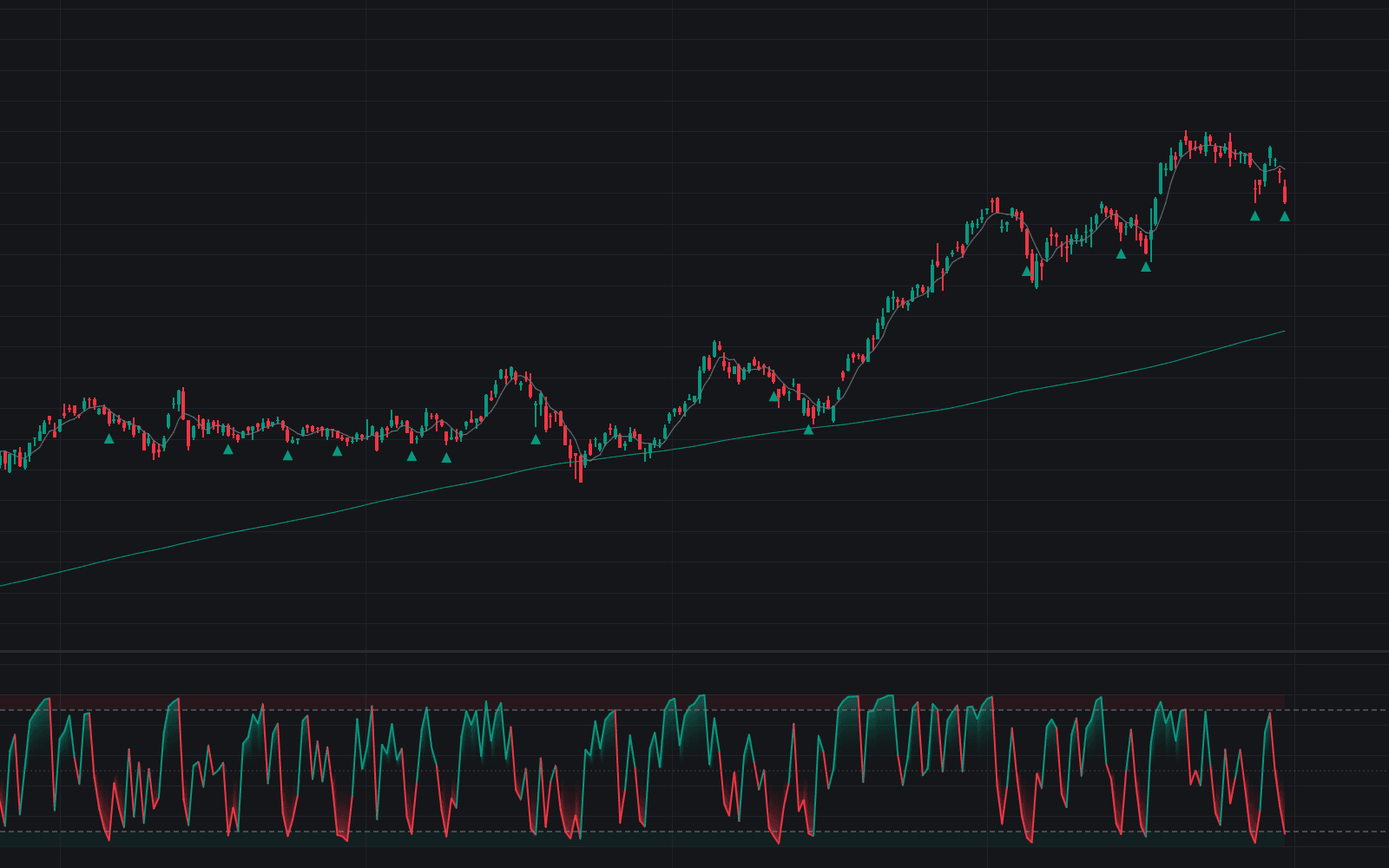
The Stochastic RSI applies the stochastic formula to RSI values rather than price, expressing where RSI sits within its own recent range as a 0 to 100 oscillator with %K and %D smoothing lines. Tushar Chande and Stanley Kroll designed it for the RSI that rides one half of its scale through a sustained move and stops tagging 70 or 30: each RSI value is measured against the window's highest and lowest RSI instead. This build is the standard implementation with the usual defaults: a 14-bar RSI, a 14-bar stochastic window, 3-bar smoothing for both %K and %D, and dashed levels at 80 and 20 with a shaded zone between them.
How to Trade the Stochastic RSI?
- %K above 80: extended momentum: persists in strong trends, precedes fades in ranges.
- %K below 20: the momentum reset trend traders watch for re-entries.
- Bullish %K/%D cross: the standard long trigger, most dependable from oversold with the prevailing trend.
- Bearish %K/%D cross: the mirror trigger, strongest from overbought within a downtrend.
Running on RSI output rather than raw price, the oscillator hits extremes far more often than RSI itself (the appeal for timing, the hazard standalone), so most filter it through a trend read or price structure.
Stochastic RSI Settings
- RSI Source (default close): the series the underlying RSI runs on.
- RSI Length (default 14): the lookback of the Wilder RSI; shorter is twitchier raw material.
- Stochastic Length (default 14): the window taking the highest and lowest RSI values; shorter tags them constantly.
- %K Smoothing (default 3): the moving average of the stochastic of RSI, forming %K.
- %D Smoothing (default 3): the moving average of %K, forming the signal line.
- Overbought Level (default 80) and Oversold Level (default 20): the zone thresholds; some widen them given how readily the oscillator tags its boundaries.
Frequently Asked Questions
Free to use
Run it on Vela. Go further with a paid plan.
- Up to 500 Custom Alerts, with webhook automation
- Up to 10× the chart history of Free
- Orderflow lookback up to full history
- More Quant usage to customize it, plus extra usage when you need it
- Futures data alongside crypto, stocks, forex and commodities

Related indicators
Run it on Vela. Make it yours with Quant.
Open this indicator free on Vela, our next-generation charting platform. Then ask Quant, our coding agent built into Vela, to retune it or turn it into a backtested strategy of your own.