Weekly Stacked Daily Changes
 By LuxAlgoNov 27, 2024
Weekly Stacked Daily Changes is an indicator on Vela, our next-generation charting platform, written in Pine Script®.
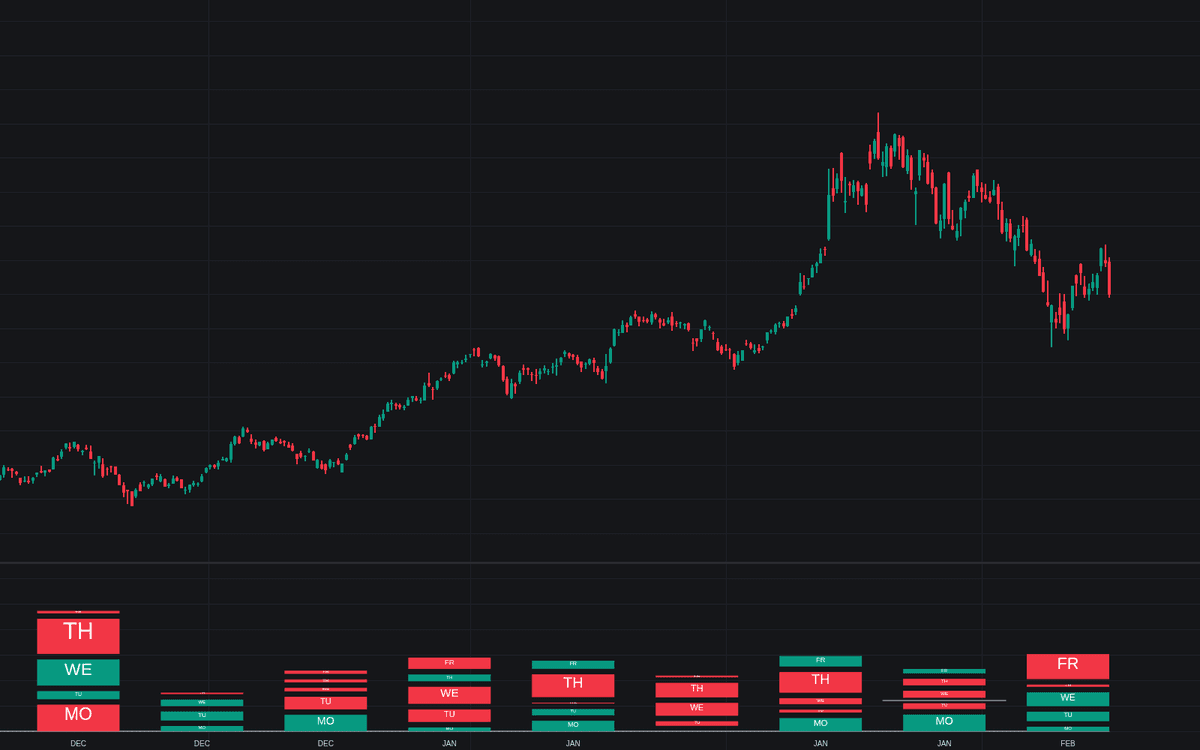

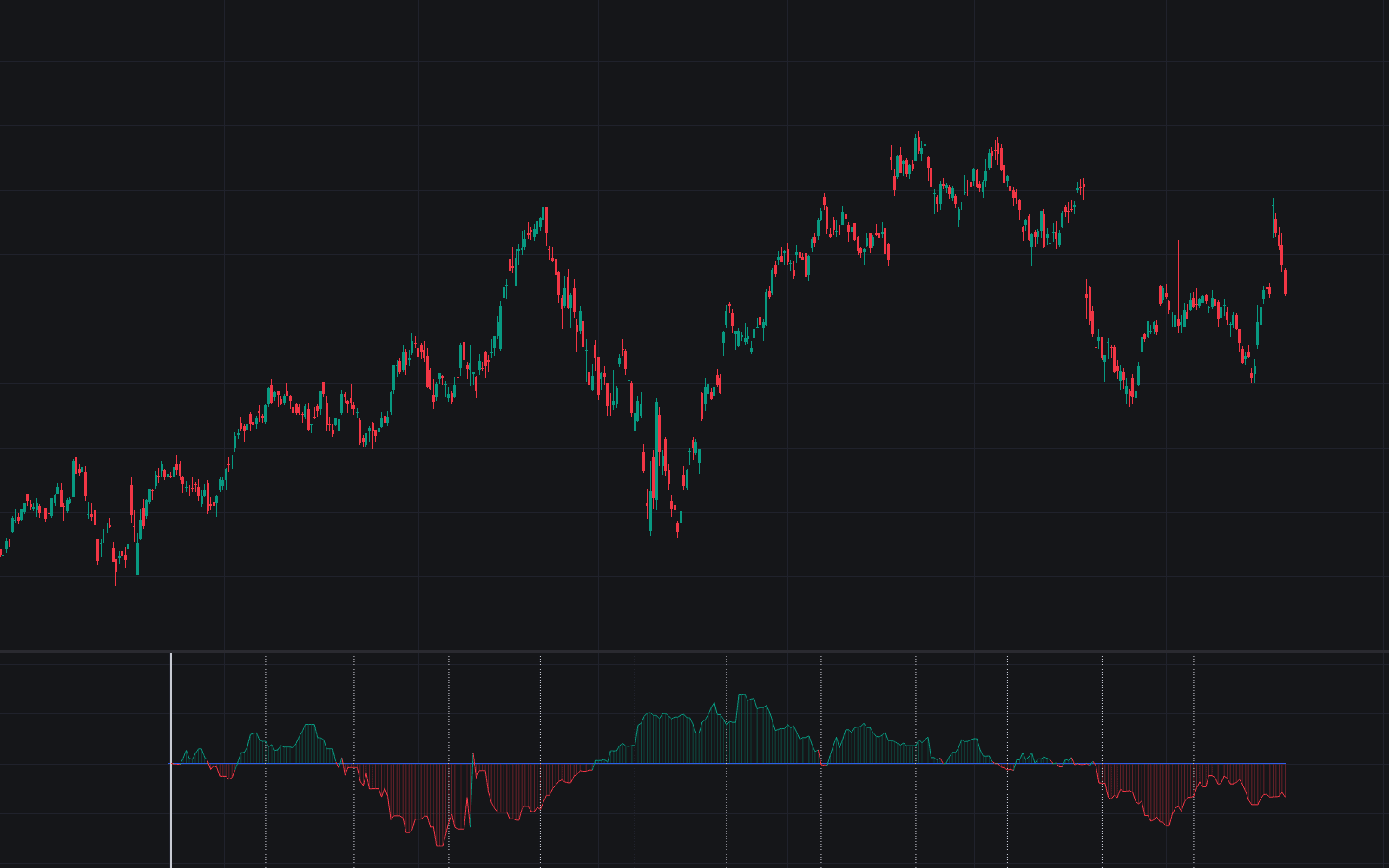
Weekly Stacked Daily Changes draws each week as a stacked column of its daily open-to-close price changes, putting weekday behavior and weekly volatility side by side. It is a compact way to study day-of-week effects on any symbol: tall stacks flag volatile weeks, and the mix of bullish and bearish boxes inside each stack shows which days did the work. No initial configuration is needed. The tool renders out of the box, with widths, spacing, colors and month markers left to taste.
How to Trade the Weekly Stacked Daily Changes?
- Stack height: compare column heights to spot volatility regimes. Runs of tall stacks mark expansion, short stacks mark quiet weeks.
- Box composition: the same weekday repeatedly printing bullish or bearish boxes hints at recurring session behavior worth investigating.
- Bottom Stack Bias off: all stacks share a zero baseline, so height alone ranks weekly volatility.
- Bottom Stack Bias on: each stack pivots on the sum of its daily open-to-close changes, so overnight and weekend gaps are left out. A stack starting below the zero line was a negative week, one starting above was positive.
Month names and boundary lines keep longer studies organized, so scanning a quarter of weekday behavior takes one pass, a natural companion to the library's other time and seasonality tools.
Weekly Stacked Daily Changes Settings
- Width: fixed width of each weekly column.
- Offset: the gap between columns.
- Spacing: the distance between the days inside a column.
- Bottom Stack Bias: uses the sum of the week's daily open-to-close changes as the stack's bottom boundary.
- Style inputs cover Bullish Change and Bearish Change colors plus the Show Months and Show Months Delimiter toggles.
Frequently Asked Questions
Free to use
Run it on Vela. Go further with a paid plan.
- Up to 500 strategy alerts, with webhook automation
- Up to 10× the chart history of Free
- Orderflow lookback up to full history
- More Quant usage to customize it, plus extra usage when you need it
- Futures data alongside crypto, stocks, forex and commodities
Also works on

Related indicators
All 5 Day-of-week Effects indicators
Run it on Vela. Make it yours with Quant.
Open this indicator free on Vela, our next-generation charting platform. Then ask Quant, our coding agent built into Vela, to retune it or turn it into a backtested strategy of your own.