ATR Expansion/contraction
 By LuxAlgoMar 27, 2026
ATR Expansion/contraction is an indicator on Vela, our next-generation charting platform, written in Pine Script®.
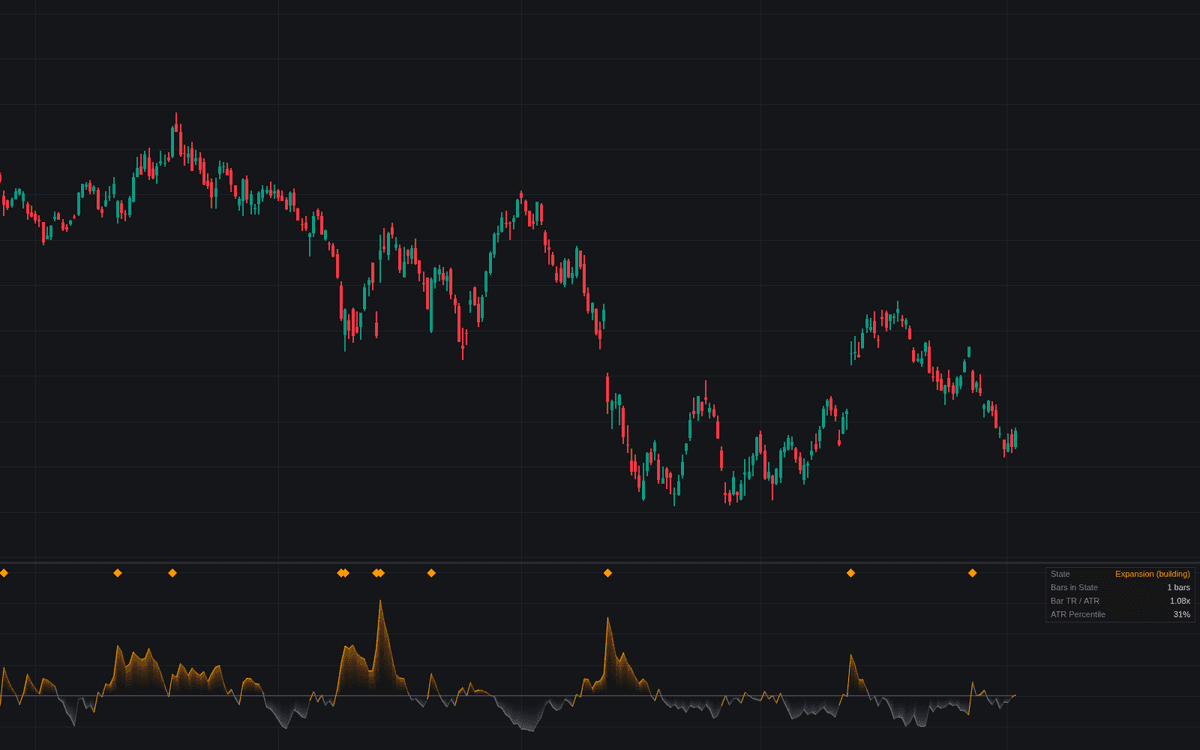

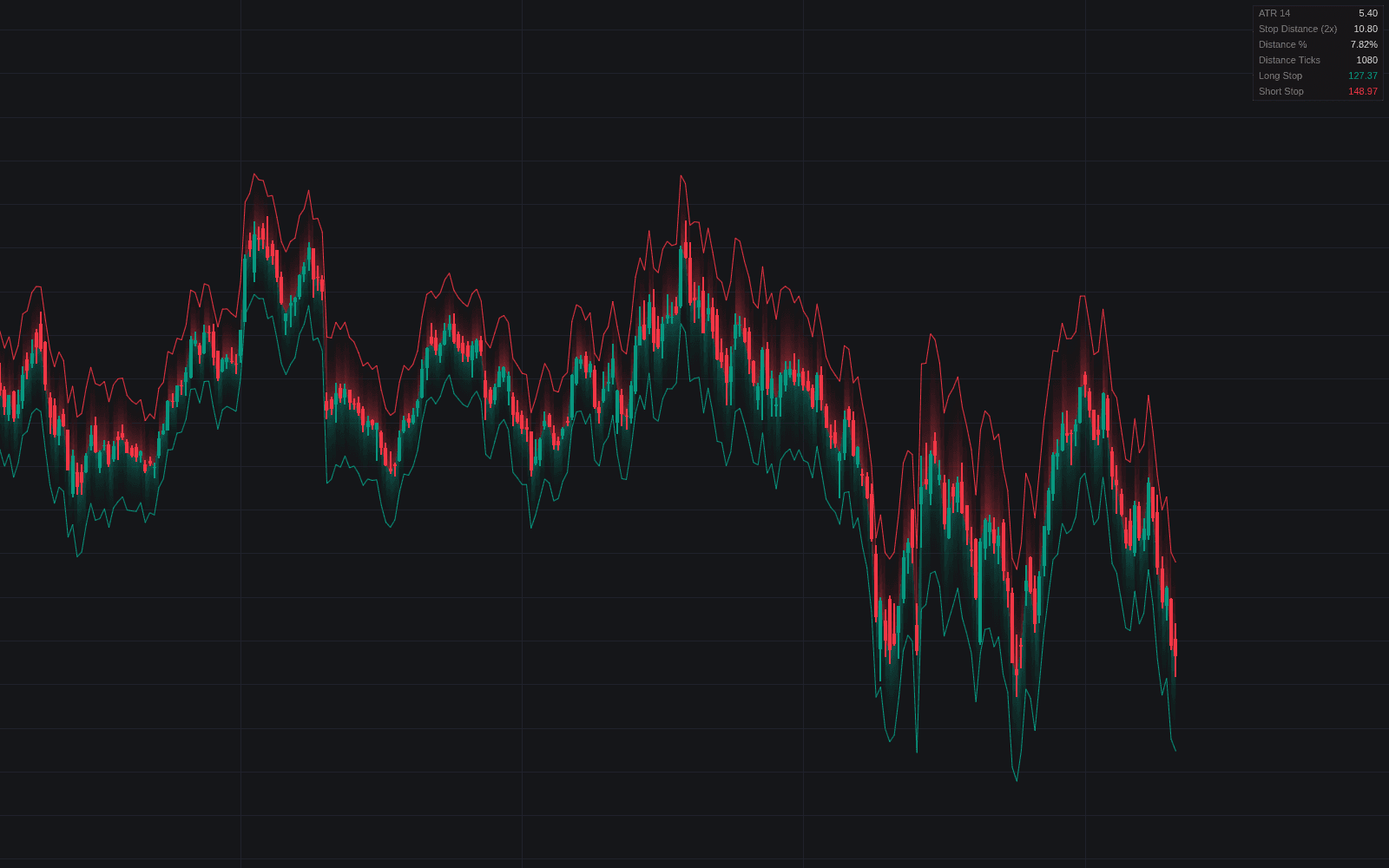
ATR Expansion/contraction compresses the direction of volatility into one signed reading. It measures a fast ATR against a slow reference and plots the spread as a percentage around zero: positive when recent bar travel runs wider than the baseline, negative while ranges compress, the two regimes of ATR expansion and contraction. The line is solid while a state builds and dimmed once it decays, diamonds flag bars whose true range hits a multiple of prevailing ATR, and a dashboard adds state, duration, TR/ATR multiple and percentile rank.
How to Trade the ATR Expansion/contraction?
- Zero crosses: Expansion Started and Contraction Started alerts mark the fast ATR crossing its reference, the regime transitions.
- Contraction extreme: the read at its deepest compression of the lookback, the armed condition breakout traders watch; alerted even with the marker hidden.
- Expansion bars: diamonds mark the wide-range-bar signature, travel far beyond the prevailing baseline.
The read calibrates the rest of a volatility toolkit: ATR-sized stops and targets widen in expansion, tighten in contraction.
ATR Expansion/contraction Settings
- Fast ATR Length (default 5): the responsive side; shorter is faster and noisier.
- Slow ATR Length (default 20): baseline lookback, also the averaging window in slope mode.
- Reference (default Long ATR): fast over slow ATR (ratio form), or the fast ATR against its own average via Average of Fast ATR (slope form).
- True Range Multiple (default 2.0): TR-to-ATR multiple flagging an expansion bar; higher means rarer.
- Mark Expansion Bars (on) and Mark Contraction Extremes (off): the pane markers.
- Context Lookback (default 100): window for the percentile rank and the compression floor.
- Show Dashboard (on) with Position (Top Right) and Size (Small); Gradient Fill (on).
Frequently Asked Questions
Free to use
Run it on Vela. Go further with a paid plan.
- Up to 500 Custom Alerts, with webhook automation
- Up to 10× the chart history of Free
- Orderflow lookback up to full history
- More Quant usage to customize it, plus extra usage when you need it
- Futures data alongside crypto, stocks, forex and commodities

Related indicators
Run it on Vela. Make it yours with Quant.
Open this indicator free on Vela, our next-generation charting platform. Then ask Quant, our coding agent built into Vela, to retune it or turn it into a backtested strategy of your own.