Golden Pocket
 By LuxAlgoMay 25, 2026
Golden Pocket is an indicator on Vela, our next-generation charting platform, written in Pine Script®.
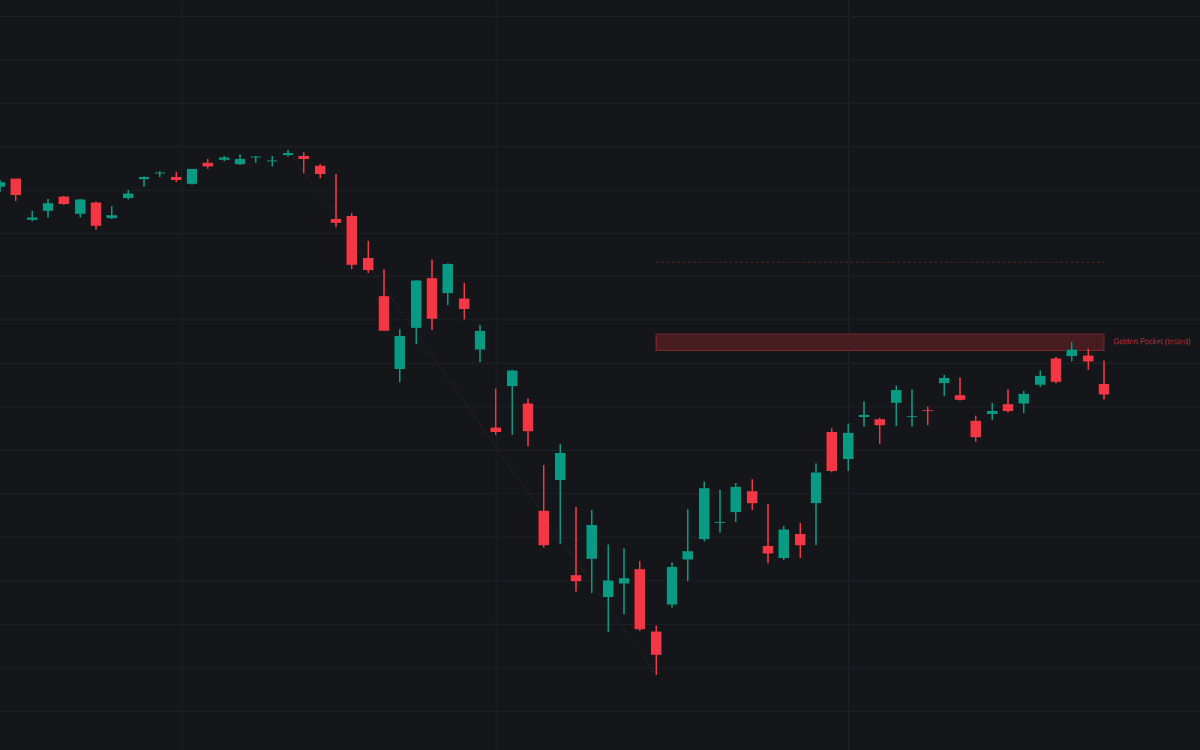

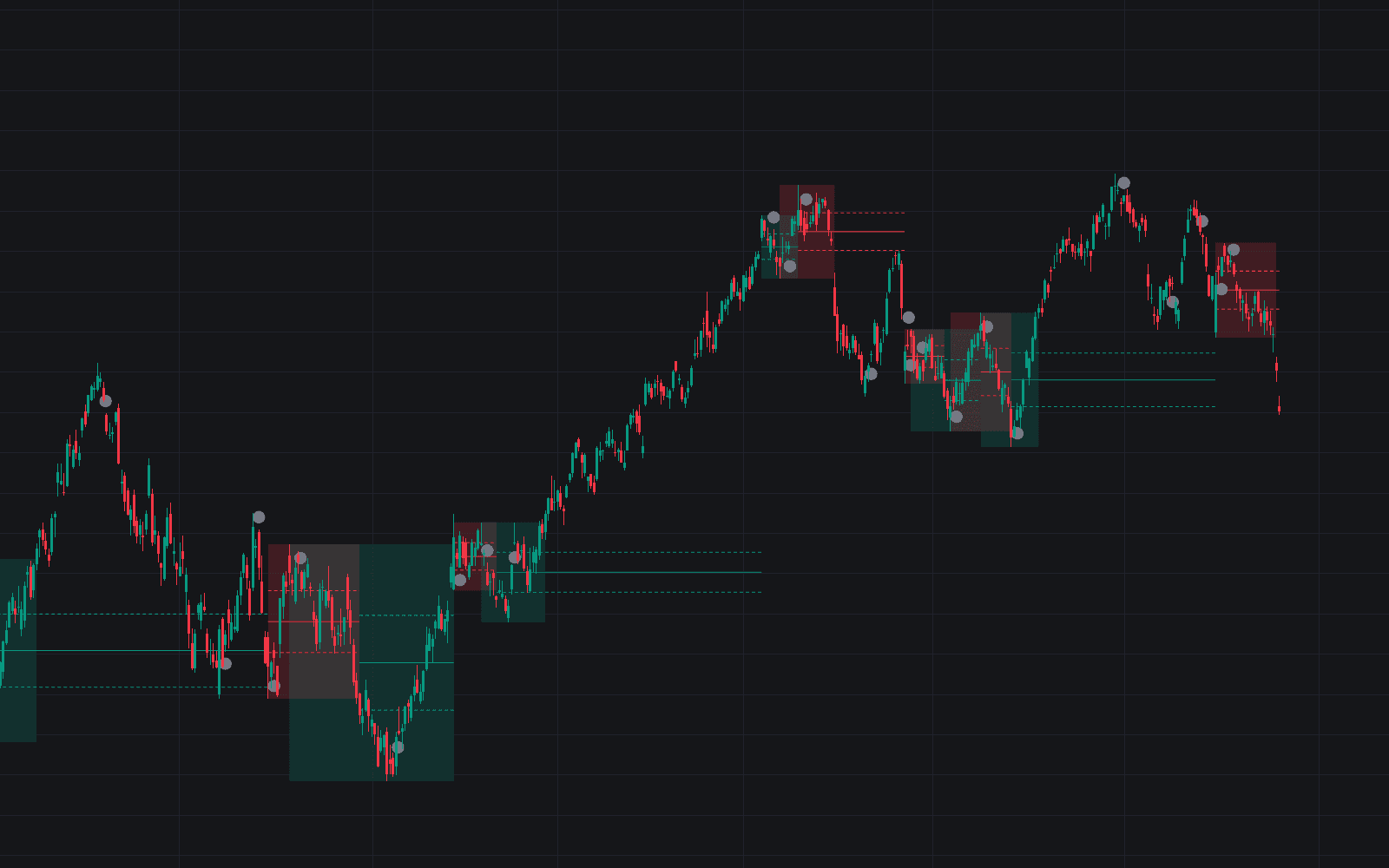
Golden Pocket draws the golden pocket (the retracement band spanning the 0.618 and 0.65 ratios of a measured leg) across every confirmed swing, so the deep-pullback zone is anchored mechanically instead of by hand. Swings confirm with 20 bars on each side by default; upward legs produce bullish pockets, downward legs bearish ones. Each pocket runs a strict lifecycle (zone tests register on wicks, breaks and invalidation only on closes) with a status label following the band from fresh through tested, broken or invalidated.
How to Trade the Golden Pocket?
- Price enters a bullish pocket: the pullback reached the band. Demand a trigger rather than a blind fill; an alert covers the touch.
- Rejection inside the band: a wick pierces the pocket and the bar closes back beyond it, strengthening the continuation read.
- Pocket broken on a close: acceptance beyond the band points toward the 0.786 level, where the premise gets its final test.
- Invalidation: a close through the invalidation level cancels the pocket.
The dotted swing leg shows the anchors the levels inherit, and the dashed line marks where stops framed by the zone logic belong.
Golden Pocket Settings
- Swing Length (default 20): bars each side required to confirm a swing.
- Pocket Legs (default Both): draw pockets on bullish legs, bearish legs, or both.
- Pocket Band (defaults 0.618 to 0.65): the two retracement ratios bounding the band.
- Invalidation (default 0.786 Level): break the premise at the 0.786 retracement or at the swing origin.
- Maximum Pockets (default 3): most recent pockets kept on the chart.
- Keep Invalidated Pockets (default disabled): retain cancelled pockets, grayed and frozen.
- Style toggles: swing leg, invalidation line and labels on by default; rejection markers off.
Frequently Asked Questions
Free to use
Run it on Vela. Go further with a paid plan.
- Up to 500 Custom Alerts, with webhook automation
- Up to 10× the chart history of Free
- Orderflow lookback up to full history
- More Quant usage to customize it, plus extra usage when you need it
- Futures data alongside crypto, stocks, forex and commodities

Related indicators
Run it on Vela. Make it yours with Quant.
Open this indicator free on Vela, our next-generation charting platform. Then ask Quant, our coding agent built into Vela, to retune it or turn it into a backtested strategy of your own.