Predictive Monte Carlo Engine
 By LuxAlgoApr 15, 2026
Predictive Monte Carlo Engine is an indicator on Vela, our next-generation charting platform, written in Pine Script®.
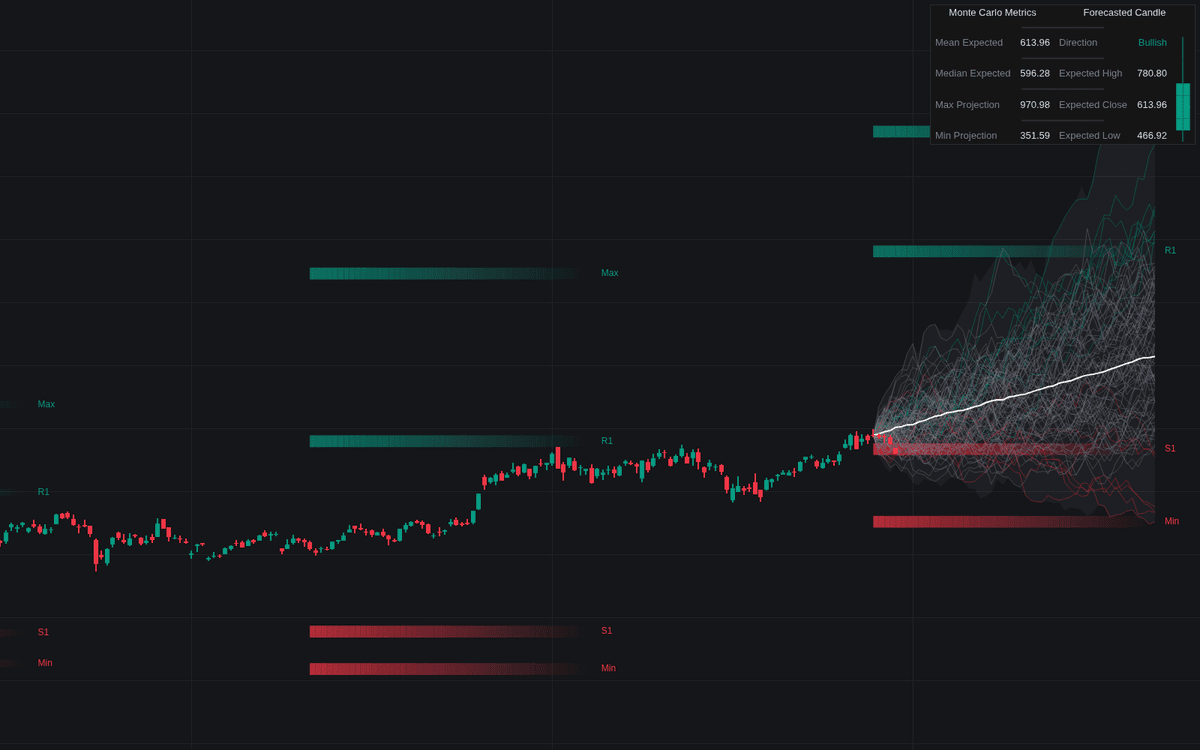

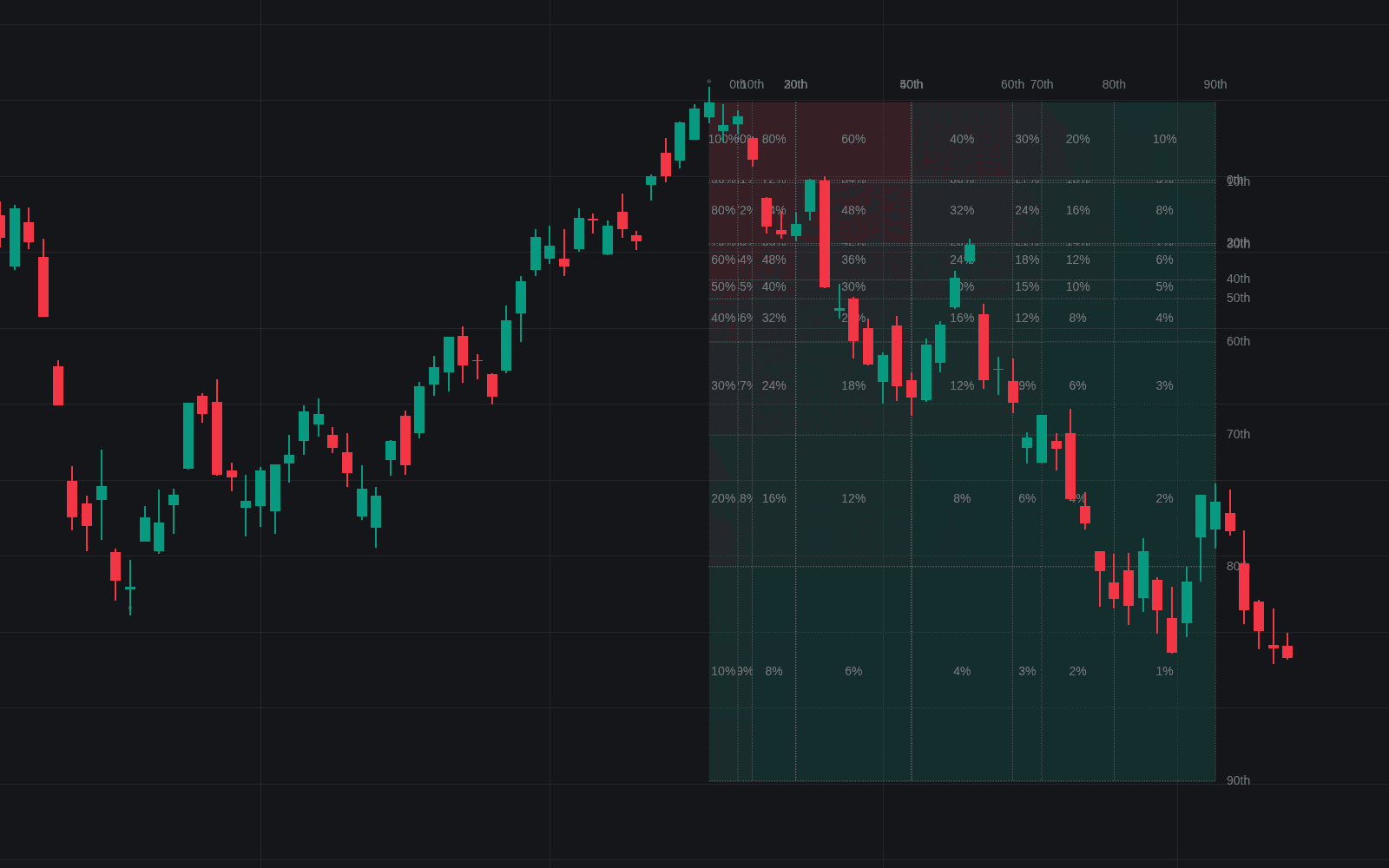
Predictive Monte Carlo Engine replaces the single forecast line with a distribution: up to 200 Monte Carlo price paths generated from historical drift and volatility, with support, resistance, and expectation read from where those paths travel. Three models drive the sampling: Geometric Brownian Motion, Simple Random Walk, and Historical Shuffle, a bootstrap of the market's actual past returns.
How to Trade the Predictive Monte Carlo Engine?
- Max / Min and R1 / S1: the projected range extremes plus the 90th and 10th percentile zones (profit-taking references, risk boundaries, and mean-reversion targets).
- Fading zones: levels dim farther out because uncertainty grows with time, probability cone style. Weight near projections over far ones.
- Regime Filter: builds the forecast only from bars whose trend (SMA-based) or momentum (RSI-based) state matches the present.
- Anchor Mode: freeze a projection and let price trade into it, then review whether levels acted as magnets, pivots, or failure zones.
- Next Candle Prediction: the dashboard's forecasted candle, which condenses the whole projection rather than the next bar: it opens at the current close, closes at the mean simulated end price after the Projection Length, and takes its high and low from the 90th and 10th percentile end prices.
The point throughout is thinking in distributions, not single predictions: scenario planning for entries, targets, and stops.
Predictive Monte Carlo Engine Settings
- Simulation Method: GBM, Simple Random Walk, or Historical Shuffle.
- Regime Filter: Trend or Momentum input filtering.
- Historical Lookback: bars used to estimate drift and volatility.
- Projection Length / Simulation Count: forecast horizon and number of generated paths (up to 200).
- Volatility Multiplier: scales the volatility input for stress-test or calm scenarios.
- Anchor Mode: refreshes the projection only after a set bar count.
- Path Percentiles, Show S/R Levels, Show Dashboard, Next Candle Prediction: classification thresholds plus display toggles.
Frequently Asked Questions
Free to use
Run it on Vela. Go further with a paid plan.
- Up to 500 strategy alerts, with webhook automation
- Up to 10× the chart history of Free
- Orderflow lookback up to full history
- More Quant usage to customize it, plus extra usage when you need it
- Futures data alongside crypto, stocks, forex and commodities
Also works on

Related indicators
All 5 Monte Carlo Price Paths indicators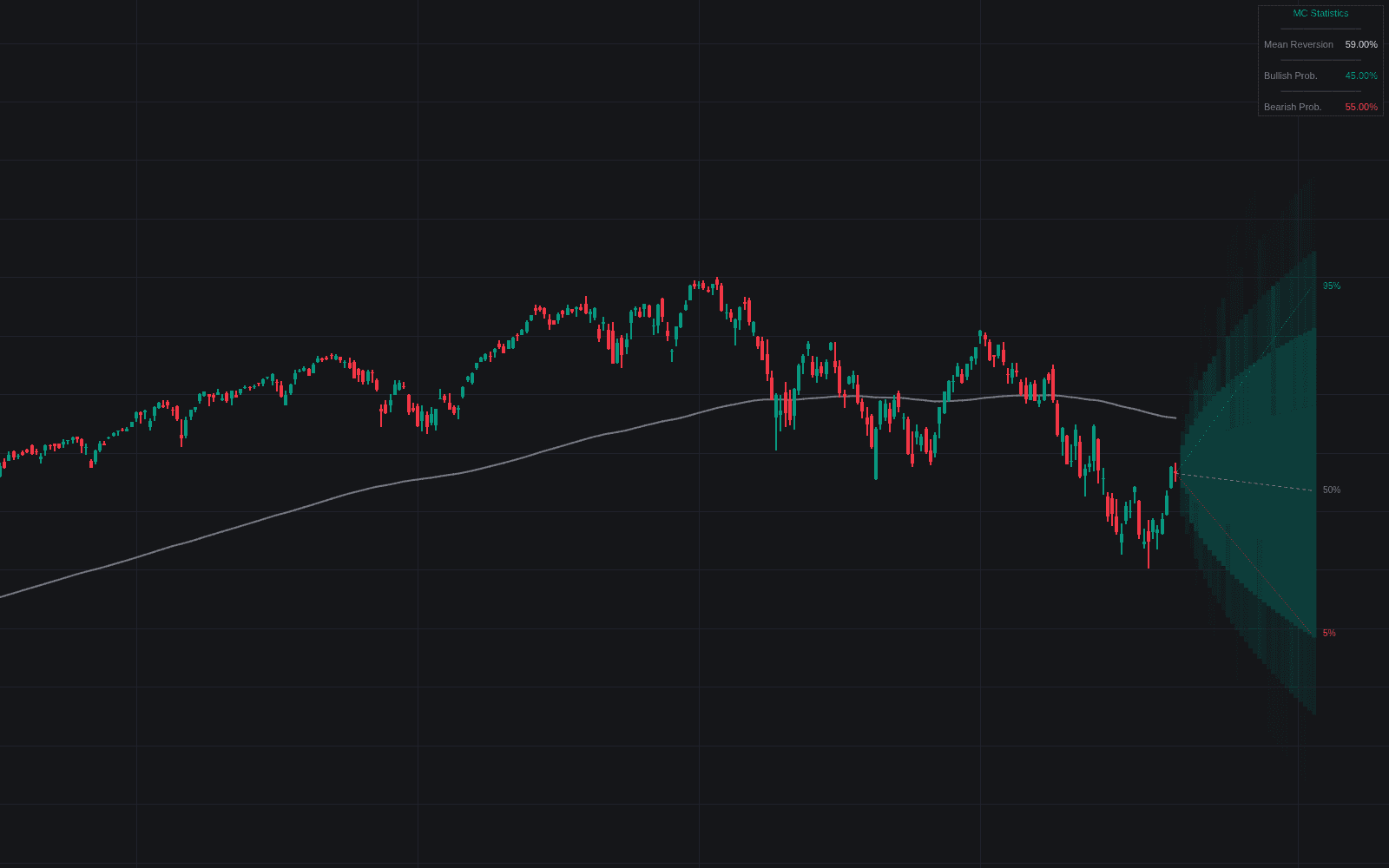
Run it on Vela. Make it yours with Quant.
Open this indicator free on Vela, our next-generation charting platform. Then ask Quant, our coding agent built into Vela, to retune it or turn it into a backtested strategy of your own.