Squeeze Release Direction
 By LuxAlgoMay 16, 2026
Squeeze Release Direction is an indicator on Vela, our next-generation charting platform, written in Pine Script®.
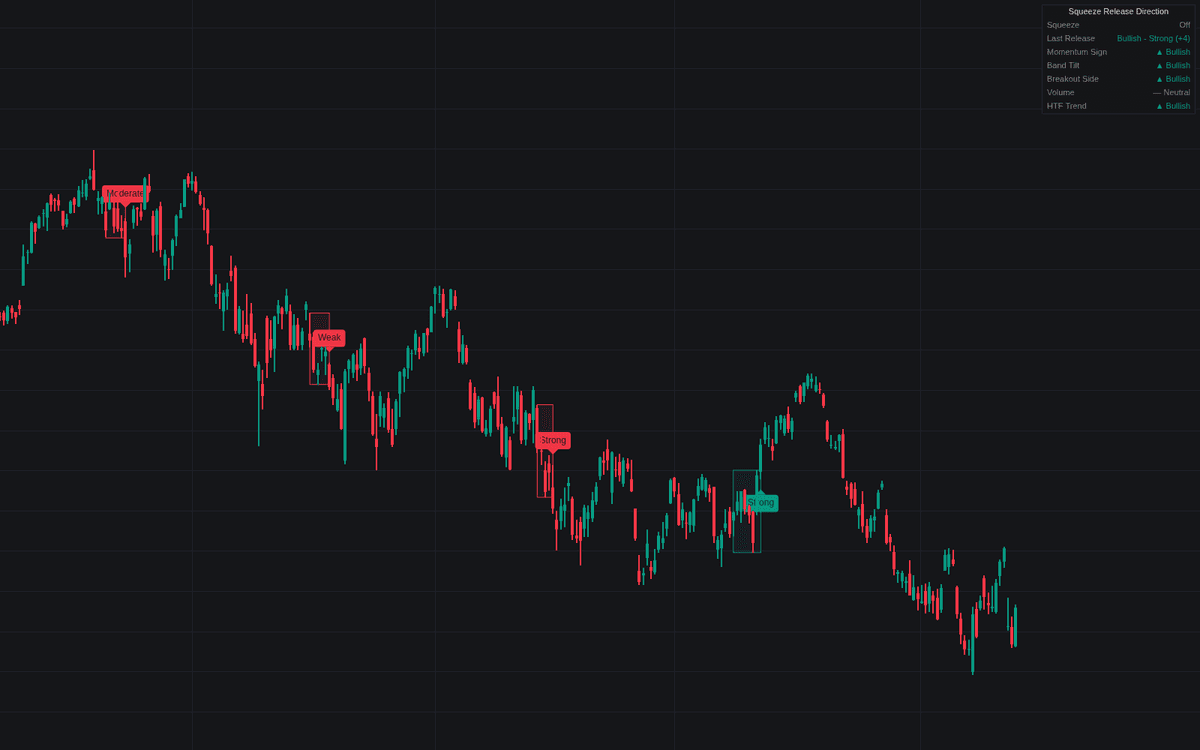

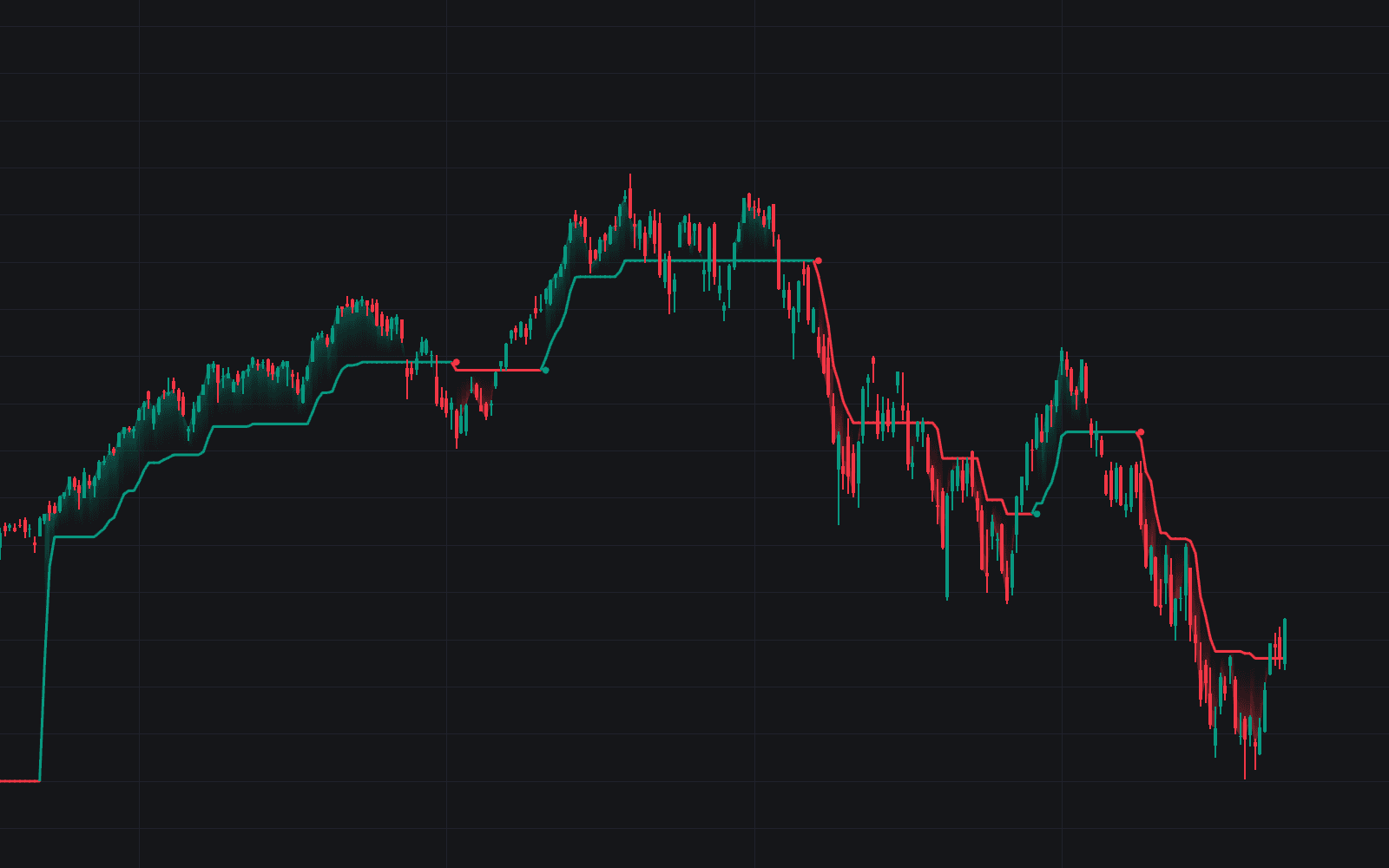
Squeeze Release Direction answers the question a squeeze deliberately leaves open, the definitive clean treatment of squeeze release direction as an evidence poll rather than a single cue. While the Bollinger Bands run inside the Keltner Channels a neutral compression zone tracks the coil; on the fire bar (the bands emerging again) five independent pieces of evidence each cast a vote, and the net score becomes the read, graded by how strongly the votes agree.
How to Trade the Squeeze Release Direction?
- Strong or Moderate labels: a net score of at least four or at least two on one side: the fires worth treating directionally, the vote breakdown a hover away.
- Weak labels: a one-vote margin; evidence barely leans, so demand follow-through before committing.
- Ambiguous labels: the votes cancel: head-fake territory, so stand aside or bracket the coil.
- Zone recolor: the compression box freezes at the fire and takes the read's color, keeping the coil's extent visible as the reference range.
With Skip Counter-Trend Fires enabled, a read that fights the higher-timeframe trend is downgraded to ambiguous rather than handed a side.
Squeeze Release Direction Settings
- Squeeze Length (default 20), Bollinger Bands Multiplier (default 2), Keltner Channels Multiplier (default 1.5): the shared trigger geometry; a tighter Keltner multiplier demands deeper compression before a squeeze can fire.
- Source (default close): series feeding the trigger bands and the momentum evidence.
- Momentum Length (default 20): the lookback of the momentum value whose sign on the fire bar supplies the first vote.
- Band Tilt Lookback (default 3): bars over which the basis slope is judged.
- Volume Average Length (default 20) and Volume Expansion Multiplier (default 1.5): the expansion test; without expansion the volume vote stays neutral.
- Higher Timeframe (default D) with EMA Length (default 50): the trend vote.
- Skip Counter-Trend Fires (default off): the bias-overlay mode described above.
Frequently Asked Questions
Free to use
Run it on Vela. Go further with a paid plan.
- Up to 500 Custom Alerts, with webhook automation
- Up to 10× the chart history of Free
- Orderflow lookback up to full history
- More Quant usage to customize it, plus extra usage when you need it
- Futures data alongside crypto, stocks, forex and commodities

Related indicators
Run it on Vela. Make it yours with Quant.
Open this indicator free on Vela, our next-generation charting platform. Then ask Quant, our coding agent built into Vela, to retune it or turn it into a backtested strategy of your own.