Band Walk
 By LuxAlgoMay 21, 2026
Band Walk is an indicator on Vela, our next-generation charting platform, written in Pine Script®.
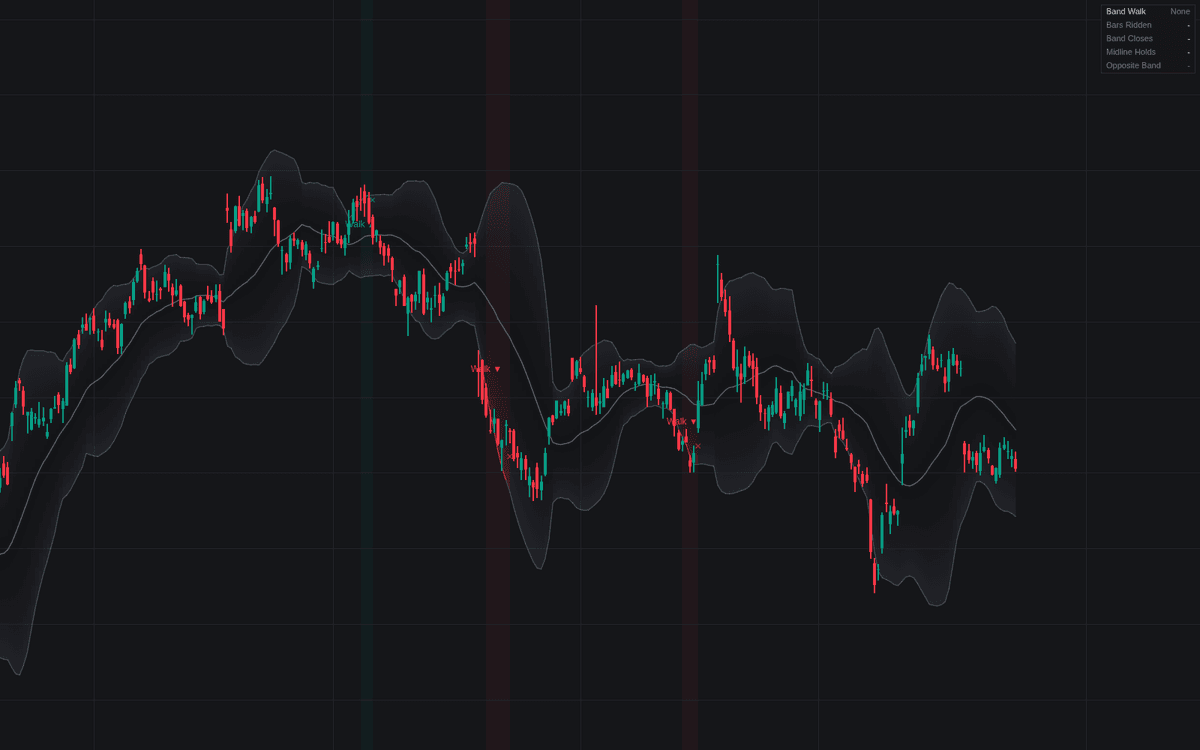

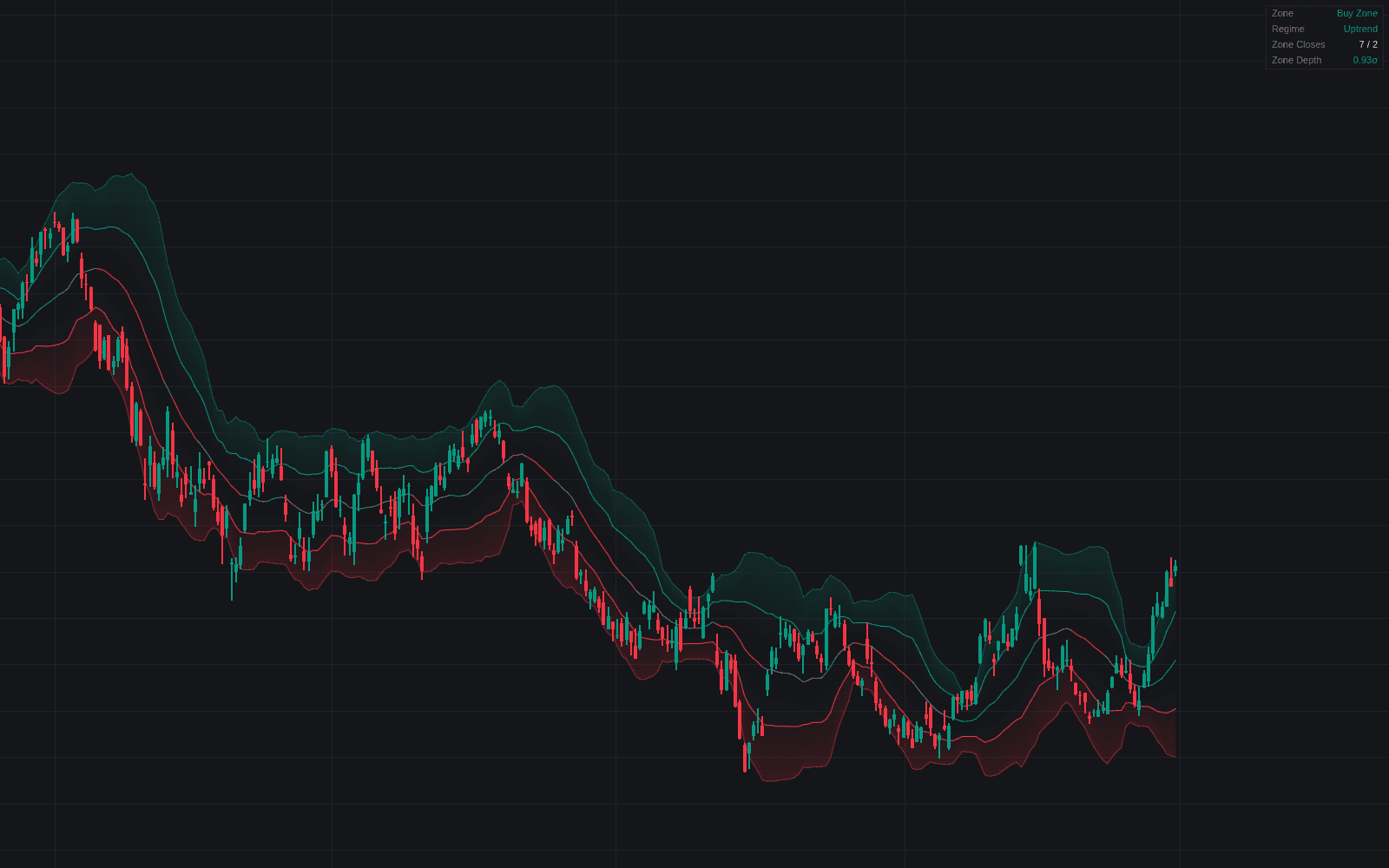
Band Walk turns the band walk (price persistently closing along one outer envelope band during a strong trend) into a confirmed, alertable state, written as the concept's first dedicated build. It draws a Bollinger Bands or Keltner Channel envelope (Midline, Upper Band, Lower Band), confirms a walk once enough band closes land inside a short window with the channel geometry agreeing, and manages the state bar by bar. A dashboard reports walk direction, bars ridden, band closes, midline holds, and whether the opposite band is bending away.
How to Trade the Band Walk?
- Walk ▲ / Walk ▼ label: the required band closes just completed with the midline sloping the same way, trend strength that argues for continuation tactics, not fades.
- Midline pullback markers: a dip that tags the midline and closes back in the walk's direction is the classic continuation spot; its alerts fire even while markers are hidden.
- ✕ label: the walk ended: a first close across the midline, or too many closes failing to reach the band. Deceleration first; reversal needs separate evidence.
Band Walk Settings
- Channel Type (default Bollinger Bands): envelope the walk is read on; Keltner Channel uses ATR bands around an EMA.
- Length (default 20): basis length of the channel.
- Source (default close) and Multiplier (default 2): input series and band distance.
- ATR Length (default 10): Keltner Channel mode only.
- Band Closes to Confirm (default 3): closes required before a walk confirms.
- Detection Window (default 5): bars those closes must fall within.
- Midline Slope Filter (default enabled): midline must tilt with the walk.
- Opposite Band Filter (default disabled): far band must also bend away from price.
- Max Closes Off the Band (default 5): consecutive misses that end an active walk.
- Dashboard and style toggles cover the panel, labels, pullback markers, gradient fill, and background tint.
Frequently Asked Questions
Free to use
Run it on Vela. Go further with a paid plan.
- Up to 500 Custom Alerts, with webhook automation
- Up to 10× the chart history of Free
- Orderflow lookback up to full history
- More Quant usage to customize it, plus extra usage when you need it
- Futures data alongside crypto, stocks, forex and commodities

Related indicators
Run it on Vela. Make it yours with Quant.
Open this indicator free on Vela, our next-generation charting platform. Then ask Quant, our coding agent built into Vela, to retune it or turn it into a backtested strategy of your own.