Bollinger Band Tag Reversion
 By LuxAlgoFeb 15, 2026
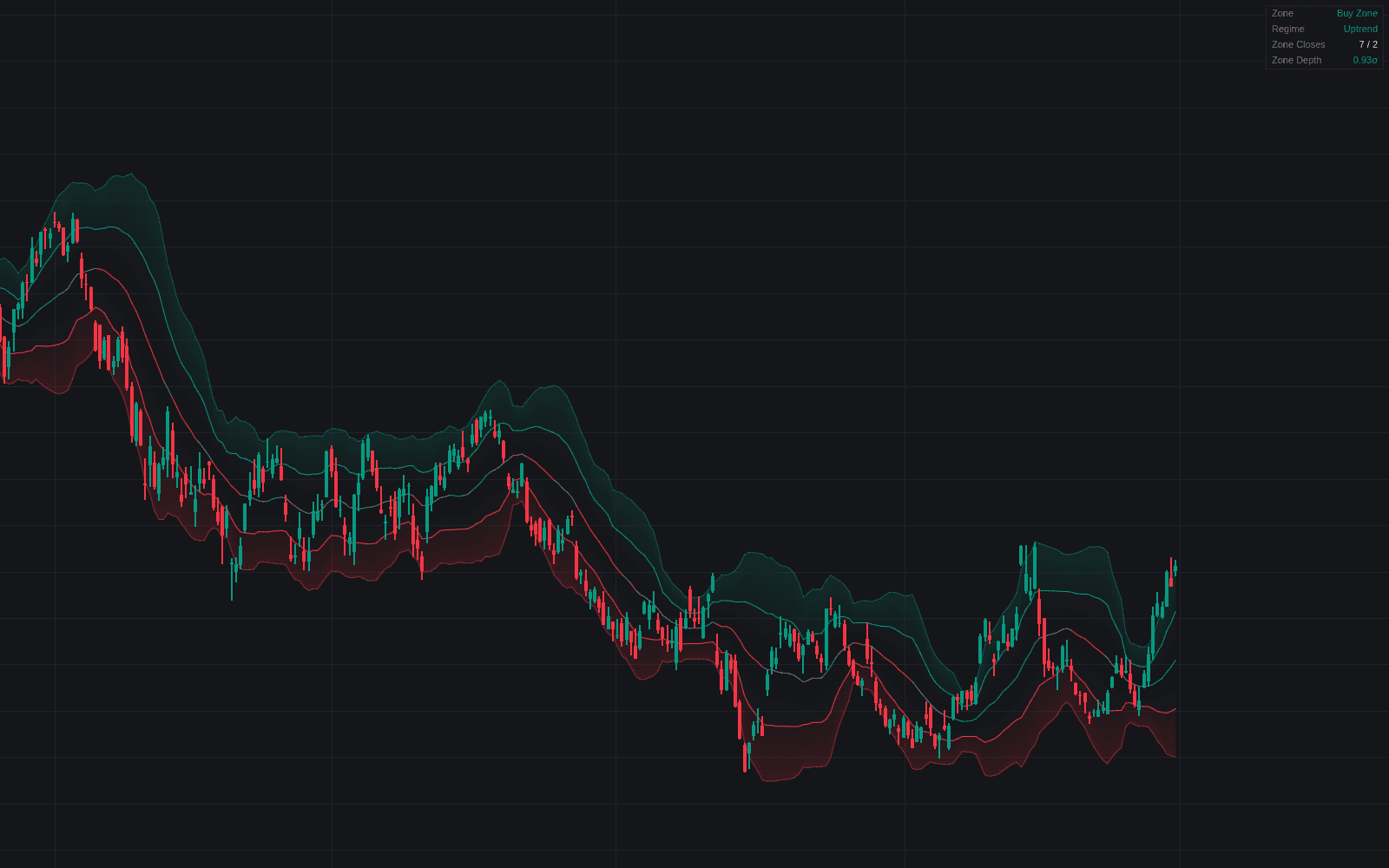
Bollinger Band Tag Reversion is an indicator on Vela, our next-generation charting platform, written in Pine Script®.
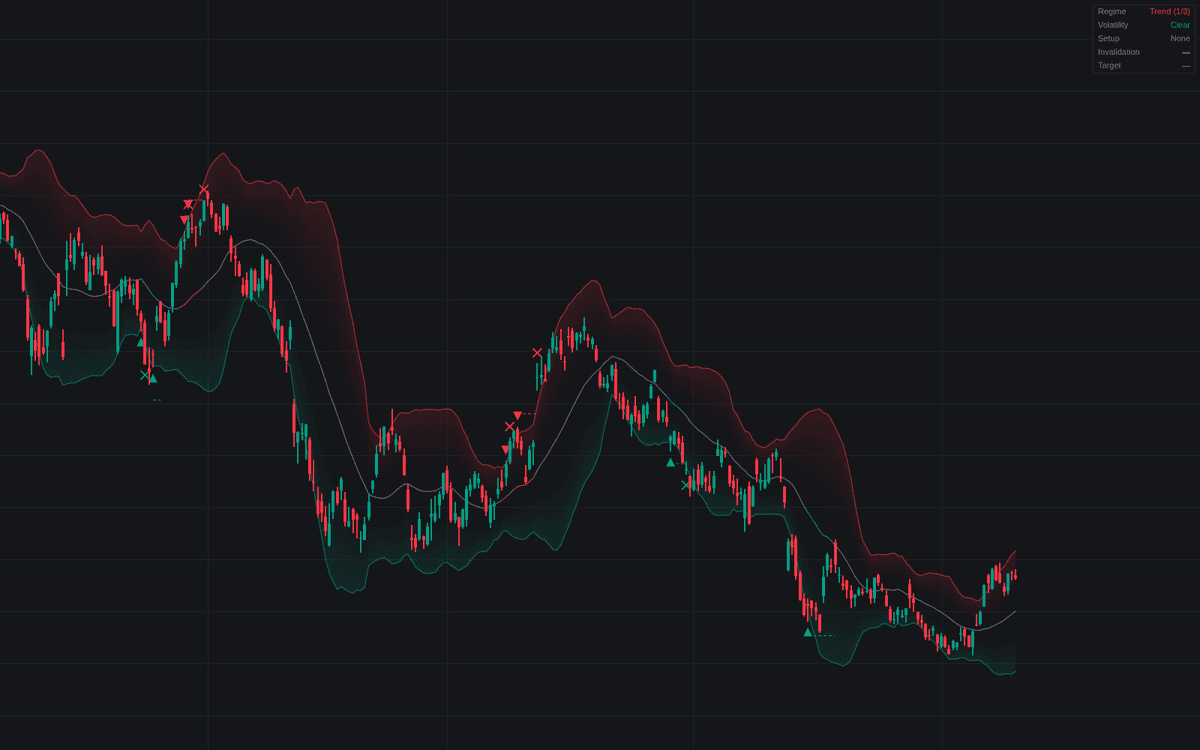

Bollinger Band Tag Reversion is the definitive clean build of the Bollinger Band tag reversion setup, and the tag alone is never the trade. A tag only arms a watch; the setup prints at the first close back inside the bands, and only when the backdrop cooperates: enough basis rotation to read as a range, and no expansion out of a tight base. Qualified setups print a triangle and a dashed invalidation line, then resolve as a circle at the target or a cross on failure.
How to Trade the Bollinger Band Tag Reversion?
- Long Setup: a lower-band tag closes back inside with the filters passing. Rotation toward the middle band, invalidation below the tag extreme less the ATR cushion.
- Short Setup: the upper-band mirror. Alerts cover setups, completions, failures.
- Band-walk standby: price closing outside through the whole confirmation window is strength, not stretch. The tag is refused until a close back inside.
Bollinger Band Tag Reversion Settings
- Length (default 20), Source (default close), Multiplier (default 2): the band construction; the basis is also the default target.
- Tag Trigger (default Touch or Pierce): intrabar touches count; Close Beyond demands a full close outside.
- Confirmation Window (default 5): bars allowed from tag to confirming close before the tag is ruled a band walk.
- Stretch Target (Opposite Band) (default off): target the opposite band instead of the basis.
- Stop ATR Fraction (default 0.5) with ATR Length (default 14): cushion past the tag extreme.
- Range Regime Filter (default on) with Regime Lookback (default 20) and Minimum Rotations (default 3): basis crossings needed to call the backdrop a range.
- Expansion Veto (default on) with Reference Lookback (default 125) and Tight Base Window (default 10): vetoes tags as width turns up off a fresh base low.
Frequently Asked Questions
Free to use
Run it on Vela. Go further with a paid plan.
- Up to 500 Custom Alerts, with webhook automation
- Up to 10× the chart history of Free
- Orderflow lookback up to full history
- More Quant usage to customize it, plus extra usage when you need it
- Futures data alongside crypto, stocks, forex and commodities

Related indicators
Run it on Vela. Make it yours with Quant.
Open this indicator free on Vela, our next-generation charting platform. Then ask Quant, our coding agent built into Vela, to retune it or turn it into a backtested strategy of your own.