Wave Degree Hierarchy
 By LuxAlgoJul 4, 2026
Wave Degree Hierarchy is an indicator on Vela, our next-generation charting platform, written in Pine Script®.
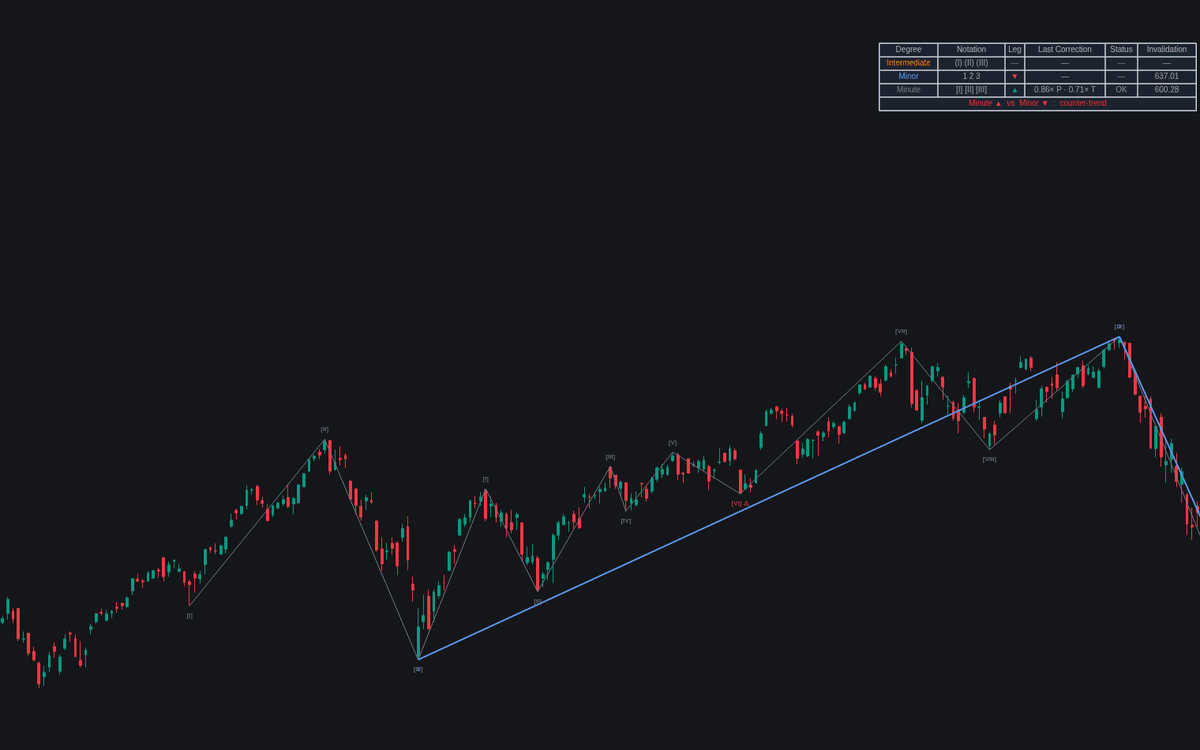

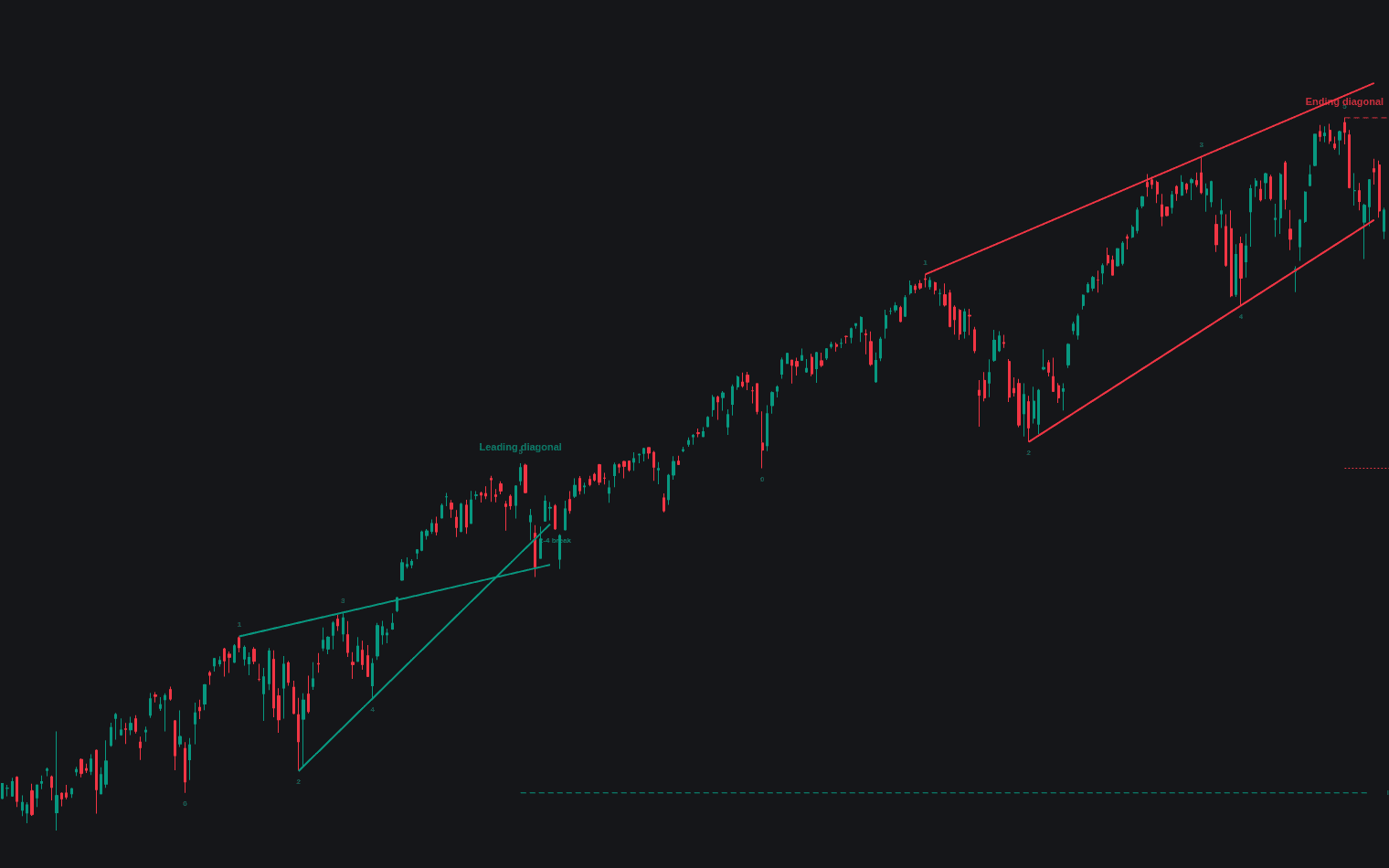
Wave Degree Hierarchy draws the nesting Elliott analysis rests on: a base zigzag and up to three degrees derived recursively above it, each pivot surviving upward only when it dominates its same-type neighbors one degree below, the wave degree hierarchy made a chart object for the first time. Each degree gets its ladder name, notation pivot labels, a dotted developing leg and a dashed invalidation level at its prior extreme.
How to Trade the Wave Degree Hierarchy?
- Trade with the reference degree: the dashboard's context row compares the execution-degree leg with the leg one or more degrees above, tinting the background on request while they oppose.
- Invalidation breaks: each degree's dashed level is the prior pivot extreme whose break kills that degree's current-leg count, each with its own alert.
- Disproportion flags: corrections retracing under the minimum proportion get an ellipsis; those traveling further or lasting longer than the wave they correct get a warning mark.
Notation is positional bookkeeping inside the parent leg, not an impulse count.
Wave Degree Hierarchy Settings
- Base Pivot Length (default 8): pivot half-length of the lowest degree, from which all others derive.
- Degrees Displayed (default 3): 2 to 4 nested degrees; higher ones confirm later by construction.
- Lowest Degree Name (default Minute): ladder name of the base; the rest walk upward, clamped at Grand Supercycle.
- Min Correction Proportion (Price) (default 0.236), Max Correction Proportion (Price) (default 1) and Max Correction Proportion (Time) (default 1): the proportion discipline.
- Trend Reference (Degrees Above) (default 1) and Tint Counter-Trend Background (off): the context read.
- Display: Show Dashboard (on), Pivot Labels (Notation), Flag Disproportion On Labels, Developing Legs and Invalidation Levels (all on), Drawn Swings Per Degree (default 50).
Frequently Asked Questions
Free to use
Run it on Vela. Go further with a paid plan.
- Up to 500 Custom Alerts, with webhook automation
- Up to 10× the chart history of Free
- Orderflow lookback up to full history
- More Quant usage to customize it, plus extra usage when you need it
- Futures data alongside crypto, stocks, forex and commodities

Related indicators
Run it on Vela. Make it yours with Quant.
Open this indicator free on Vela, our next-generation charting platform. Then ask Quant, our coding agent built into Vela, to retune it or turn it into a backtested strategy of your own.