Climactic Action
 By LuxAlgoApr 28, 2026
Climactic Action is an indicator on Vela, our next-generation charting platform, written in Pine Script®.
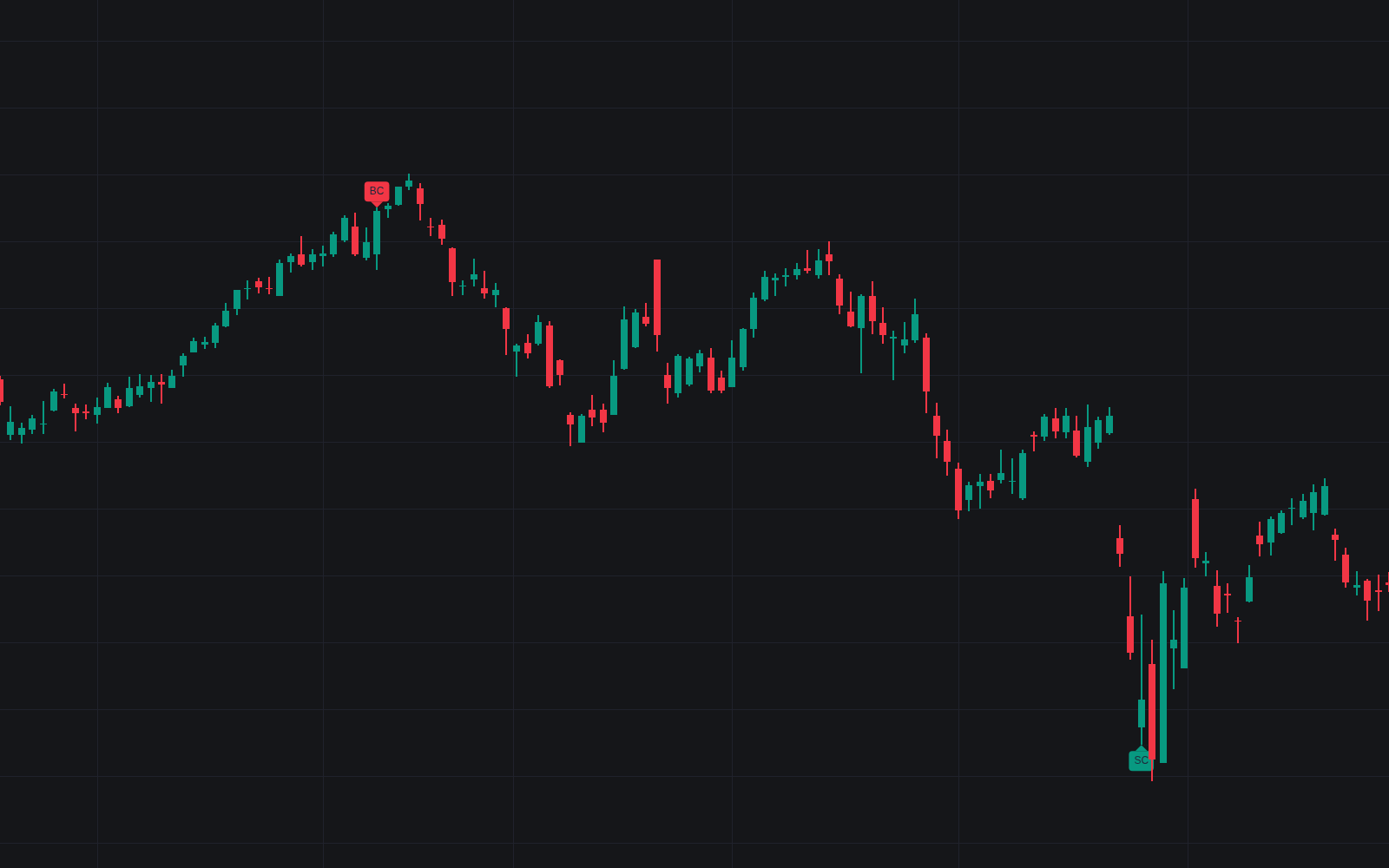

Climactic Action flags the terminal bars of extended moves: prints whose volume and range tower over their recent baselines while pushing to fresh extremes beyond the prior window. The climactic action read in its definitive clean form, it tags selling climaxes (SC) at lows and buying climaxes (BC) at highs, then manages the aftermath: confirmation, invalidation, and the lighter-volume secondary test.
How to Trade the Climactic Action?
- SC / BC tag: a climactic print after a qualifying move; the tooltip reports volume multiple, range multiple, and close position.
- Confirmation: the follow-through window passes without a close beyond the climax extreme: progress stopped, the level line turns solid.
- Invalidation: a close beyond the extreme means the move still has fuel; the level fades and the episode ends.
- ST tag: after confirmation, a drift back toward the extreme on volume at or below the configured share of the climax print.
Climactic Action Settings
- Prior Trend Length (default 20): the prior window that must show a net move and be exceeded by a fresh extreme.
- Volume & Range Baseline (default 20): trailing window for the volume and range averages and percentile rank.
- Volume Basis (default Multiple of Average) with Volume Multiple (default 2.5) and Volume Percentile (default 95).
- Range Multiple (default 2): bar range against its average.
- Follow-Through Window (default 5): bars that must pass without a close beyond the extreme.
- Secondary Test Window (default 50): how long the level is tracked awaiting a test.
- Test Volume, % of Climax (default 50) and Test Proximity, % of Climax Range (default 33): how light and how close a test must be.
- Style: Climax Extreme Level (default on), Mark Secondary Tests (default on), Label Size (default Small), and Color Climax Bars (default off).
Frequently Asked Questions
Free to use
Run it on Vela. Go further with a paid plan.
- Up to 500 Custom Alerts, with webhook automation
- Up to 10× the chart history of Free
- Orderflow lookback up to full history
- More Quant usage to customize it, plus extra usage when you need it
- Futures data alongside crypto, stocks, forex and commodities

Related indicators
Run it on Vela. Make it yours with Quant.
Open this indicator free on Vela, our next-generation charting platform. Then ask Quant, our coding agent built into Vela, to retune it or turn it into a backtested strategy of your own.