VSA Test Bar
 By LuxAlgoMay 22, 2026
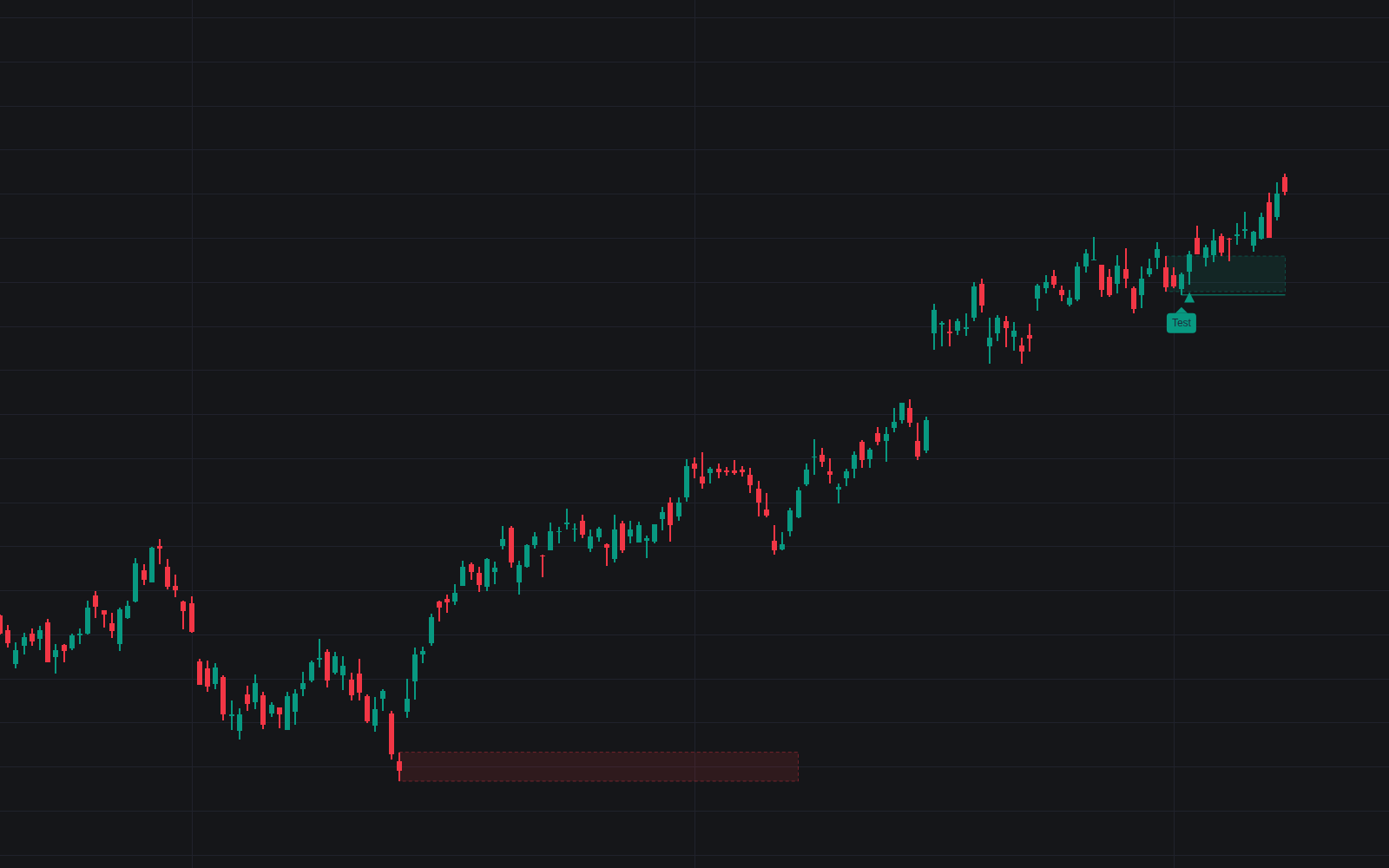

VSA Test Bar asks the follow-up question of volume spread analysis and grades the market's answer, the first faithful build of the test bar as a full detection sequence. High-volume down bars register supply areas; a later probe of that area on narrow spread and clearly low volume, closing firm and holding the area low, prints a Test label with a dashed invalidation line at the test bar's low.
How to Trade the VSA Test Bar?
- Test: a probe of prior supply under both volume thresholds, closing at or above the Minimum Close Position. A question posed, not yet an entry.
- Test Confirmed: an up bar that closes firm on volume above the test bar's own, inside the window; the line turns solid, the area recolors bullish, and the classic stop sits below the test low.
- Test Negated: no qualifying response in time, or a close below the test low, marked with a small cross.
- Failed Test: the probe instead draws heavy volume; supply is still present, and the area recolors bearish.
It slots into the wider volume and order-flow family.
VSA Test Bar Settings
- Average Length (default 20): baseline averages for volume and spread.
- Low Volume Threshold (default 0.7): maximum test volume as a multiple of that average.
- Max Fraction Of Supply Volume (default 0.5): the test must also print well below the probed area's volume.
- Maximum Spread Multiple (default 1.0) and Minimum Close Position % (default 50): the narrow-spread, firm-close anatomy.
- Supply Bar Volume Multiple (default 1.5) and Context Lookback (Bars) (default 50): what registers as supply and how long it stays valid.
- Confirmation Window (Bars) (default 5), Flag Failed Tests (on) and Failed Test Volume Multiple (default 1.5): the response rules.
- Show Supply Area and Show Invalidation Line (both on): the drawings.
Frequently Asked Questions

Original indicatorBuilt in-house by LuxAlgo
The Library is free. Quant makes it yours.
Pull any concept or indicator into Quant: rebuild it, retune it, or turn it into a backtested strategy of your own.