No-demand / No-supply Bars
 By LuxAlgoMay 14, 2026
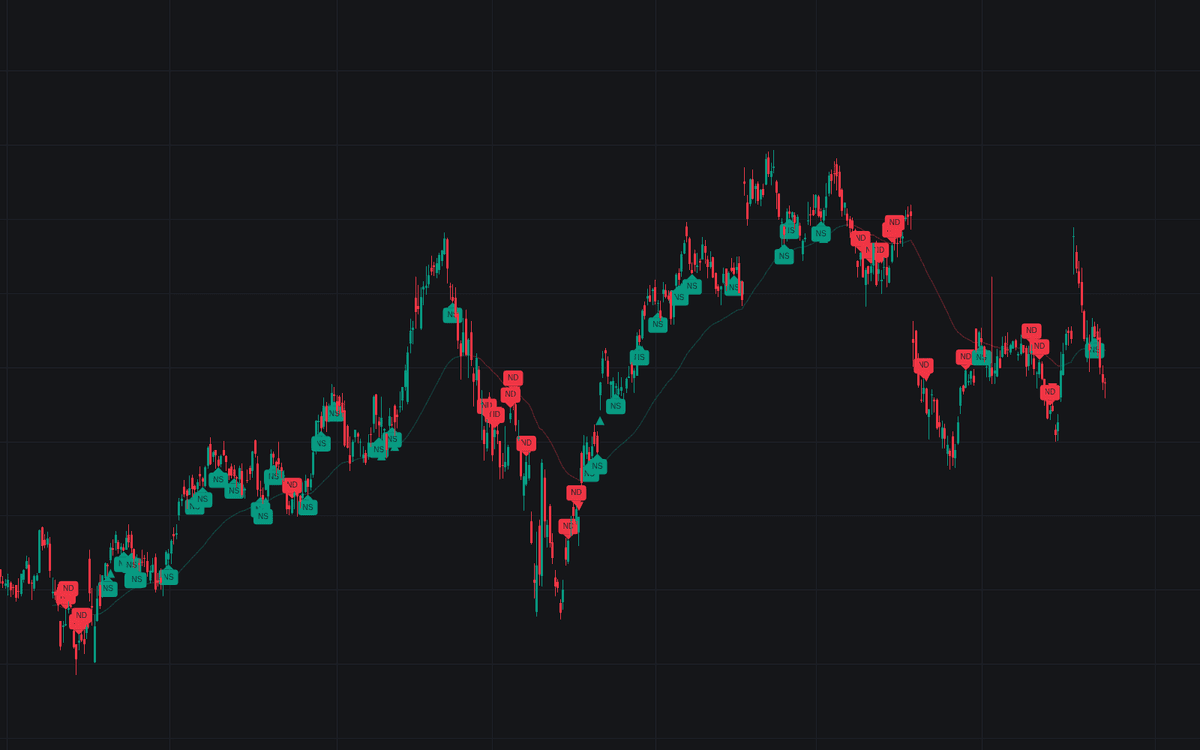

No-demand / No-supply Bars detects the two classic absence findings of Volume Spread Analysis and grades every print against its background. A no-demand or no-supply bar is an up or down close on a narrow spread with volume below both prior bars, a move that professional interest sat out. Every threshold is explicit: narrowness against a 20-bar average spread, volume against the two preceding prints, and a 50-period EMA background read deciding whether a detection qualifies. Qualified bars get filled ND/NS tags; the rest print as faded ghosts.
How to Trade the No-demand / No-supply Bars?
- Qualified NS above the context average: a dip that found no sellers while the background shows strength, the pullback used to time longs.
- Qualified ND below the context average: a rally nobody chased against background weakness, the move to sell into.
- Confirmation triangles: an up close after a no-supply bar marks the successful test; a down close after a no-demand bar confirms the weakness. Both fire alerts.
- Ghost tags: a quiet dip inside a genuine downtrend is normal and proves nothing. The faded marks keep that context visible without polluting the signal set.
Each tag's tooltip reports the measured spread and volume ratios behind the print.
No-demand / No-supply Bars Settings
- Spread Average Length (default 20): bars in the rolling average spread behind the narrowness test.
- Narrow Spread Threshold (default 1): fraction of the average spread the bar must stay below; lower demands tighter, rarer prints.
- Background Filter (default Moving Average Trend): qualify detections against trend context, or accept every detection with None.
- Context Average (default EMA) with Length (default 50): the average family and lookback behind the background read.
- Style inputs cover tag size, ghost tags (on), confirmation triangles (on), the tinted context average (on), and bar coloring (off).
Frequently Asked Questions

The Library is free. Quant makes it yours.
Pull any concept or indicator into Quant: rebuild it, retune it, or turn it into a backtested strategy of your own.