Naked POC
 By LuxAlgoJun 23, 2026
Naked POC is an indicator on Vela, our next-generation charting platform, written in Pine Script®.
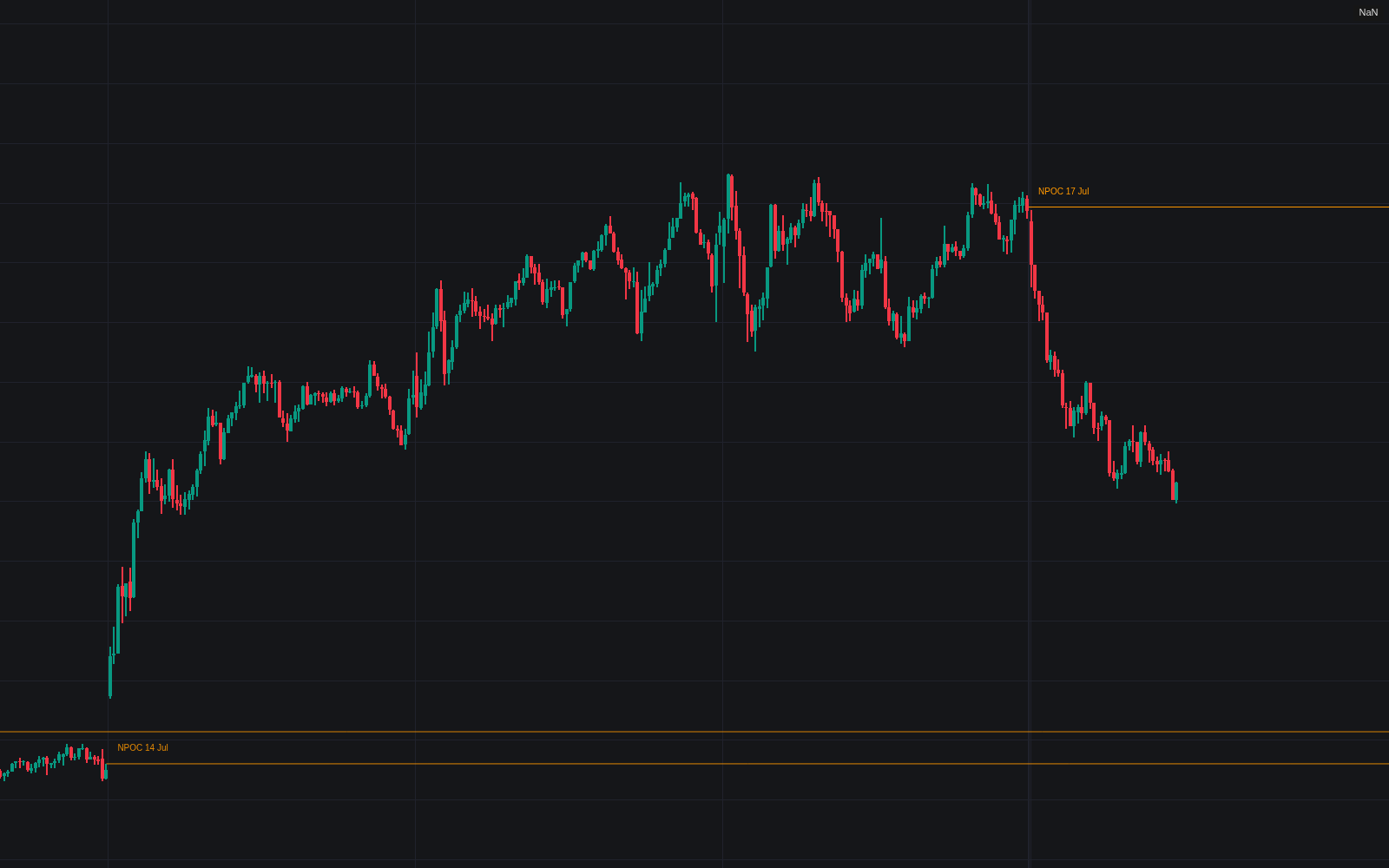

Naked POC keeps the market's unfinished business on screen. Each completed profile period (daily sessions by default) is split into 24 price rows, its point of control located at the heaviest row, and that level tracked forward as a naked POC for as long as price stays away. Levels extend right from their period, tagged with their birth date, and fade as they age so fresh references keep visual weight. The first trade back through a level ends its naked status: it is retired, or optionally kept frozen as a tested reference.
How to Trade the Naked POC?
- First test of an NPOC: the first return is commonly watched for a responsive reaction (rejection or acceptance through the level) and fires the Naked POC Tested alert.
- Open NPOCs above and below: untested points of control hand directional moves concrete objectives once the auction leaves balance.
- Fresh over stale: the age fade encodes the prioritization: recent levels are live references; faded ones are context.
- New Naked POC alert: each completed period announces the level it left behind.
Keep the chart timeframe well below the profile period; a notice appears when the relationship inverts.
Naked POC Settings
- Profile Period (default D): timeframe of the sessions the profiles are built from.
- Profile Rows (default 24): rows the period's range is split into; more rows locate the POC more precisely, fewer smooth thin data.
- POC Basis (default Volume): weight rows by traded volume, or by bar visits with Time (TPO), the option for symbols without volume data.
- Maximum Naked POCs (default 50): most recent levels kept; the oldest drop first.
- Style inputs cover line color and style, the age fade (full after 20 periods), date labels, tested-level display (off), and test markers (off).
Frequently Asked Questions
Free to use
Run it on Vela. Go further with a paid plan.
- Up to 500 Custom Alerts, with webhook automation
- Up to 10× the chart history of Free
- Orderflow lookback up to full history
- More Quant usage to customize it, plus extra usage when you need it
- Futures data alongside crypto, stocks, forex and commodities

Related indicators
.png&w=3840&q=75)
Run it on Vela. Make it yours with Quant.
Open this indicator free on Vela, our next-generation charting platform. Then ask Quant, our coding agent built into Vela, to retune it or turn it into a backtested strategy of your own.